11
Proceed similarly to step 2. With the S0 meter connected to the S01 port, press the
"inactive" button. Select "Consumption meter". Continue with Confirm.
Enter the pulse factor of the S0 counter and confirm. The pulse factor of the S0 counter is
usually shown on the front of the counter.
Continue this procedure optionally for S02 and S03.
The S0 interface stress has been defined. Continue with "next".
Step 4
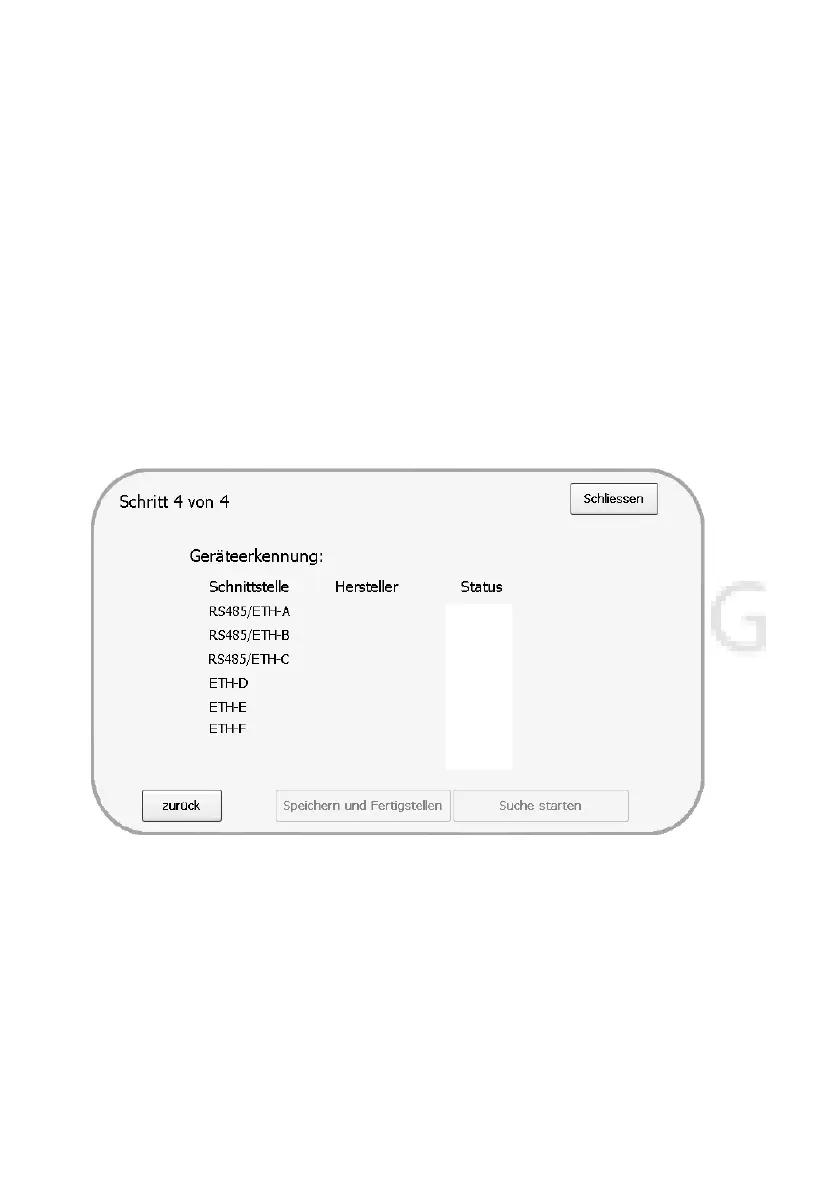
Start the device detection with "Start search".
Figure 11:
The PL data logger needs a moment to detect all devices. In the "Status" column you can
see the number of devices detected so far during the search. If the correct number of
inverters/devices has been detected at the corresponding interface, press the "Skip" button
- this switches the detection to the next interface.
If all devices have been detected successfully, please press the "Save and Finish" button.
The PL data logger restarts and resumes normal operation. If the Internet connection via


 To Next Page