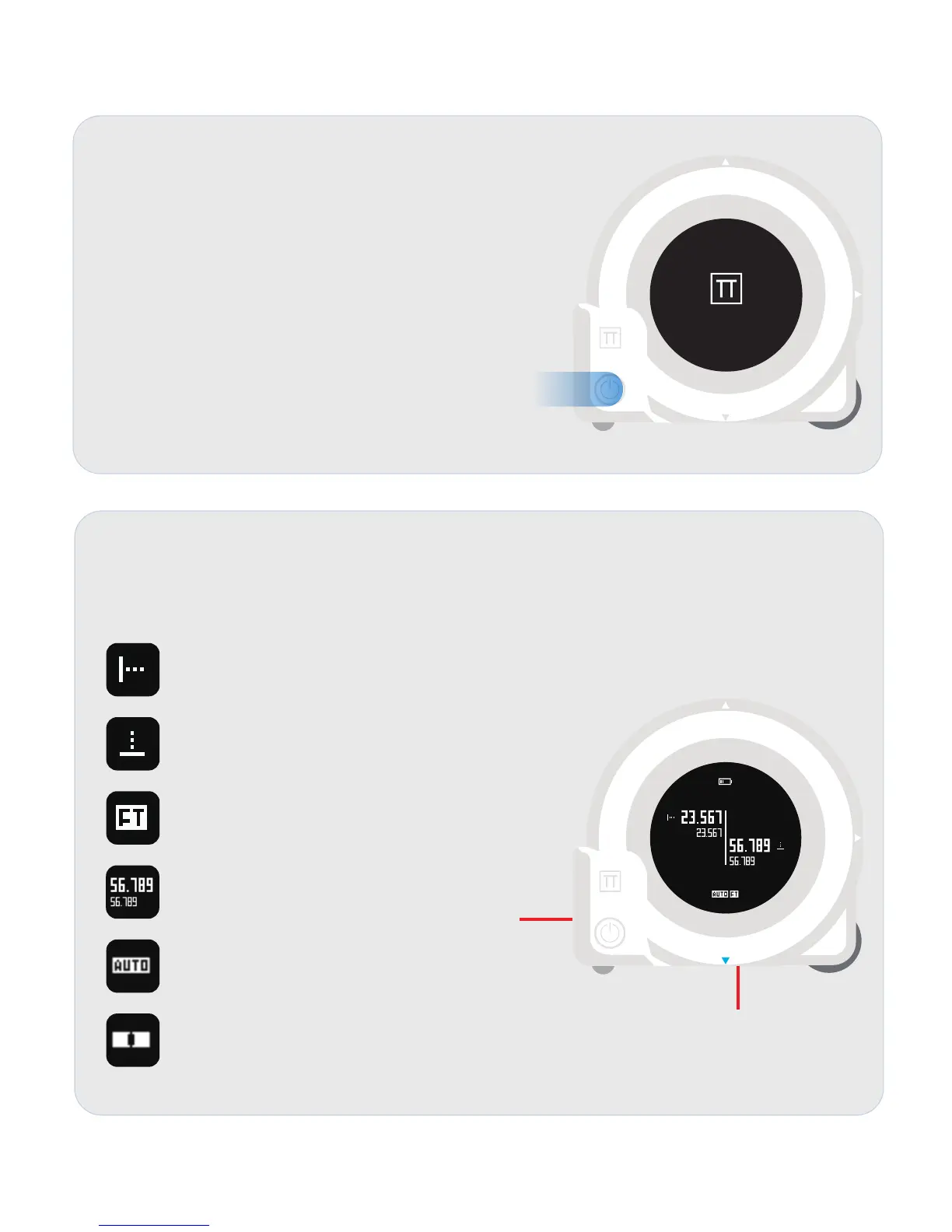
Startup View
CUBIT will show startup view and keep for
2seconds once the main button is pressed while
the CUBIT is powered off.
Laser Measurement View
CUBIT will enter laser measurement view once the laser measurement button is
pressed.
I
ndicates the direction of the following values are
for the LEFT LASER (X LASER currently).
Indicates the direction of the following values are
for the DOWN LASER (Y LASER currently).
Indicates the CUBIT is using FEET as its unit.
Larger size number is current measurement result.
Smaller size number is previous measurement
result.
Indicates the laser distance auto compensation
mode is enabled. This function is disabled in default
and can be turned on via Plott App.
Indicates the leveling status of the CUBIT.
X LASER
Y LASER
PLOTT


 To Next Page