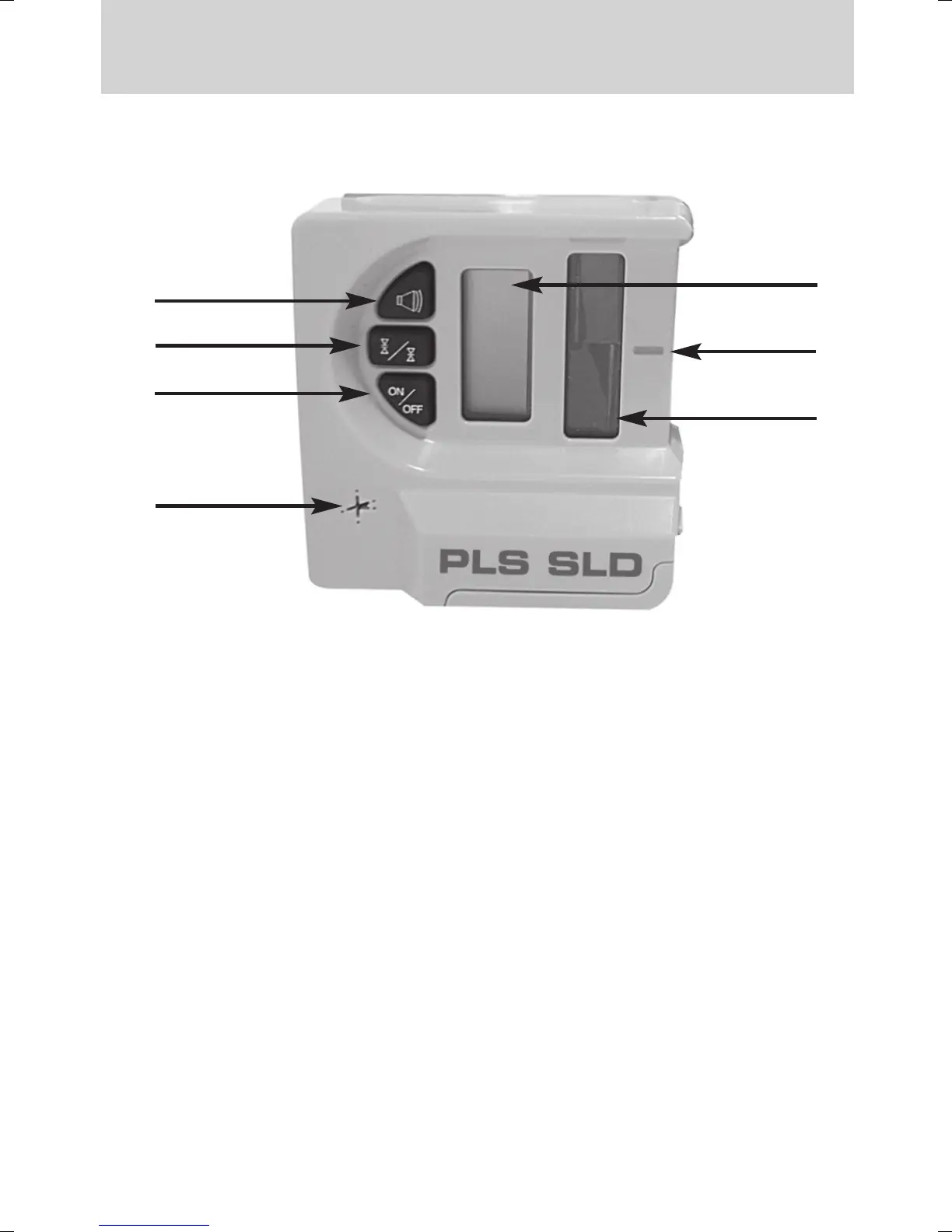
PLS SLD DETECTOR
3
4
5
6
2
1
7
1. Power Switch - press once to turn ON. Unit beeps and LCD’s turn
on to confirm power is on. Press again to turn off. Unit automatically
turns off after five minutes of non-use.
2. Accuracy Switch - select detection accuracy. Pressing switch cycles
through accuracy options.
3. Beeper Switch - pressing switch cycles OFF, and ON.
4. Liquid Crystal Display (LCD) - LCD indicates the detectors position
relative to the laser beams and other detector settings.
5. On-Grade Mark - aligned with the laser on-grade reading and
vertical marking notch. Mark located close to the photocells for error
free marking.
6. Laser Reception Window - photocells are located behind the window
which detect the laser signal. Window must be directed toward laser.
7. Beeper Output - 3 distinct audible signals.
• Fast signal: Detector too Low.
• Solid signal: On-Grade
• Slow signal: Detector too High
Operation - Front View



 To Next Page