Changing Display Mode
Windows Vista
/ Windows XP
Mac OS 10.8.3 or higher
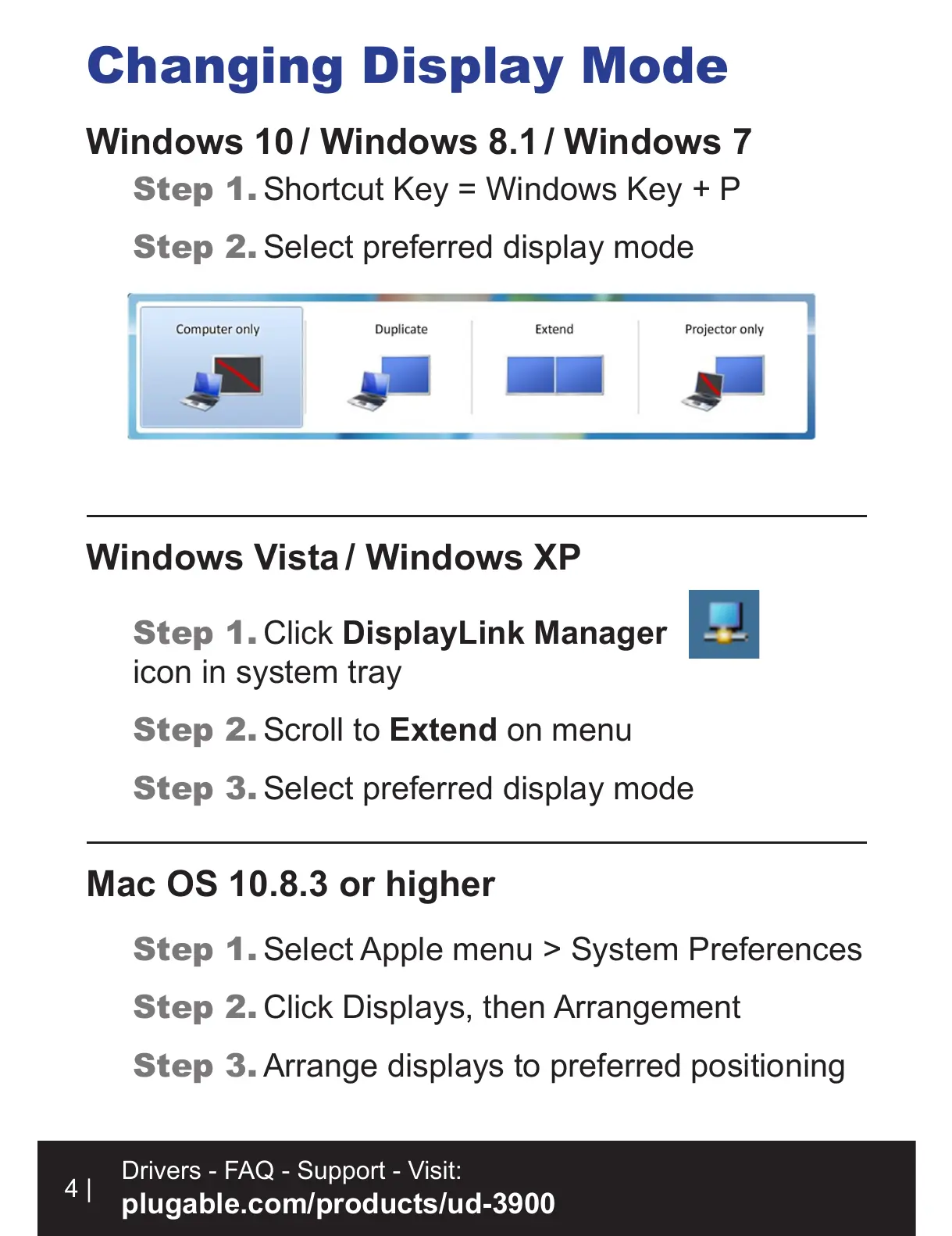
Step 1. Shortcut Key = Windows Key + P
Step 2. Select preferred display mode
Step 1. Click DisplayLink Manager
icon in system tray
Step 2. Scroll to Extend on menu
Step 3. Select preferred display mode
Step 1. Select Apple menu > System Preferences
Step 2. Click Displays, then Arrangement
Step 3. Arrange displays to preferred positioning
Windows 10
/ Windows 8.1
/ Windows 7
4 |
Drivers - FAQ - Support - Visit:
plugable.com/products/ud-3900


 To Next Page