Getting started
Installing the SIM and the Micro SD card
To insert the SIM card and Micro SD card, please
make sure your phone is Power off, then remove
the back cover, battery and other external power
connection.
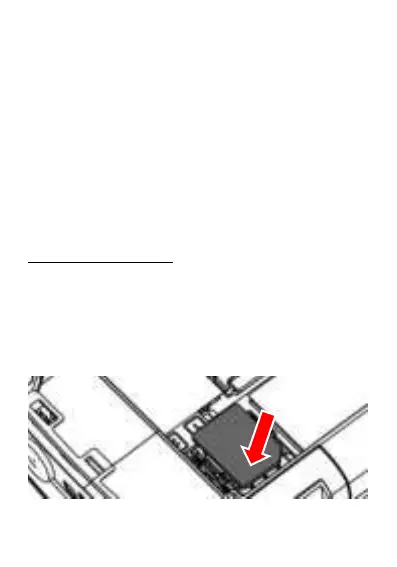
To insert the SIM card
1. Slide the Metal to the left to unlock the tray.
2. Lift up the cover and insert the Nano SIM
3. Put down the metal cover then slide it right
to lock the Card tray



 To Next Page