Multimedia
Audio
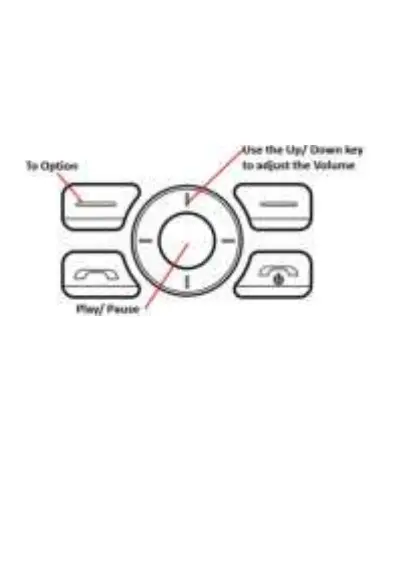
Use this function to play or set the audio file as the
ringtone, the keys will have the function below:
Press Rewind and FF key for the backward and fast
forward.
Pictures
You can view, share or edit the images inside the
device through this function.
To set the image you want as the wallpaper, press
Options Set as Wallpaper



 To Next Page