Page 8/14
- Press the shutter on the handle or touch the flashing “GO” button (1) on the screen to start
the measurement; you will hear a warble sound. Instead of the start screen, you will now
see the camera image.
Note:
Touch the camera image if you wish to discontinue a started measurement.
Note:
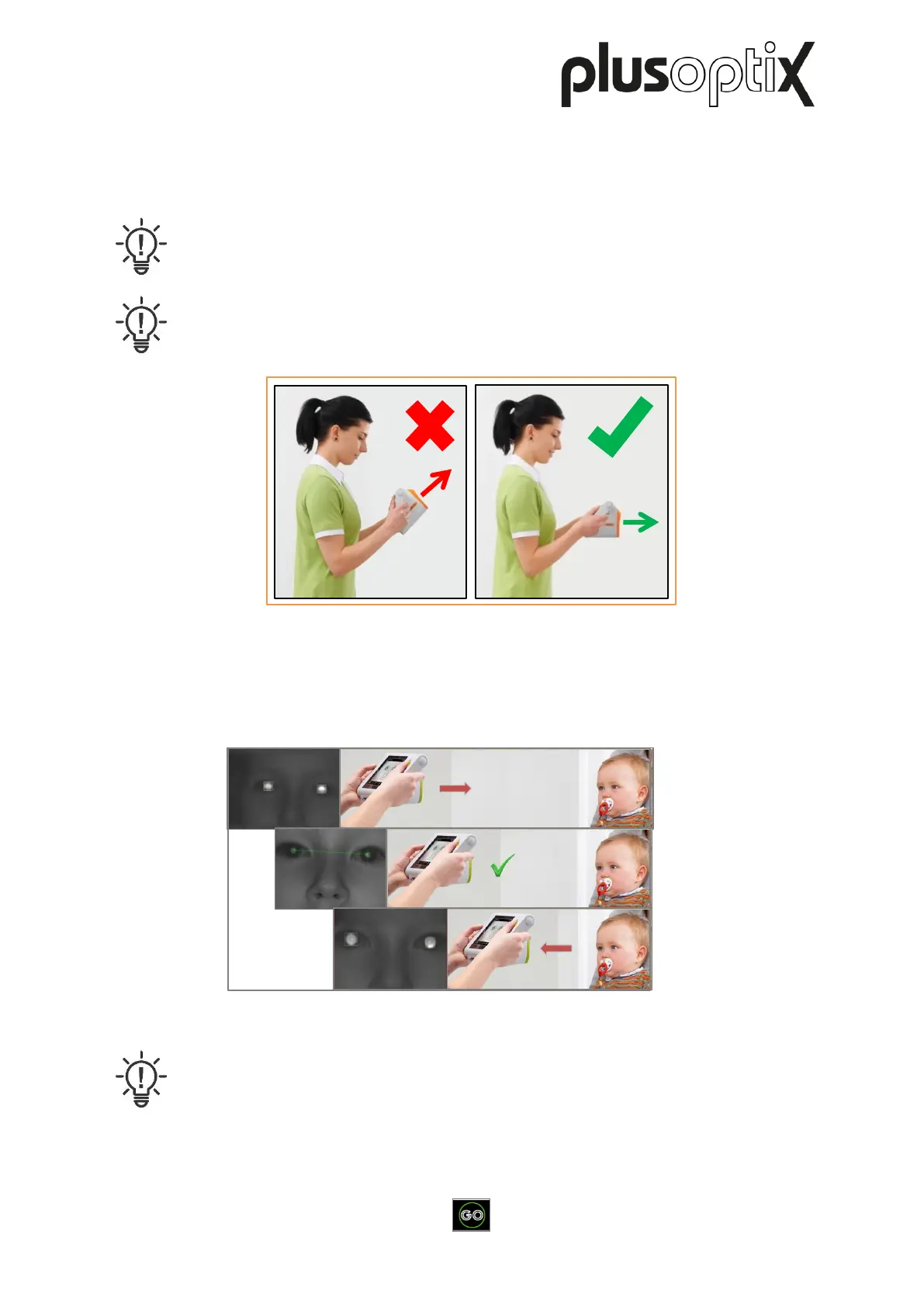
The screen of the plusoptiX S12C is fixed at a 45° angle to the camera axis. Tilt
your wrists downwards to align the device.
- Align the device so that both eyes can be seen on the screen, and then slowly move the
device towards the patient until the camera image can be seen in high-definition on the
screen (individual hairs of the eyebrows and the eyelashes must be visible).
Note:
If a patient is not looking at the nose of the smiley face during the measurement,
this can cause a termination of the measurement. The nose and the knees of the
patient must always be directed towards the device.
1)
Figure 3: Aligning the plusoptiX S12C
Figure 4: Detecting the correct measuring distance



 To Next Page