Page 9/14
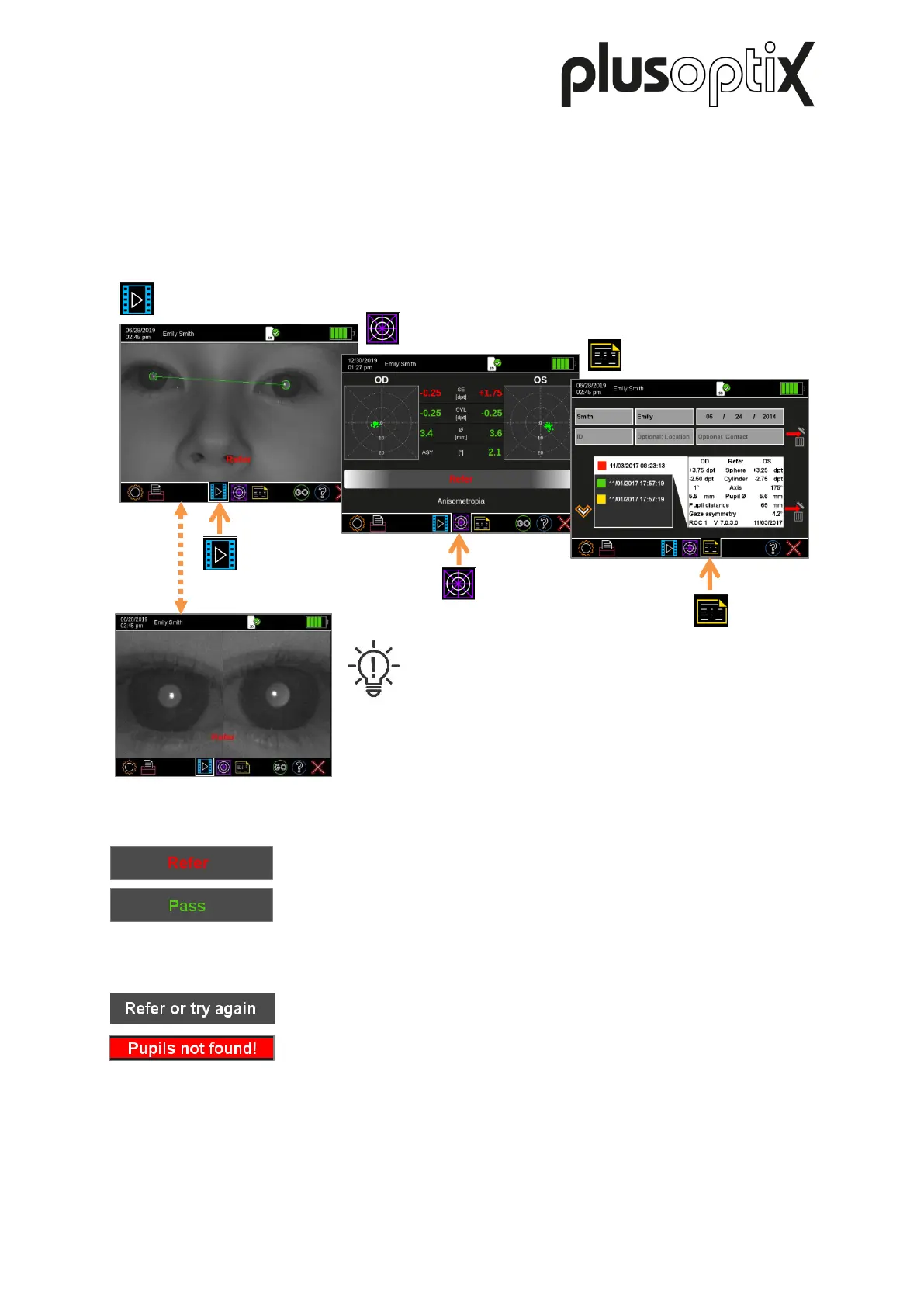
- The end of the measurement is confirmed by a “PING” sound. After the measurement,
you will first see the “camera image” results page.
- Touch the appropriate icon in the middle of the navigation bar to access each of the three
results pages:
Note:
Tap the camera image to zoom into the pupils. This
allows you to accurately examine the pupils for
media opacities and abnormal reflexes (Bruckner or
red reflex test).
In addition to the measurement values, a screening result is displayed:
The measurement has been successfully completed and the “Refer”
or “Pass” screening result is displayed. “Refer” is automatically
displayed as a preAttentionary result for every patient requiring an
eye care professional appointment.
The measurement concluded without result and a “Try again” or
“Refer or Try again” status is displayed. In this case, check the
measuring environment (see picture 2).
Was the measurement discontinued due to direct sunlight, an
incorrect measuring distance or a too small or too large pupil size?
For more information on measurements without result, refer to Short
Manual 10.
For more information on performing a measurement and on viewing as well as documenting
the measurement results, refer to Short Manuals 3 to 7.
Results page
Camera image
Results page
Measurement values
Figure 5: Overview of the results pages



 To Next Page