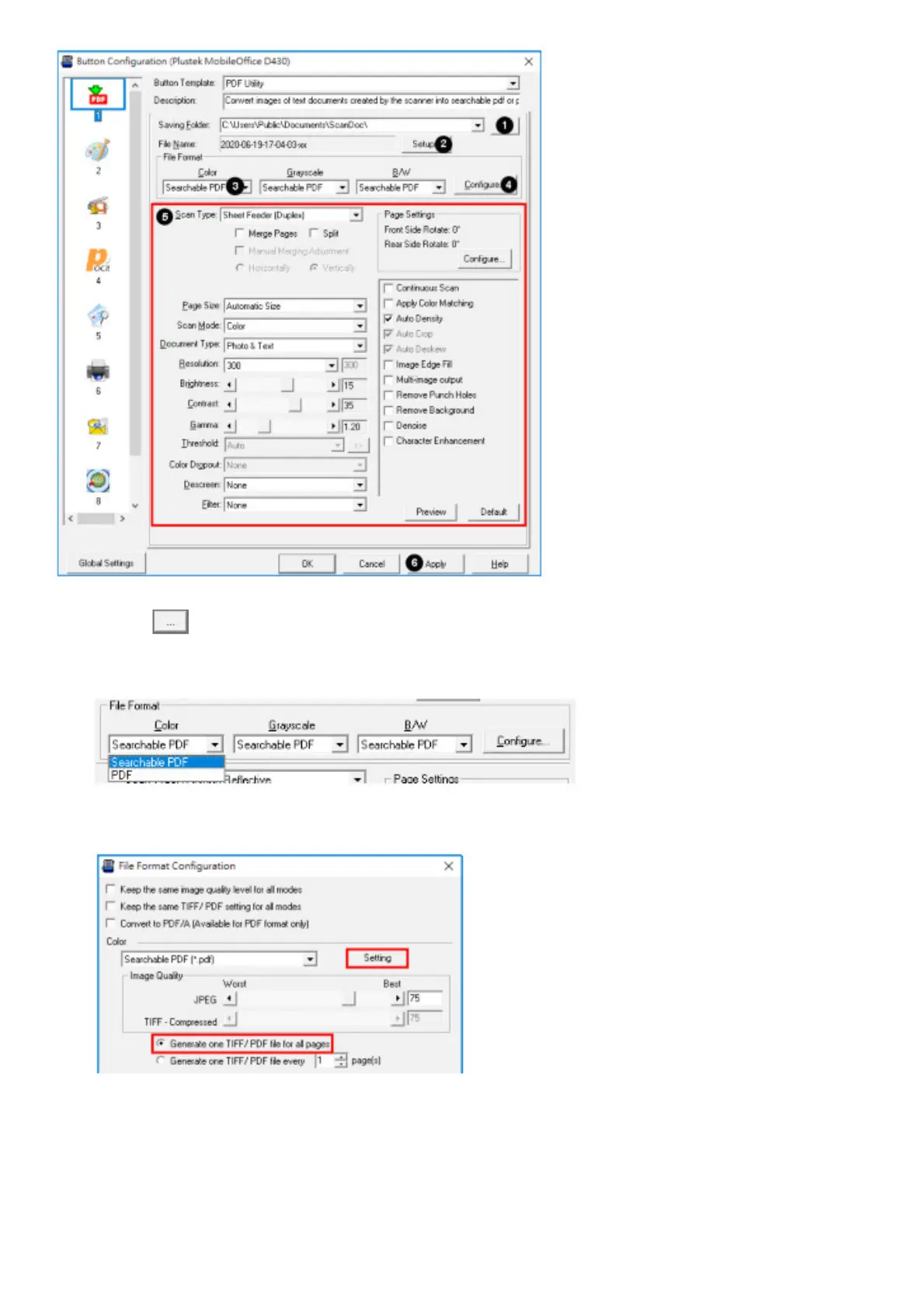
1. Click the button to select a saving folder.
2. Click the Setup button to select the filename format.
3. Select the desired file format. This selection should match with the selection of Scan Mode.
4. Click Configure button to configure advanced settings, you may select to generate all pages in one file. Click the
Setting button to select the desired OCR language.
5. Check the scan settings and make any required changes.
6. After all, settings are done, click Apply button.
7. Double-click on the PDF icon to scan. Or press the up/down function button to select the corresponding number
then press the Scan button on the scanner panel.
BCR Utility










 To Next Page