

 Need help?
Do you have a question about the Plustek OpticFilm 135i and is the answer not in the manual?
 General
| Current | 0.75 A |
|---|---|
| Input voltage | 24 V |
| Power supply type | DC |
| Film scanning | Yes |
| Duplex scanning | No |
| Input color depth | 48 bit |
| Maximum scan size | 35 x 226 mm |
| Output color depth | 24 bit |
| Input grayscale depth | 16 bit |
| Output grayscale depth | 8 bit |
| Optical scanning resolution | 7200 x 7200 DPI |
| Black/white scanning color modes | Grayscale, Monochrome |
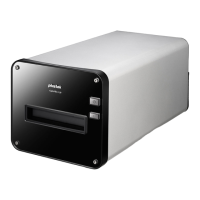
| Scanner type | Film/slide scanner |
| Product color | Black, Silver |
| Minimum RAM | 4000 MB |
| Minimum storage drive space | 20000 MB |
| Mac operating systems supported | Mac OS X 10.10 Yosemite, Mac OS X 10.11 El Capitan, Mac OS X 10.12 Sierra, Mac OS X 10.8 Mountain Lion, Mac OS X 10.9 Mavericks |
| Windows operating systems supported | Windows 10, Windows 10 Education, Windows 10 Education x64, Windows 10 Enterprise, Windows 10 Enterprise x64, Windows 10 Home, Windows 10 Home x64, Windows 10 IOT Core, Windows 10 Pro, Windows 10 Pro x64, Windows 7, Windows 7 Enterprise, Windows 7 Enterprise x64, Windows 7 Home Basic, Windows 7 Home Basic x64, Windows 7 Home Premium, Windows 7 Home Premium x64, Windows 7 Professional, Windows 7 Professional x64, Windows 7 Starter, Windows 7 Starter x64, Windows 7 Ultimate, Windows 7 Ultimate x64, Windows 8, Windows 8 Enterprise, Windows 8 Enterprise x64, Windows 8 Pro, Windows 8 Pro x64, Windows 8 x64 |
| Sensor type | CCD |
| Button functions | Scan |
| Daily duty cycle (max) | - pages |
| Maximum scan width | 35 mm |
| Maximum scan length | 226 mm |
| Maximum ISO A-series paper size | - |
| USB version | 2.0 |
| Standard interfaces | USB 2.0 |
| Quantity per pack | 1 pc(s) |
| Bundled software | Plustek QuickScan Plus |
 Weight and Dimensions
| Depth | 175 mm |
|---|---|
| Width | 259.2 mm |
| Height | 104.3 mm |
| Weight | 1560 g |
Step-by-step instructions for installing scanner software on Windows.
Procedure for manually installing scanner drivers via Device Manager.
Troubleshooting steps for scanner connection issues.
Explains how to configure application preference settings.









 To Next Page