Table of Contents
INTRODUCTION....................................................................................................1
How to Use This Guide............................................................................................... 1
Conventions of This Guide ......................................................................................... 1
A Note about Icons ............................................................................................................... 2
Safety Precautions...................................................................................................... 2
Minimum System Requirements ................................................................................. 3
Box Contents .............................................................................................................. 4
The Scanner Features ................................................................................................ 5
CHAPTER I. INSTALLING THE SCANNER....................................................................7
Software Installation Requirements ............................................................................ 7
Hardware Requirements............................................................................................. 7
Installing and Setting up the Scanner ......................................................................... 8
Step 1. Unlock Your Scanner .............................................................................................. 8
Step 2. Connecting the Scanner to Your Computer............................................................ 9
Step 3. Installing the Software........................................................................................... 10
Step 4. Testing the Scanner .............................................................................................. 11
Installing Additional Software.................................................................................... 12
CHAPTER II. SCANNING ..................................................................................... 13
Preparing Documents ............................................................................................... 13
Checking Document Conditions ......................................................................................... 14
Placing Documents................................................................................................... 14
Using the Flatbed ............................................................................................................... 14
Scanning Documents................................................................................................ 14
Scanning via TWAIN Interface ........................................................................................... 15
Scanning from Plustek DI Capture Program ...................................................................... 17
Scanning from the Scanner’s Panel or On-screen DocAction's Execute Menu................. 17
CHAPTER III. CARE AND MAINTENANCE ............................................................... 19
Cleaning the Scanner ............................................................................................... 19
Cleaning Materials.............................................................................................................. 19
Cleaning the Flatbed .......................................................................................................... 19
Aligning the Scanner................................................................................................. 20
Power Save .............................................................................................................. 21
Scanner Lock............................................................................................................ 22
CHAPTER IV. TROUBLESHOOTING ........................................................................ 24
Scanner Connection ................................................................................................. 24
APPENDIX A: SPECIFICATIONS ............................................................................ 25
APPENDIX B: CUSTOMER SERVICE AND WARRANTY................................................ 26
Statement of Limited Warranty ................................................................................. 26
FCC Radio Frequency Statement............................................................................. 27
CONTACTING PLUSTEK ....................................................................................... 29




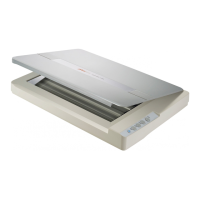






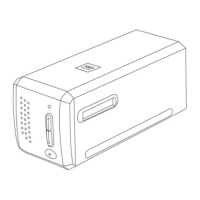
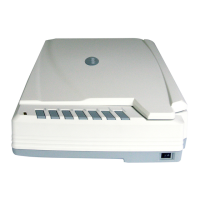

 To Next Page