– 14 –
Manual P5/EP5 23740/98.10
12.
How to mount the I/P Unit to the positioner Unit
Switch off supply air and disconnect input signal – port I.
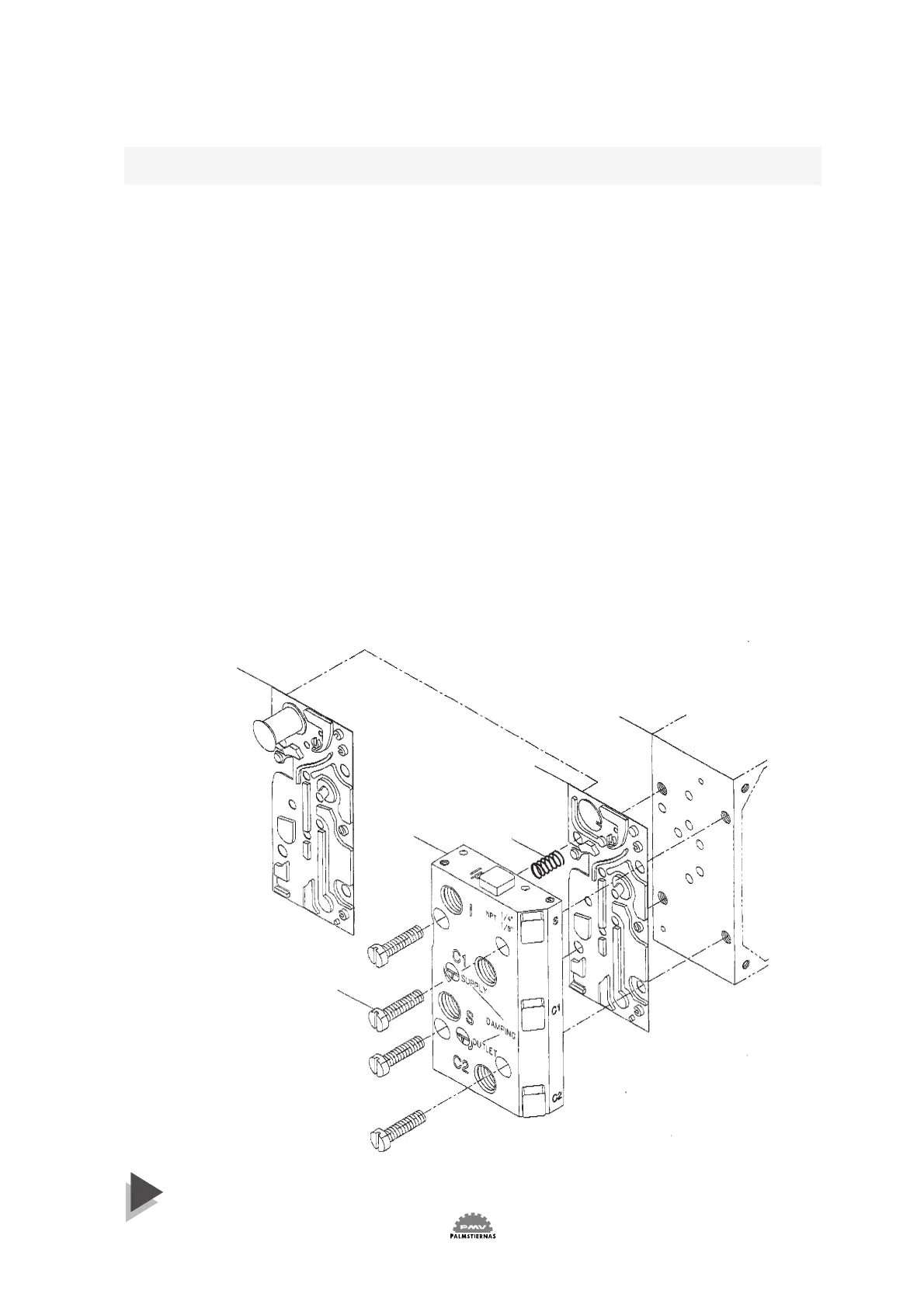
Loosen screws 3 and remove connection block 1, the gauge or plug from
port Ip, the fitting from port I and existing gasket 4. Carefully install
gasket 6 supplied together with I/P unit. When correct installed port I
will be blocked by the gasket.
Make sure that relief valve spring 5 is installed properly. Install the
connection block 1 to the positioner unit 2.
Remove cover on I/P unit.
Install the I/P unit to the top of the Positioner unit, making sure that the
four O-rings are present and properly seated. Tighten the unit with the
three screws. (See fig. 1 and 2 page 13) Screw 1 first, screw 2 last.
WARNING! Units installed in hazardous areas must have proper
approvals.
Connect input signal cable to port I
E
and tighten the cable gland (see fig 5
on page 13). Adjust the O-ring on the I/P Unit housing to desired posi-
tion - sealed or drained. (See fig 3 on page 13 or section 6 on page 10).
A gauge indicating output signal from the I/P converter can be installed
in port P. Make sure that the filter plug is tightened before supply air is
switched on (Fig 4 on page 13).
2
4
5
1
3
6


 To Next Page