EN
10
FIRST USE WARNINGS AND INSTRUCTIONS
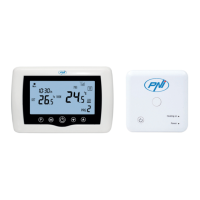
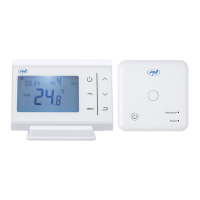
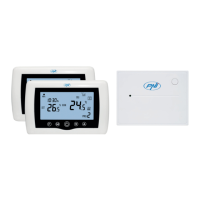
1. The system comes with main unit and receiver paired from factory. Before use, you only need to
pair the receiver unit with the nearby Wireless Router.
2. At rst start, the thermostat / receiver unit signals by LED 1 = “ slow blinks” that means it is
necessary to connect unit to the wireless router with Internet access.
3. Insert 2 AAA alkaline batteries (not included) into the main unit and turn it on by pressing the
ON / OFF button. The settings appear as shown in above description.
4. Connect the receiver unit to a 230 VAC power supply (only qualied personnel). Make sure it
works properly by testing / checking the LED status and turning unit On/Off by dedicated button.
I. PAIRING THERMOSTAT WITH MOBILE APP AND WIRELESS INTERNET ROUTER
1. Connect your smartphone to wireless Internet router nearby. For a quick setup make sure both phone,
thermostat receiver and wireless router are as close as possible (1-3 m).
1. Download “TuyaSmart” app from Google Play or App Store, andd install and register a new account.
2. Add device by pressing the + button in the top right corner.
3. Press “All Devices”.
4. Find “Heater” or “Thermostat” from list and select.
5. Long press the pairing button on the receiver to enter Wi pairing mode until LED 1 blinks quickly. (before
this, LED 1 blinks slow, sign that thermostat is not paired with wi internet router)
6. Tap the “Conrm indicator ash blink” on your phone.
7. Wait a few moments until pairing is complete. The LED 1 on the receiver will stop blinking and turn off. At
this point, connection to the Internet via Wirelessrouter is successful, and the Thermostat icon will appear in
Smartphone app.
If the LED continues to blink slowly, the connection failed, try again from step 5.
FIRST USAGE OF THERMOSTAT
1. With main unit screen ON, change the temperature bigger or smaller then measured temperature from
screen.
2. In a maximum 90 seconds, the main unit sends a command to receiver unit, which conrms by turning on /
off LED 1, and by a “click”, that is heard from inside relay.
3. From TuyaSmart app (make sure the device appears online after conguring internetpairing ) tap on the
device to access it. Using the “+” and “-” buttons, change the temperature bigger or smaller then measured
temperature from screen.
4. In 90 seconds or more, the application sends command through internet to thermostat receiver unit,
which conrms by turning on / off LED 1, and with a “click” sound from inside relay. The temperature will
change on the main unit screen.
If there is no change after 90 - 180 seconds (2 minutes), check again if you have changed the temperature
to bigger / smaller than current temperature displayed and check if the device is online.
II. PAIR MAIN UNIT WITH RECEIVER UNIT
Perform this procedure only if it is absolutely necessary: if you have problems controlling main unit settings
from smartphone app, after pairing receiver with wireless router ( the screen does not receive commands for
5 - 10 minutes from mobile app).
1. Press and hold the pairing button on receiver until LED 1 ashes quickly.
2. With main unit screen closed (press the On / Off button), long press the M button on the main unit until a
4-digit code and three more symbols appear on screen. Press the “up arrow” button immediately for pairing.
3. LED 1 blinks slowly; wait for a few moments until LED 1 stops ashing and closes. The pairing is
completed.
4. Switch off and on the main unit, and test functions by changing temperature higher / lower than the actual
temperature from thermostat screen.


 To Next Page
 Loading...