4 - User manual
Installation
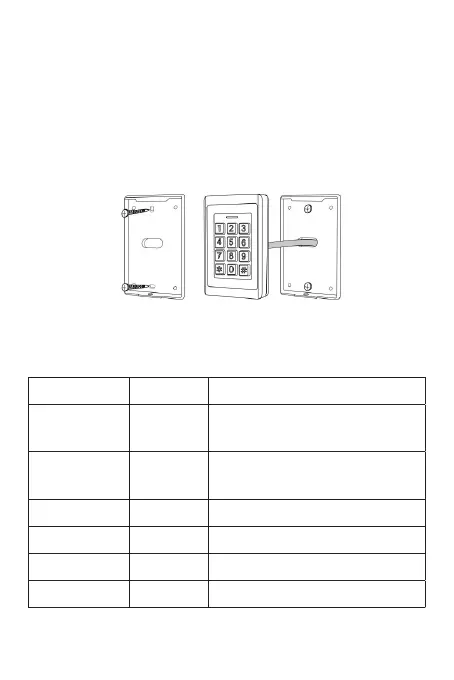
Choose the installation location and make holes in the wall
that match the holes in the mounting bracket. Secure the wall
bracket with the screws included in the package. Pass the cables
through the hole in the middle of the bracket. Connect the
cables. Insulate unused cables to avoid short circuit.
Wiring
Color ID Description
Green D0
Wiegand input (Wiegand
output in card reader mode)
White D1
Wiegand input (Wiegand
output in card reader mode)
Yellow OPEN Access button input
Red +12V + 12V DC power input
Black GND - 12V DC power input
Blue NO NO connector (normally open)


 To Next Page