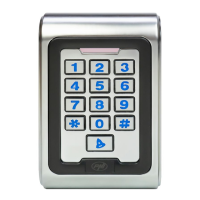
9 - User manual
Master code is 999999.
Add card by reading the card
* Master code # 1
Read the first card # Read the second card # Read the third card
# ..
Note: Cards can be added one after the other.
Add card by card number
* Master code # 1
Input card number (8 or 10 digits) #
Note: Cards can be added one after the other.
Add ID + card
* Master code # 1
Input ID number # Read the card #
Note: The ID number can be from 1 up to 2000. The users
added with ID number can be easily found and deleted.
Add PIN code
* Master code # 1
Input ID number # Input the 4-digit PIN code #
Note: The ID number can be from 1 up to 2000.


 To Next Page