EN
6
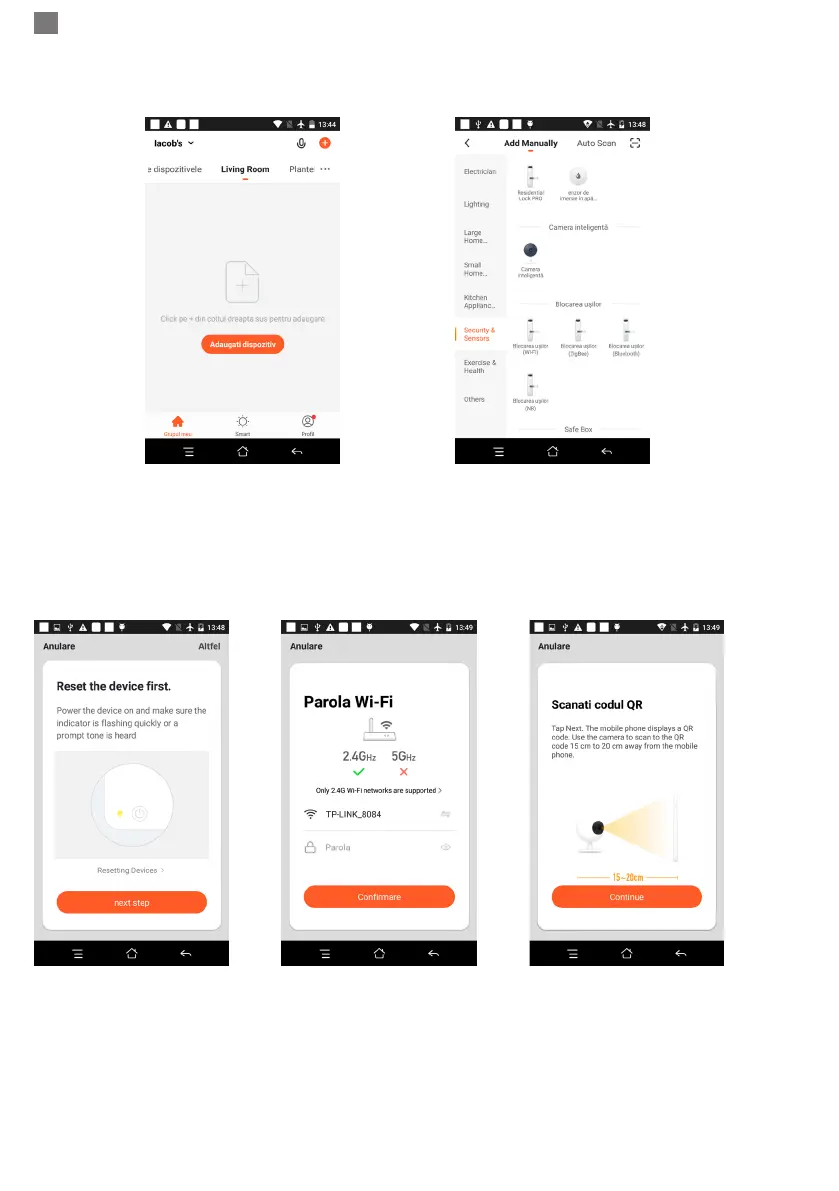
Check WiFi Network name on screen and enter wireless password . Click “Conrm” to continue
(gure 4).
Figure 1 Figure 2
● Hold the mobile phone screen in the front of the camera (gure 5), the distance between the two should
be 15 to 20 cm. (gure 6) Try not to shake the mobile phone during the scanning.
Figure 3 Figure 4 Figure 5
● When you hear a conrmation “ Beeeeeeeeeep”, click “Connect Internet”, and wait for connecting (gure
7).
● Device added successfully (gure 8), you can choose the device name and room scene.



 To Next Page