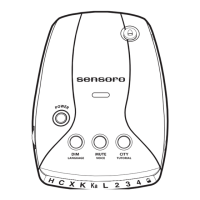
Power On the RX5000
Turn the VOLUME/OFF thumb wheel control on. The
RX5000 goes through a self-test pattern sequence and dis-
plays the last mode previously set in memory.
Modes and Operation
The RX5000 has 3 operational modes:
1. Compass Mode - the unit works as a compass only.
2. Radar Mode - the unit works as a radar detector only.
3. Dual Mode - the unit works as a compass, when a
signal does not exist, and as a radar/laser detector, when
a signal is engaged. The unit is preset in this mode
(default mode).
Mode Selection
The RX5000 automatically remembers its last mode setting.
To select a mode...
1. Press and hold the DIM button for 3 seconds, then
release. The display reads the previously set mode.
2. Press the DIM button repeatedly to scroll through the
various modes (i.e. DUAL MODE, RADAR,
C O M PA S S ).
3. Press and hold the DIM button for 3 seconds then release
to select the desired mode.
4
OPERATING THE RX5000


 To Next Page