EasyManua.ls Logo

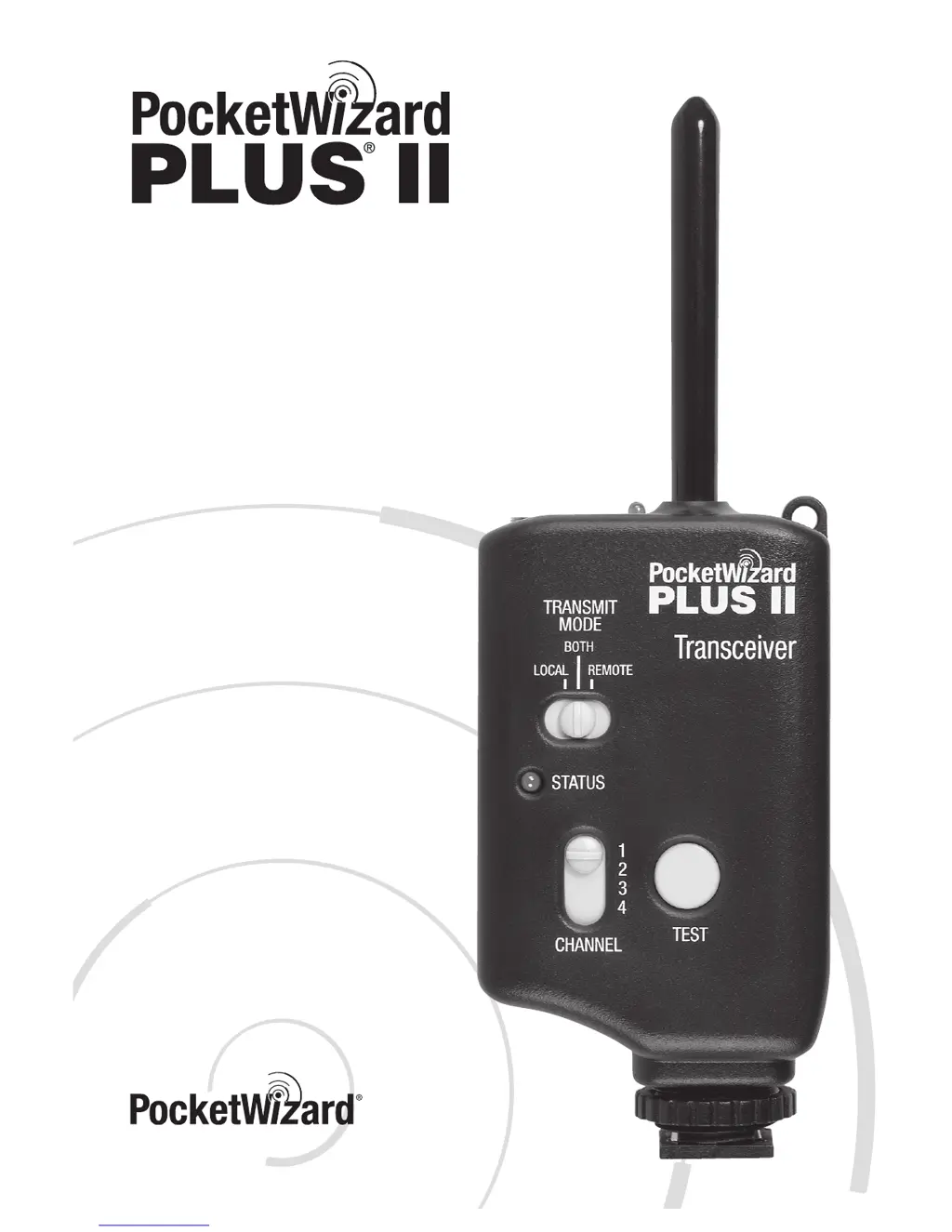
PocketWizard Plus II - User Manual

PocketWizard Plus II
64 pages
Print Icon
To Next Page IconTo Next Page
Loading...
Owner’s Manual
(English, German, Spanish and French)
www.PocketWizard.com

Table of Contents

Questions and Answers

  • H
    Heather ArroyoJul 26, 2025
    What to do if PocketWizard Transceiver remotes do not trigger?
    • B
      Bridget WelchJul 26, 2025
      First, review the section on sustaining high performance for radio information. Then, ensure the TRANSMIT MODE switch is set to BOTH.
  • N
    Nicole HughesAug 3, 2025
    What to do if PocketWizard Plus II's status LEDs are on continuously?
    • A
      Amy ComptonAug 3, 2025
      First, check all units for a stuck TEST button. Turn each unit off and back on again to isolate the source of the problem. Also, remove the unit from the camera’s hot shoe and/or unplug and reconnect any connecting cables. Finally, try switching all remote connections to the FLASH port rather than the CAMERA / FLASH port.
  • O
    odonnellpamelaAug 10, 2025
    What to do if PocketWizard Plus II doesn't trigger flash or camera when pressing TEST?
    • K
      Kathleen CarterAug 11, 2025
      First, verify that the remote equipment is functional when not connected to the PocketWizard by trying a different flash or camera. Double-check all connections, eliminating adapters if possible, and ensure the cable is properly connected to the correct port on the flash or camera. If triggering a flash with a household-style sync terminal, try reversing the household connection to correct the polarity. Try connecting to the other port on the PocketWizard unit, as each port has slightly different triggering characteristics. Verify that the flash being triggered has a sync voltage that is compatible with your PocketWizard. Note that a remote camera cannot be triggered via its PC terminal or hot shoe; use a motor drive cable. Finally, try replacing the cable with a PocketWizard brand cable.
  • P
    Phillip SpencerAug 18, 2025
    Why PocketWizard Plus II Transceiver status LED does not blink when turned on?
    • S
      savannahmillerAug 18, 2025
      Try using new AA (IEC:LR6) alkaline batteries. Also, if the unit has been left on but not triggered for approximately 40 hours, it may have shut down to prevent potential battery leakage. Turn the unit off and back on again, or change the batteries.

Summary

PocketWizard Plus II Key Features

Auto-Sensing Transceiver

Automatically transmits or receives based on connections.

Auto-Relay

Trigger a remote camera in sync with a distant remote flash.

500 Meter Range

Long range equals increased performance and reliability.

SETUP FOR REMOTE FLASH TRIGGERING

Connecting a Flash to the Cameras Transceiver (Local Flash)

TRIGGERING A REMOTE CAMERA

RELAY MODE

How Relay Mode Works

Explanation of triggering a remote flash in sync with a remote camera.

Relay Mode Setup

Channel Configuration for Relay

Setting channels for master trigger, remote camera, and remote flash.

TRANSMIT MODE ONLY

SUSTAINING HIGH PERFORMANCE

Positioning and Signal Blocking

Guidelines for optimal performance based on unit orientation and environment.

TROUBLESHOOTING

Common Problems and Solutions

Addresses issues like remotes not triggering, LEDs not blinking, and stuck buttons.

PocketWizard Plus II Specifications

General IconGeneral
Maximum Sync Speed1/250 sec
AntennaInternal
Voltage3V
External PowerNo
Range1600 feet (500 m)
Battery TypeAA
MountingHot Shoe, 1/4"-20
Connectors3.5mm
CompatibilityCompatible with most cameras and flashes
Frequency Range340-354 MHz
Frequency (USA)344-354 MHz

Related product manuals