User Manual (Draft)
FCC Model: F17,BF-T17,F17G,F175M,F17Z
IC Model: F17,BF-T17
FM Radio (FM)
The frequency range for listening to the radio is 88-108MHz.
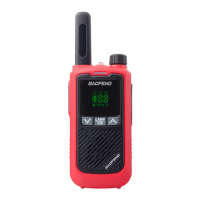
Press and hold the LAMP / FM key to turn on the radio, then use the UP key to search for radio stations automatically.
Press the PTT key or turn off the radio to exit the FM radio.
Flashlight
With F17 turned on, shortly press the LAMP/FM to turn on/off the flashlight at the top side of the radio.
English/Chinese language switch
Press and hold the PTT + DOWN key to turn on the radio and switch the prompt language between English and Chinese.
On-line service and support
The Pofung website provides additional information about obtaining service or support for the Pofung line of two-way
radios and accessories. Visit: www.pofung.cn Mail: service@pofung.cn
FCC Licensing Information This pofung radio operates on Commercial/ Land Mobile frequencies which require a license from
the Federal Communications Commission (FCC) for business, personal, education and recreational use. To obtain forms, call
the FCC forms hotline at: 1-800-418-3676 or go to http://www.fcc.gov For questions concerning commercial licensing,
contact the FCC at 1-888CALL-FCC (1-888-225-5322).
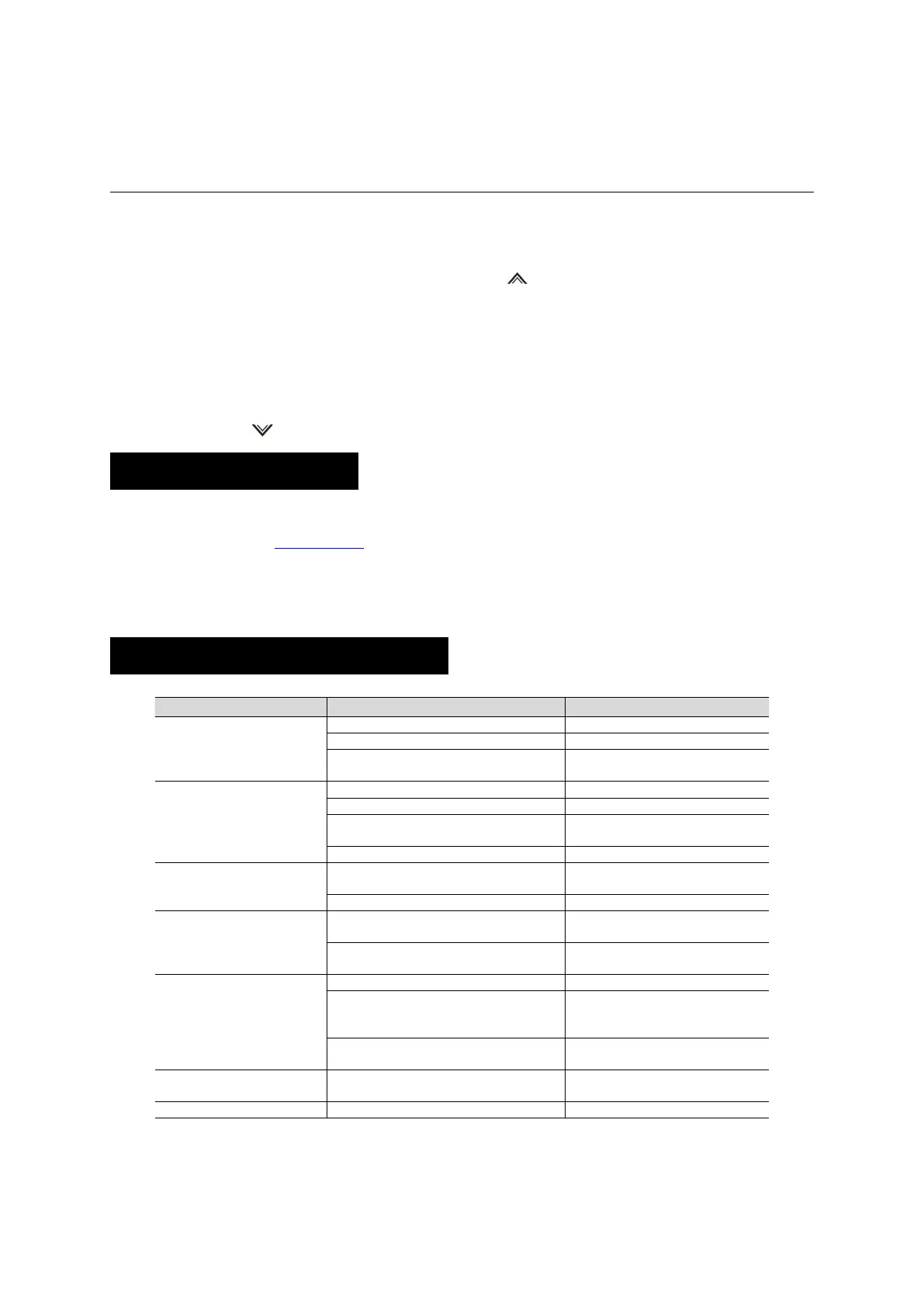
Appendix A. – Trouble shooting guide
You cannot turn on the radio.
The battery may be installed improperly.
Remove and reattach the battery.
The battery power may run out.
Recharge or replace the battery.
The battery may suffer from poor contact caused by
dirty or damaged battery contacts.
Clean the battery contacts or replace the
battery.
During receiving, the voice is weak
or intermittent.
The battery voltage maybe low.
Recharge or replace the battery.
The volume level may be low.
The antenna maybe loose or maybe installed
incorrectly.
Turnoff the radio, and then remove and
reattach the antenna.
The speaker maybe blocked.
Clean the surface of the speaker.
You cannot communicate with
other group members.
The frequency or signaling type maybe inconsistent
with that of other members.
Verify that your TX/RX frequency and
signaling type are correct.
You may be too far away from other members.
Move towards other members.
You hear unknown voices or noise.
You may be interrupted by radios using the same
frequency.
Change the frequency, or adjust the squelch
level.
The radio in analog mode maybe set with no
signaling.
Request your dealer to set signaling for the
current channel to avoid interference
You are unable to hear anyone
because of too much noise and hiss.
You may be too far away from other members.
Move towards other members.
You may be in an unfavorable position. For
example, your communication may be blocked by
high buildings or blocked in an underground area.
Move to an open and flat area, restart the
radio, and try again.
It may be the result of external disturbance (such as
electromagnetic interference).
Stay away from equipment that may cause
interference.
The radio keeps transmitting.
VOX may be turned on or the headset is not
installed in place
Turn off the VOX function. Check that the
headphones are in place.
The keypad may not work temporarily.
NOTE: If the above solutions cannot fix your problems, or you may have some other queries, please contact your dealer
for more technical support.


 To Next Page
 Loading...