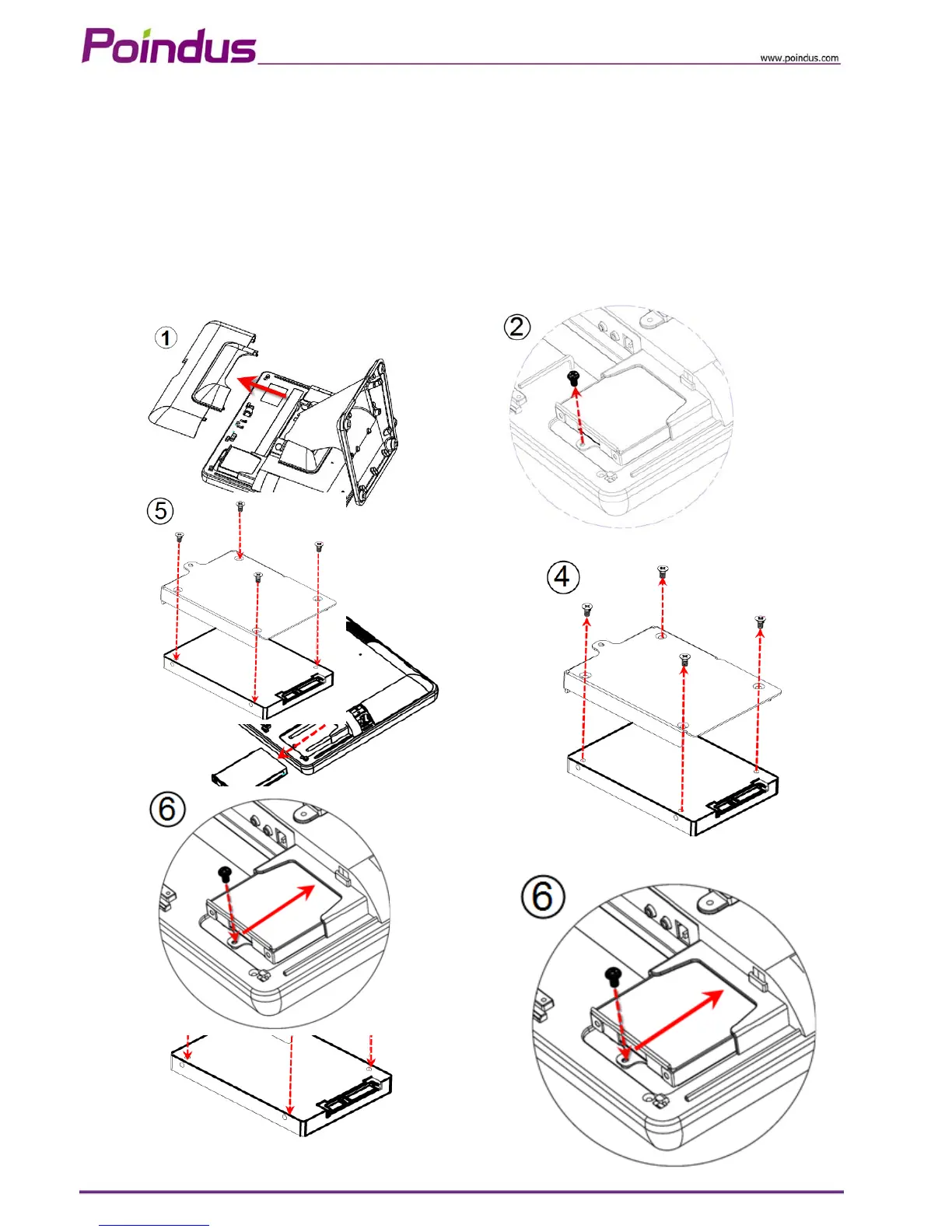
4-2 Replace the HDD
1. Open the IO back cover
2. Release the 1x screw from HDD tray
3. Remove the HDD tray.
4. Release the 4 x round screws on the HDD tray and replace HDD
5. Screw 4 x round screws on the HDD tray and insert the HDD tray into the whole system HDD slot
6. Fix HDD tray on the system with the 1x screw
© Copyright Poindus Systems 2010 P13 / 40


 To Next Page