8 Appendix
Drivers Installation:
The shipping package includes a Driver CD. You can find every individual driver and utility that enables you to
install the drivers in the Driver CD.
Please insert the Driver CD into the drive and double click on the “autorun.exe” to pick up the models.
Notice:
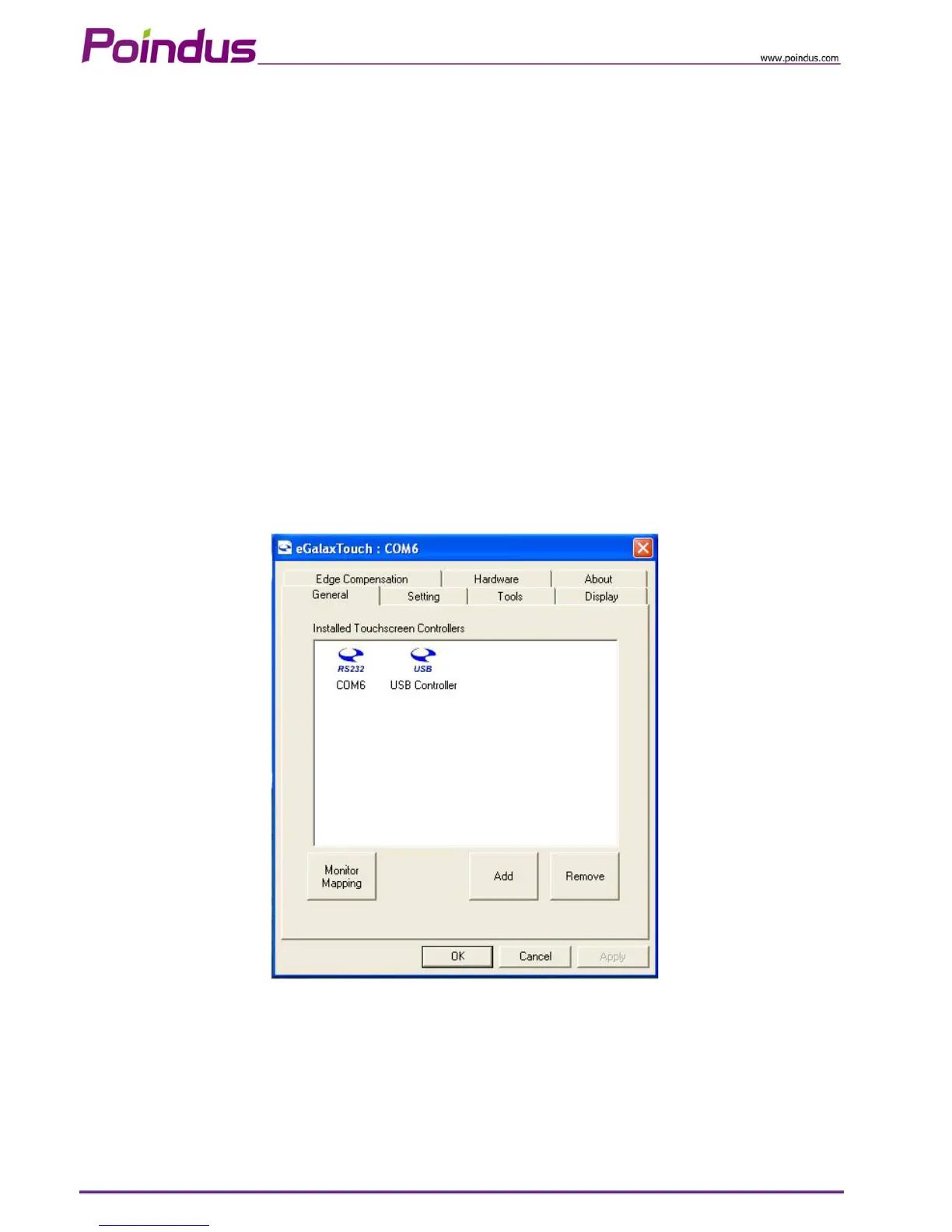
1. If you use the Resistive touch panel, it is only showed COM6 installation finish image.
2. If you use the PCT touch panel, it will show the below image, please remove COM6 icon.
3. At the Windows 7 Operation System environment, when customer want to use PCT touch multi-touch it is
not required to install the touch driver.
4. Resistive touch is RS232 interface (COM6) and the PCT touch is USB interface.
© Copyright Poindus Systems 2010 P38 / 40


 To Next Page