PM85 Android 8.1.0 User Manual
58
© 2006 – 2021 POINTMOBILE Co., Ltd. All rights reserved
Learning the basics
Connect to your Wi-Fi networ k
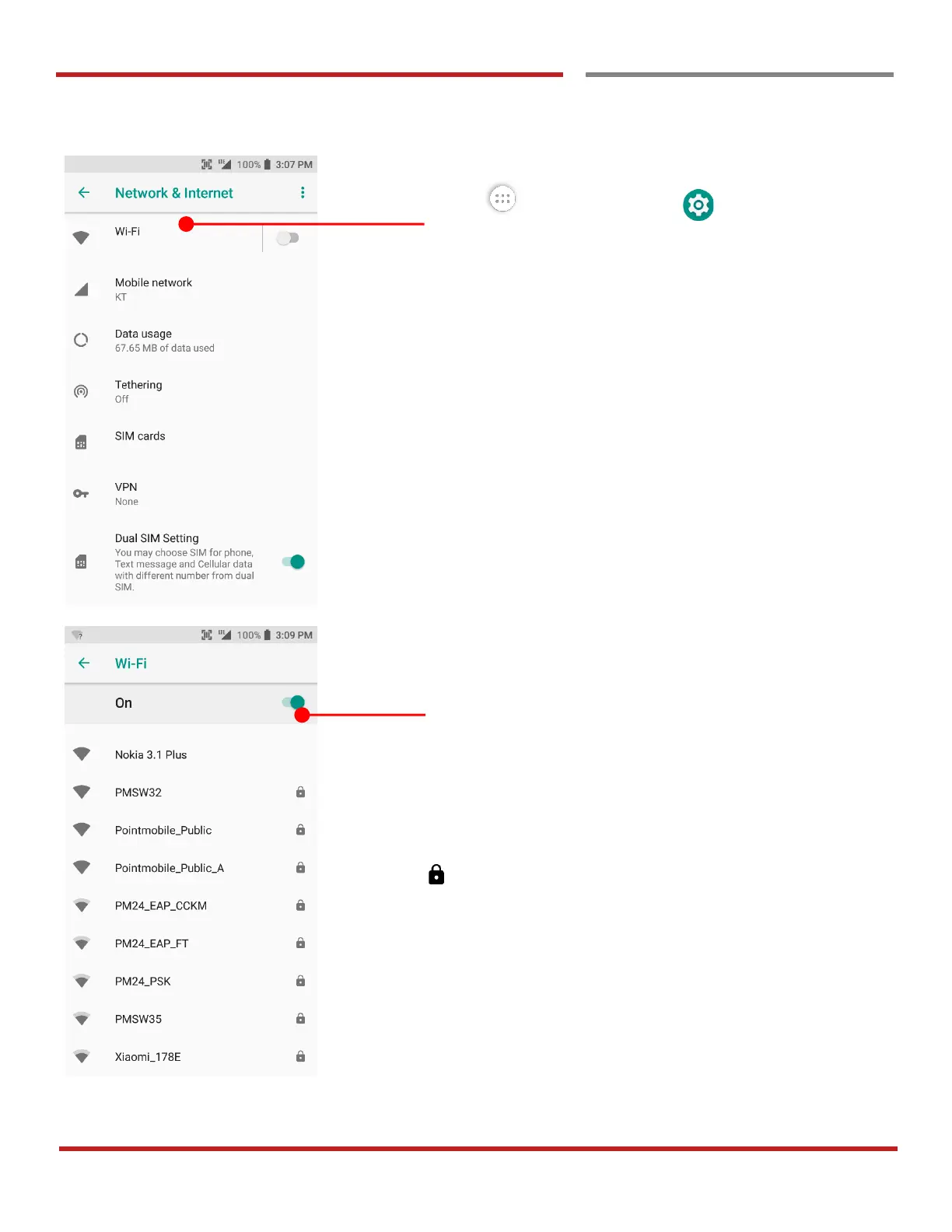
Touch App drawer icon → Settings → Network
& Internet and then Wi-Fi
Touch to turn On/Off the W-Fi
You can see nearby Wi-Fi network. Each AP’s SSID
information listed by signal strength
Icon means: Secured Wi-Fi network. To connect this
Wi-Fi, you need to enter the password



 To Next Page