PM85 Android 8.1.0 User Manual
94
© 2006 – 2021 POINTMOBILE Co., Ltd. All rights reserved
Factory data Reset
Force Factory dat a reset
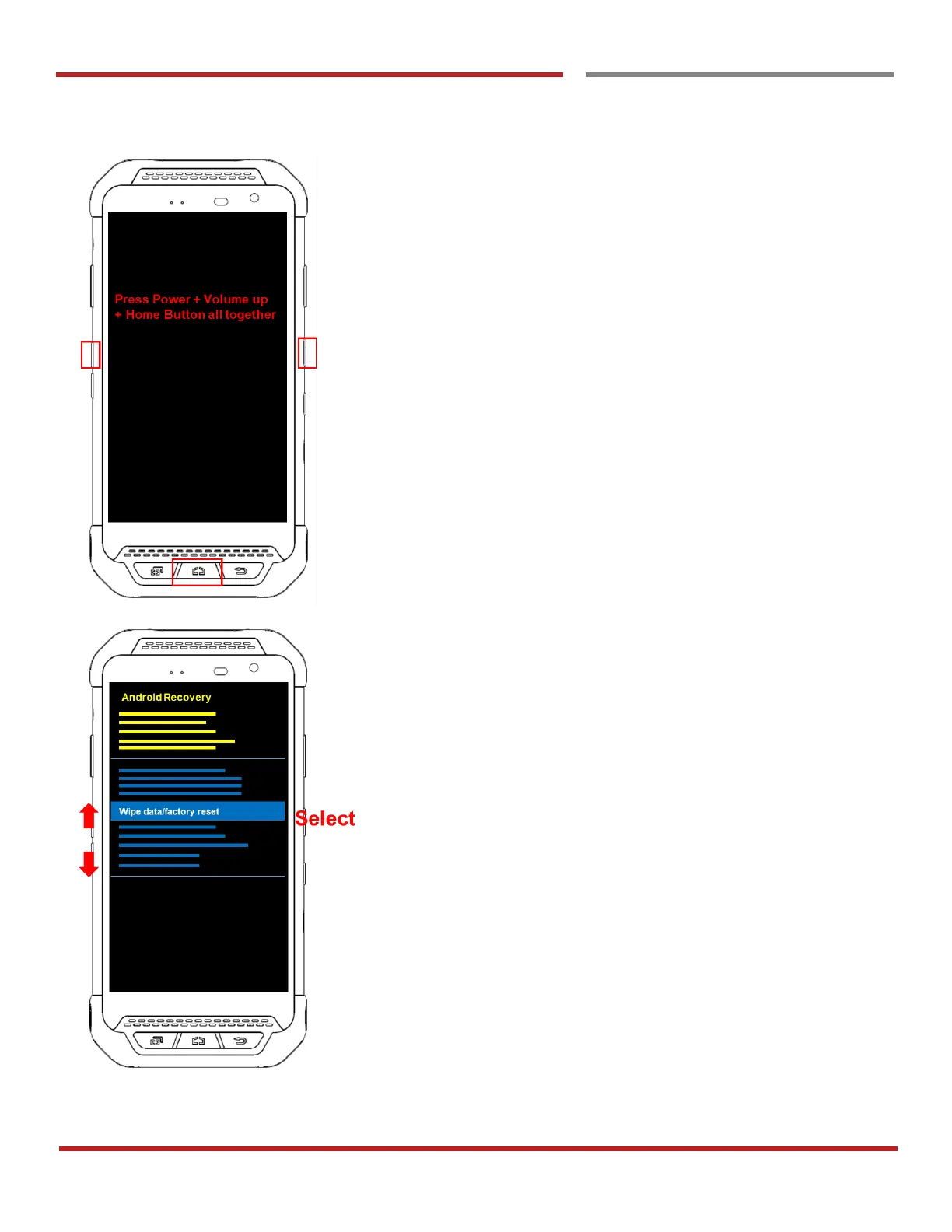
Force Factory data reset your PM85
You can perform “force” factory data reset your PM85.
When your PM85 turned off, press Power + Volume Up +
Home button all together. After you see Smart Beyond
Rugged logo display, you may release the keys.
PM85 enter to the Android Recovery mode. In this mode,
Volume up is Move Up in the menu tree and Volume down
is Move Down in the menu tree. Power Button is Select



 To Next Page