3
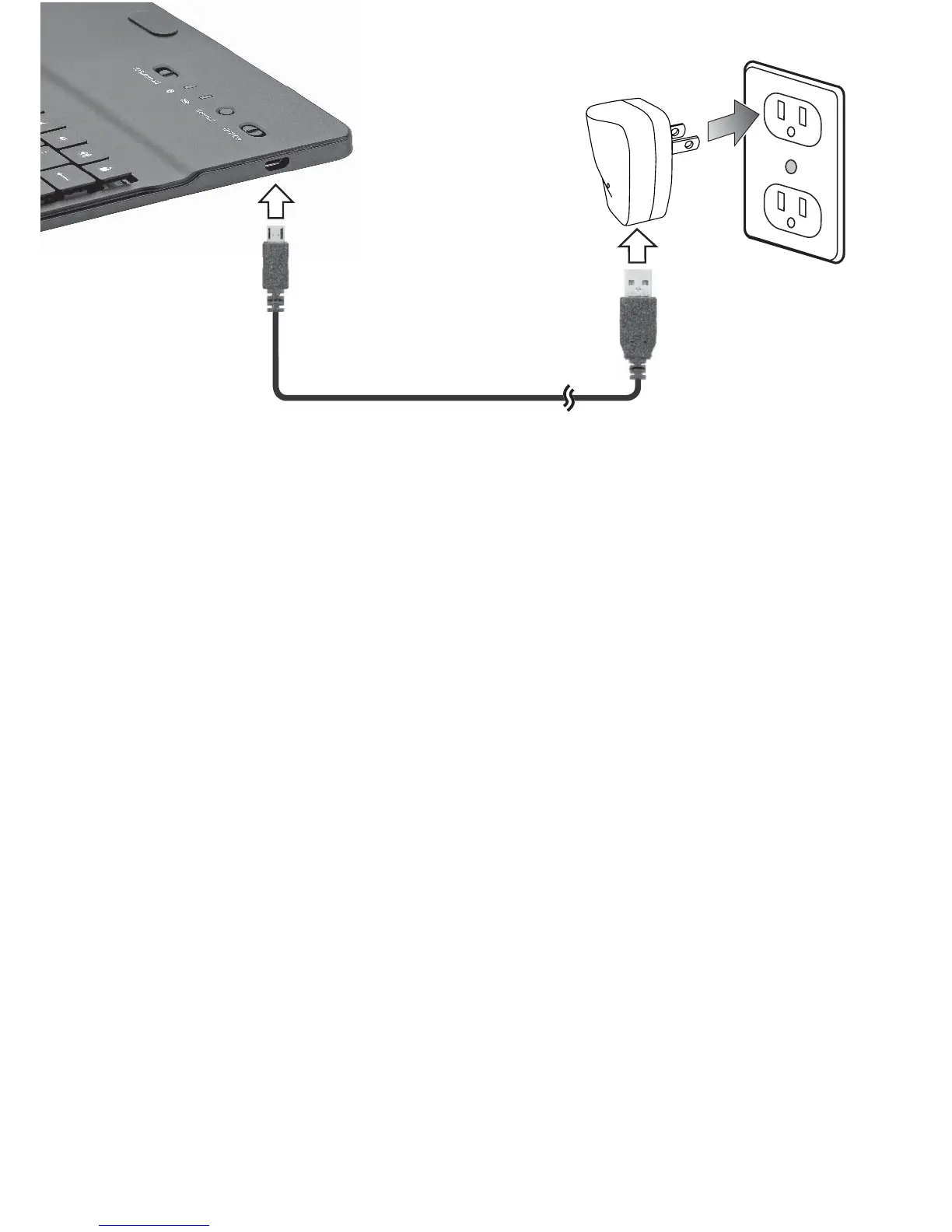
2. Plug the power adapter to a wall outlet. The
charging indicator lights red during charging, and
turns green when charging is complete.
3. Unplug the charging cable after charging.
Lithium Battery Safety Instructions
• Do not burn or bury batteries. Do not puncture or
crush. Do not disassemble.
• Do not dispose of lithium batteries in the trash.
Recycle at your local retail store.
• Use only chargers rated for lithium cells. Be sure the
charger’s voltage and current settings are correct for
the battery pack being charged.
• If the electrolyte in the cells gets on your skin,
thoroughly wash with soap and water. If in the eyes,
rinse thoroughly with cool water. Immediately seek
medical attention.
• Follow the manufacturer’s charging instructions and
do not charge longer than recommended. Unplug
the charger when the battery is charged.


 To Next Page