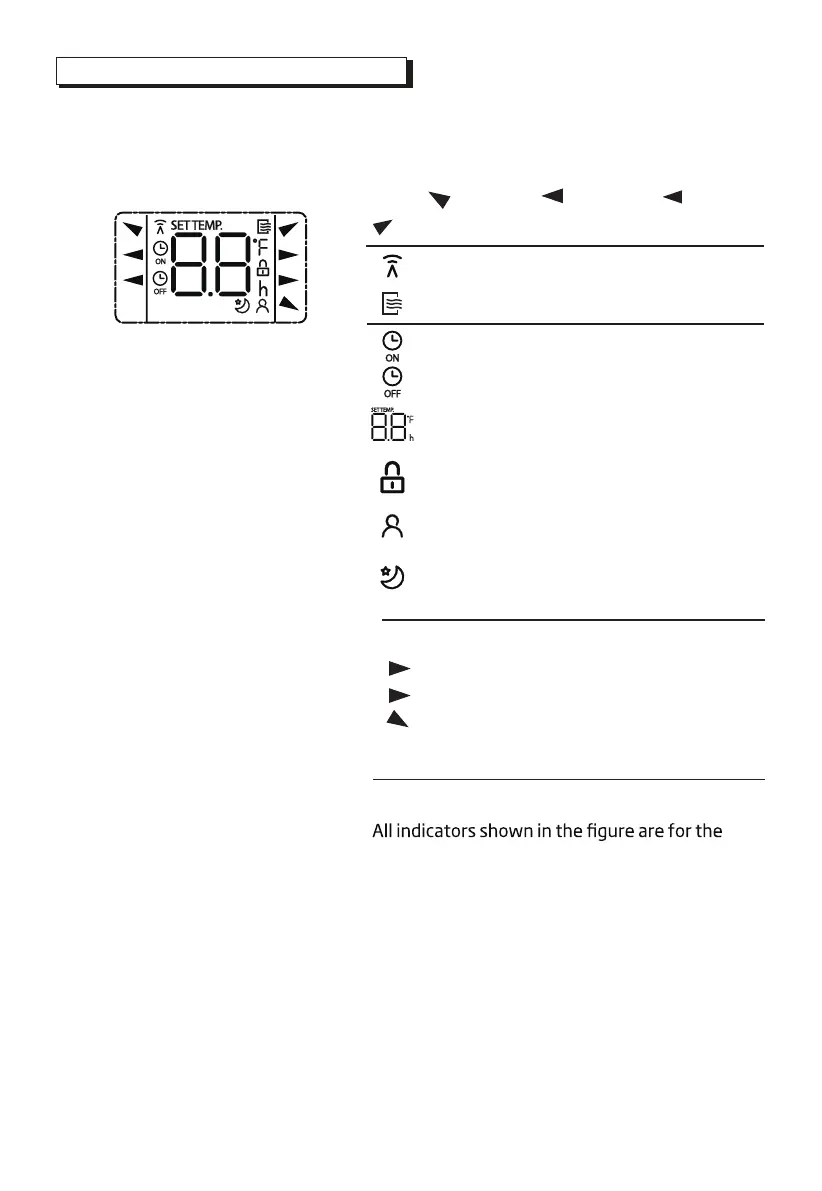
Remote Screen Indicators
Information are displayed when the remote controller is power up.
Note:
purpose of clear presentation. But during the
actual operation, only the relative function signs
are shown on the display window.
Displayed when data transmitted.
Displayed when remote controller is ON.
Low speed
NO display
Medium speed(some units)
High speed
Auto fan speed
Displayed when TIMER ON time is set
Displayed when TIMER OFF time is set
Indicated all the current settings are
locked
Shows set temperature or room
temperature, or time under TIMER setting
HIGH
MED
LOW
AUTO
COOL
DRY
AUTO
COOL
FAN
DRY
Mode display
Fan speed indication
FAN
HIGH
MED
LOW
Displayed when I SENSE feature is
activated(some units)
Displayed when SLEEP feature is activated
8



 To Next Page