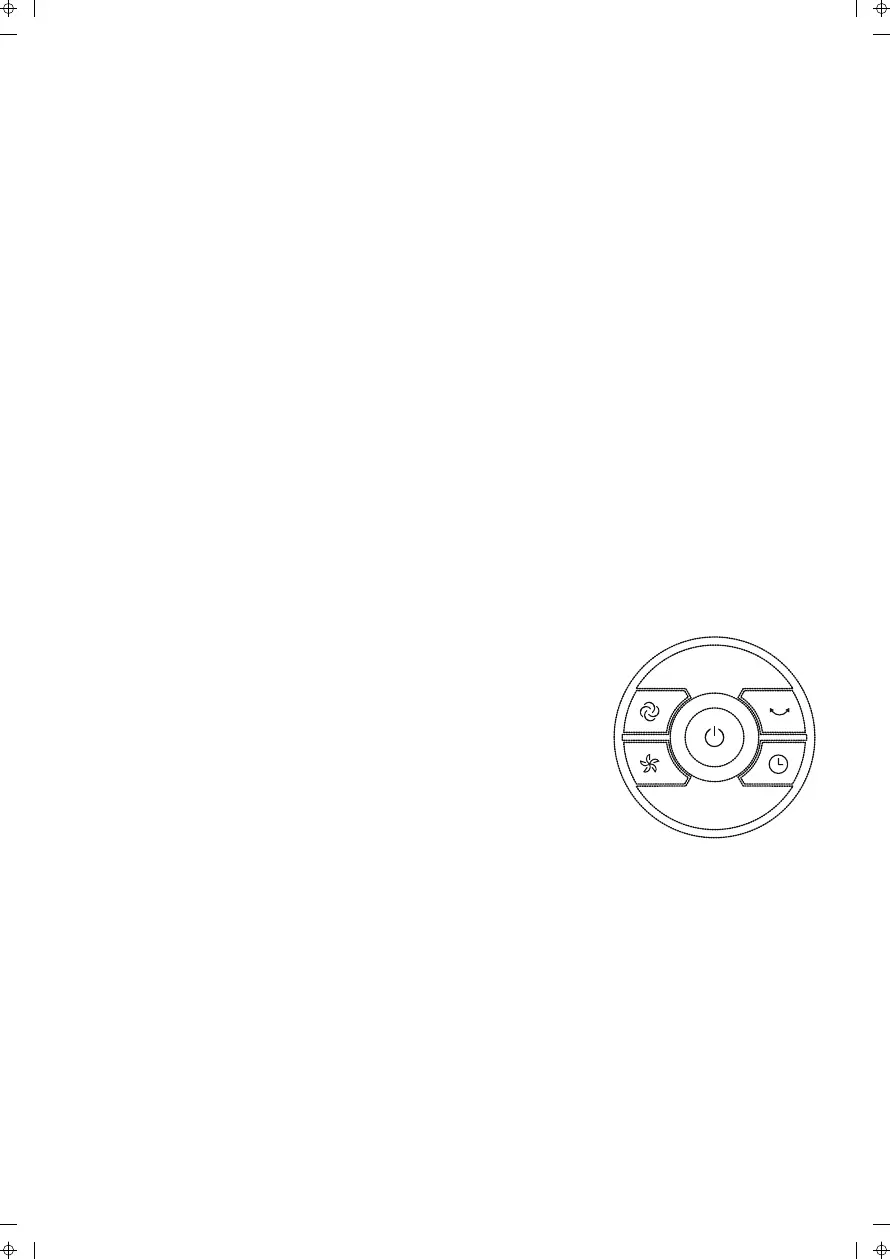
Fig.6
BATTERY WARNINGS AS BELOW
1. Do not dispose of batteries in fire, batteries may explode or leak.
2. Do not mix old and new batteries.
3. Do not mix alkaline, standard (carbon-zinc) or rechargeable
(nickel-cadmium) batteries.
REMOTE CONTROL OPERATION
Point the remote control at the receptor on the body of the fan and press
the desired button. The remote control will work at distances of up to five
meters and an angle of 30 degrees between the right and left of the
receptor. The batteries must be removed from the remote control before
it is scrapped and disposed of safely.
OVERHEAT PROTECTION OF THE MOTOR
The windings of the motor have a thermal-fuse that burns out . If this
happensthe fan switches o and the temperature of the motor will no
longer go up so that the plastic parts of the fan are not subjected to
deformation so far.
CONTROL PANEL
Buttons on fan body / Panel indication (Fig.6)
The buttons on the body such as ON/OFF,SPEED,
MODE,TIMER, OSCILLATION have the same
functions as those of the corresponding buttons on
the remote control.
MAINTENANCE & CLEANING
Do not remove any fixed covers. Never use this fan if it is not working
properly, or if it has been dropped or damaged.
Always contact a qualified technician to carry out repairs.
Ensure that the fan is switched o from the mains supply before cleaning
8



 To Next Page