How To Lock
1. Press the “+”and “-” button to start lock function. The lock indicator lights up.
Now only the “ON/STANDBY” button can be used to swi
cooker, all the other operations are forbidden.
2. Press the “+”and “-” button for 3 seconds to quit the lock function. The
automatically.
Note: Do not touch the surface of the ceramic while “H” is displayed,
as this means the temperature is high. When “L” is displayed, it
means the temperature is low.
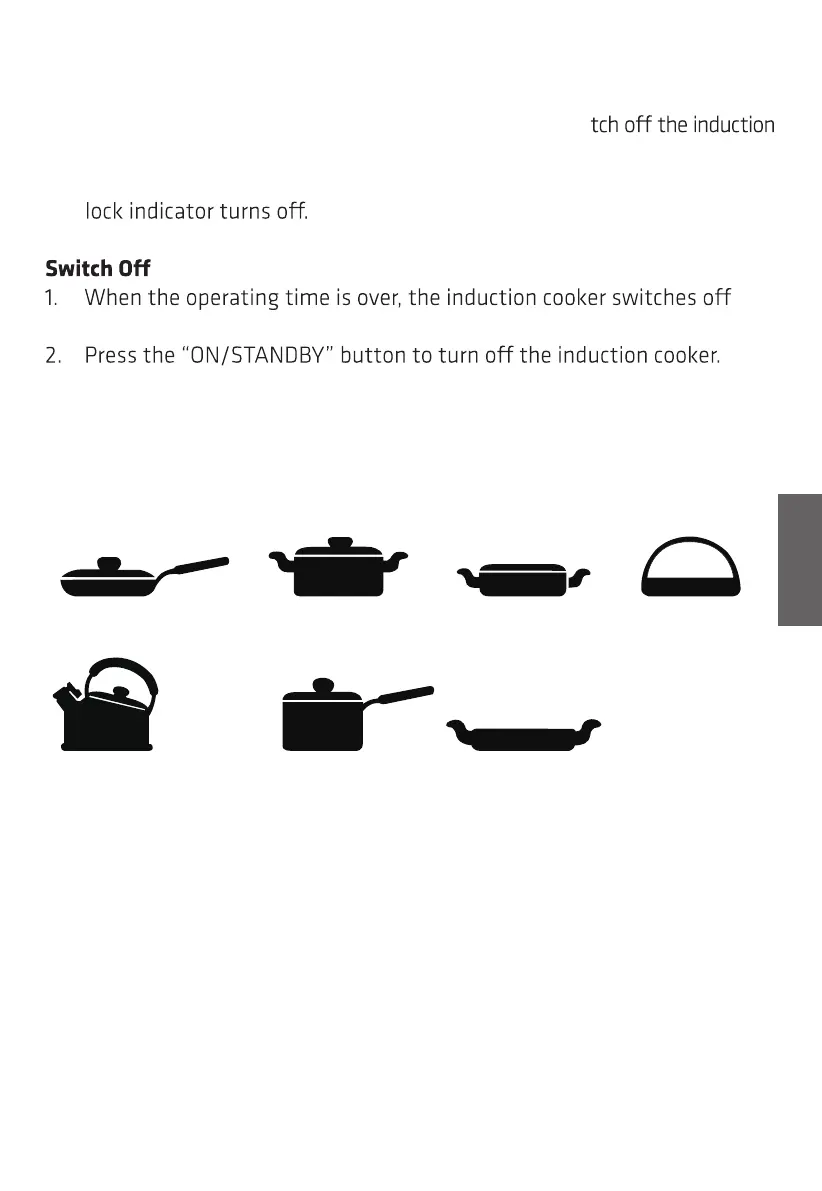
COMPATIBLE COOKWARE
Iron oil frying pan Stainless steel pot Iron pan Iron kettle
Enamel stainless
steel kettle
Enamel
cooking utensil
Iron plate
1. Requirement for pot materials: containing magnetic inducting materials.
2. Shape requirement: flat bottom, with a diameter more than 15 cm and less
than 20 cm.
3. After the first use, some white spots may appear at the bottom of the pot.
This is normal.
4. Pour some vinegar into the pot, heat it to about 60-80 °C, then wipe the
spots away wi
th a brush.
5. Incompatible pots material: glass, ceramic, aluminium, copper and other
non-magnetic material.
13
GB


 To Next Page