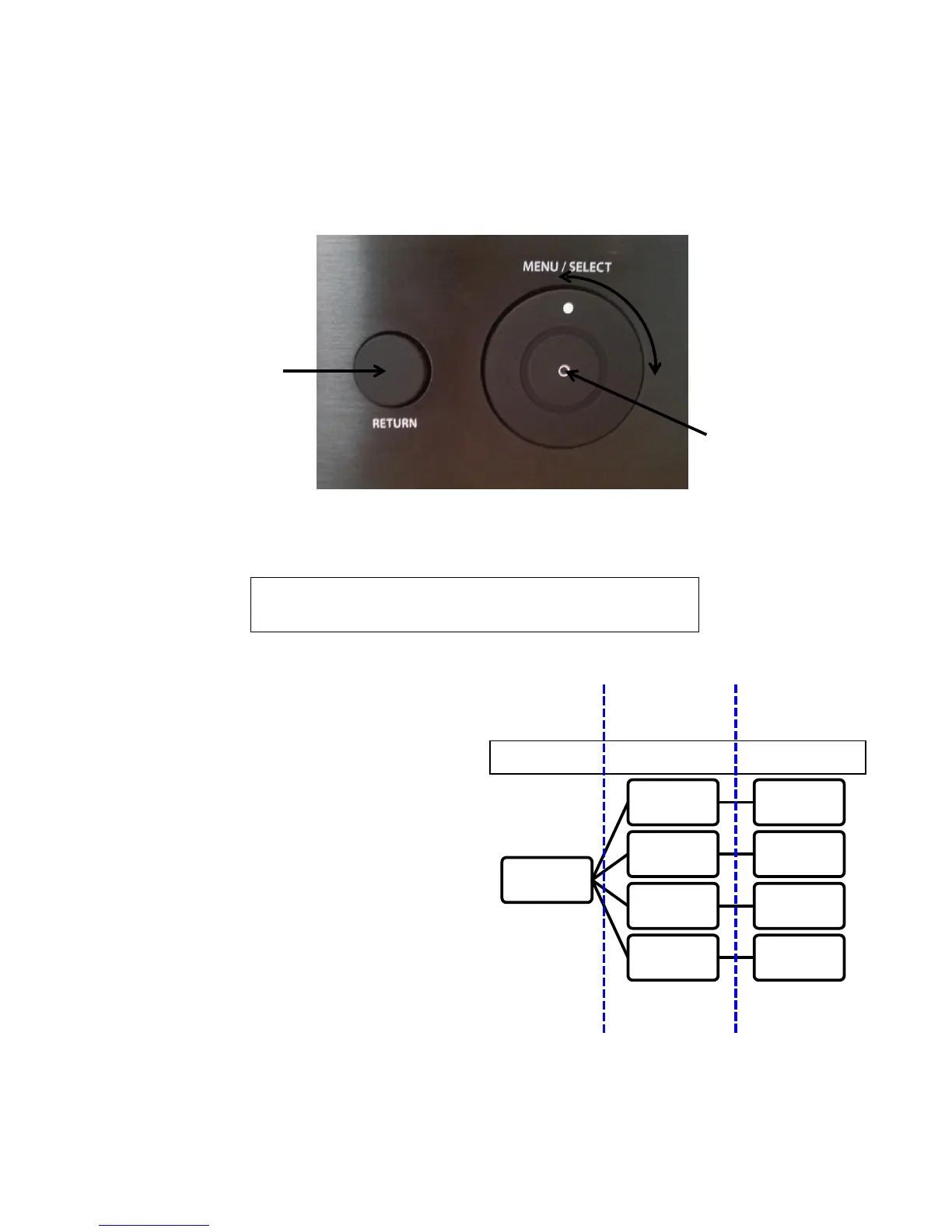
Use the ‘selection wheel’ to move around in the menus.
Use the ‘select’ button in the middle of the ‘Menu/select wheel’ to enter submenus.
Use the ‘selection wheel’ to change settings. The changes take effect immediately.
Use the ‘return’ button on the left of the Menu/select button to exit submenus.
Tuner
Presets
Use Presets to choose between the the 10
presets, which can store FM stations.
Frequency
Change the current FM frequency by turning
the wheel.
Store
Used to store the current frequency to the a
preset. After Store is chosen, the wheel can
be used to choose to which preset the
frequency should be stored. Press
“Menu/Select” to confirm.
Erase Memory
Erases the stored frequencies in the presets.
This removes both stored channels on FM
and DAB.


 To Next Page