Appendix 1:
WiFi Setup methods
Share:
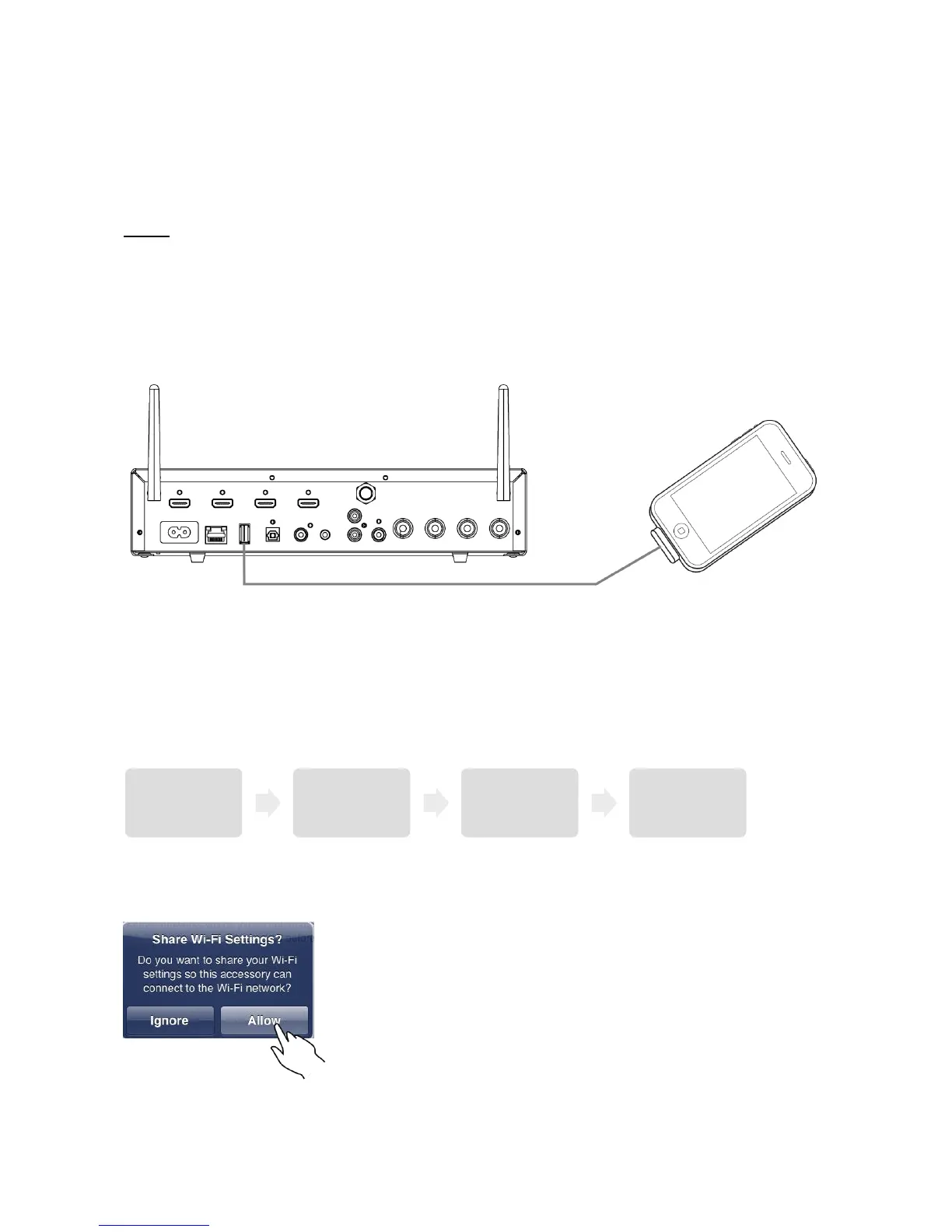
In Apple devices a feature is incorporated which allows for sharing the information for connecting
to the WiFi home network to other devices.
1. Connect a WiFi-connected iOS device (iPad, iPhone) to the USB input on the MSU through
an Apple USB Cable (not supplied).
2. Press in the middle of the Menu/Select wheel on the MSU to enter the Menu and go to
System Setup (“SysSetup”). Choose the “WiFi” and then select “Share” by pressing the
middle of the Menu/Select wheel.
3. A “Share Wi-Fi Settings” dialogue box appears on the iOS device, tap “Allow”.


 To Next Page