6
PAIRING AND CALIBRATING THE STRIDE SENSOR
PAIR THE STRIDE SENSOR WITH YOUR RECEIVING DEVICE
Polar Stride Sensor Bluetooth® Smart must be paired with the receiving device in order to analyze your running
technique and efficiency. For more information, see the user guidance material of the receiving device or mobile
application.
CALIBRATE THE STRIDE SENSOR
Calibration of the stride sensor improves the accuracy of speed, pace, distance and stride length measurements. It is
recommended that you calibrate the stride sensor before using it for the first time, if there are significant changes in
your running style, or if the position of the stride sensor on the shoe is dramatically changed (e.g. if you have new
shoes or if you switch the sensor from your right shoe to your left one). The calibration should be done at the speed
you normally run.
Calibration is done via the receiving device. See the user guidance material of the receiving device or mobile
application for instructions.
ATTACHING THE STRIDE SENSOR
Attach the stride sensor on shoelaces:
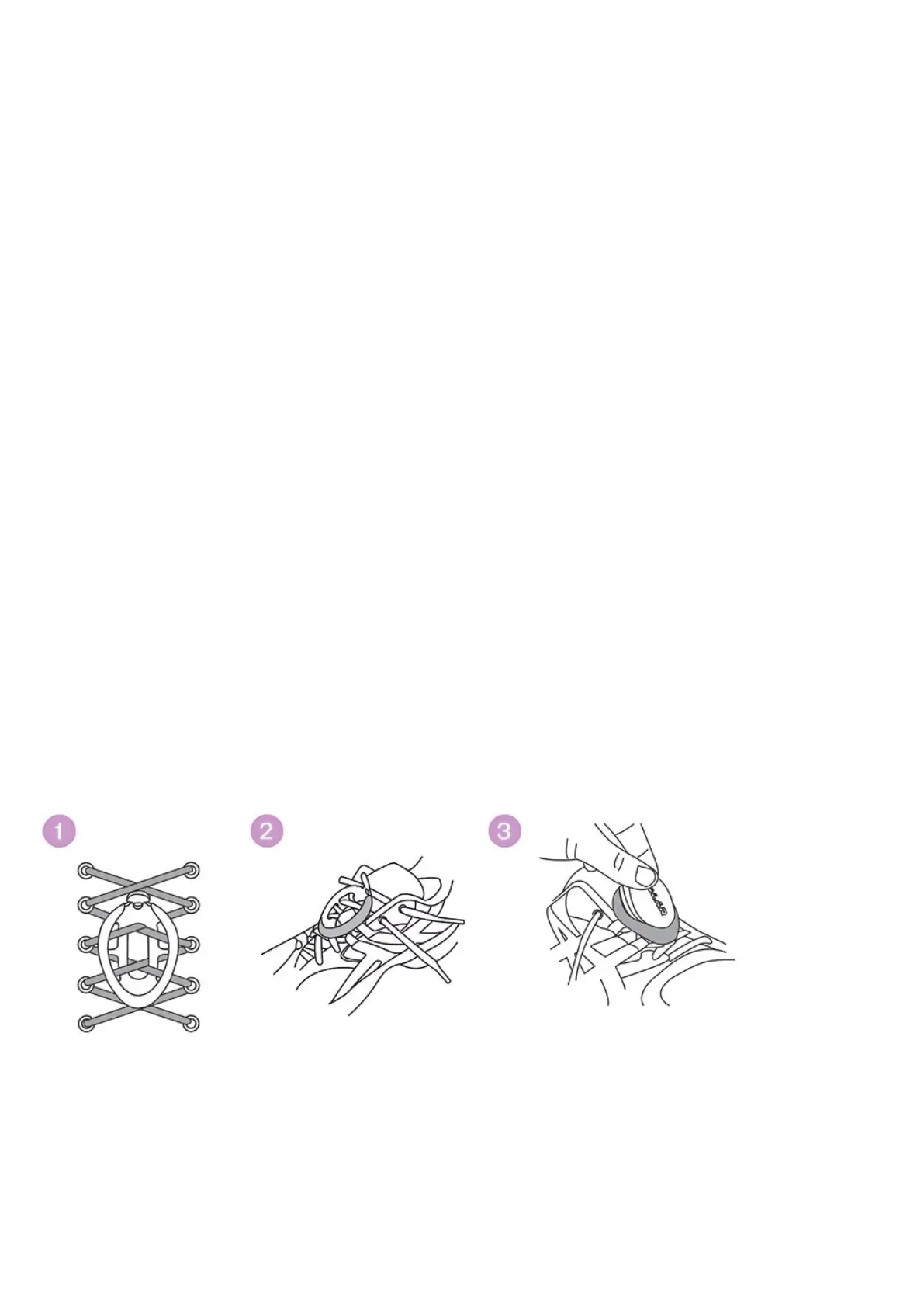
1. Undo your shoelaces and place the holder on top of the tongue of the shoe. Make sure the holder flap is facing
upwards.
2. Thread the laces in through the holes on the sides of the holder and out through the hole on the bottom of the
holder (pictures 1 and 2). Thread the laces through the small flap on the tongue of the shoe to ensure the
holder does not move while running.
3. Tighten the laces.
4. Fit the front part of the sensor into the holder and press from the rear (picture 3). Fasten the flap.
5. Make sure the sensor does not move and is aligned with your foot. The more secure the sensor, the more
accurately speed and distance is measured.



 To Next Page