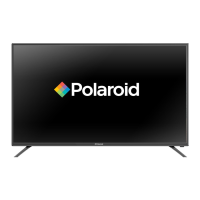
This document serves as the user manual for the Polaroid 40GSR3000 40" FHD LED TV, providing comprehensive instructions for its operation, maintenance, and troubleshooting. The television is designed to deliver a high-definition viewing experience with various connectivity options and user-friendly features.
Function Description
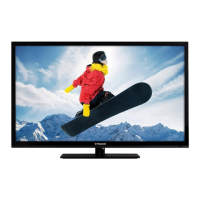
The Polaroid 40GSR3000 is a 40-inch Full HD LED television capable of receiving both analog (NTSC) and digital (ATSC) broadcast signals, including terrestrial and cable channels. It functions as a primary display for entertainment, allowing users to watch television programs, connect external media devices, and even use it as a PC monitor. The TV supports various video and audio inputs, making it versatile for different home entertainment setups. Its core function is to provide a visual and auditory experience for broadcast content and connected devices.
Usage Features
The TV offers a range of features designed to enhance the user experience:
- Initial Setup Wizard: Upon first power-on, the TV guides users through an initial setup process, including language selection, time zone, daylight saving time, time format, and signal type (Air or Cable). This wizard also includes an "Auto Channel Search" function to automatically scan and memorize available channels, simplifying the initial configuration. Users can choose between "Retail Mode" for dynamic in-store display or "Home Mode" for energy-efficient home use.
- Channel Programming: Users can access a dedicated "CHANNEL" menu to manage their channels. This includes selecting the signal type (Air/Cable), performing an auto scan for channels, creating a "Favorite" channel list, viewing the "Channel List," and using "Show/Hide" options for channels. The "Channel Label" feature allows users to customize channel names for easier identification. For digital TV, the TV supports main and sub-channel selection using numeric buttons.
- Picture Settings: The "PICTURE" menu provides extensive control over the visual output. Users can choose from preset "Picture Modes" such as Standard, Dynamic, Soft, Power Saving, or User-defined. Further adjustments can be made for "Brightness," "Contrast," "Color," "Tint," and "Sharpness." A "Color Temperature" setting allows for fine-tuning the white balance, and "Advanced Settings" offer more granular control.
- PC Settings: When connected to a PC, the TV offers specific settings in the "PC Settings" menu. These include "H-Pos" (horizontal position), "V-Pos" (vertical position), "Clock," "Phase," and "Auto" adjustments to optimize the display for computer input. The manual provides a PC input signal chart with suggested screen resolutions to ensure compatibility and optimal display.
- Sound Settings: The "SOUND" menu allows users to customize the audio experience. "Sound Modes" like Standard, Music, Movie, Sports, or User can be selected. Individual adjustments for "Bass," "Treble," and "Balance" are available. The "MTS" (Multi-channel Television Sound) feature allows selection of audio modes (Mono, Stereo, SAP) for NTSC broadcasts, and an audio selection menu for ATSC digital broadcasts. "Audio Language" and "Digital Audio Output" settings are also provided. "Surround Sound" and "AVL" (Automatic Volume Limiter) further enhance the audio.
- Parental Control: The TV includes robust parental control features accessible through the "PARENTAL CONTROL" menu. After entering a 4-digit password (default 0000), users can "Change Password," activate "System Lock," and utilize "Input Block." It supports "US Rating" and "Canada Rating" systems for movies and TV shows, allowing users to block content based on age appropriateness, violence, sexual situations, adult language, and suggestive dialogue. "RRT Setting" and "Reset RRT" options are also available.
- Setup Menu: The "SETUP" menu offers general system configurations. This includes "Menu Language," "Transparent" (for OSD transparency), "OSD Timeout" (for on-screen display duration), "Closed Caption" settings, "Over Scan" adjustment, "Input Label" customization, "Other Settings," "Restore Default" (to reset all settings), and access to the "Setup Wizard."
- Date & Time Settings: The "TIME" menu allows users to set the "Sleep Timer," "Time Zone," "Daylight Saving Time," "Time Format," and configure "Auto Clock" and "Clock" settings.
- Channel Navigation: Users can change channels using the "CH+" or "CH-" buttons on the unit or remote, or by directly inputting channel numbers using the numeric buttons. For digital channels, main and sub-channels can be selected.
- Favorite Channel List: The "FAV." button on the remote control displays a list of favorite channels, allowing quick access to preferred content. Channels can be added or deleted from this list through the "Channel List" menu.
- Electronic Program Guide (EPG): The "EPG" button provides access to the Electronic Program Guide, which displays program lists, start and end times, and detailed information for digital TV channels (availability depends on the broadcaster). Users can navigate through programs and view information for future broadcasts.
- Display Information: The "DISPLAY" button shows information about the currently viewed channel and its contents.
- Remote Control: A comprehensive remote control is provided with dedicated buttons for power, source selection, picture mode, sound mode, sleep timer, aspect ratio, MTS, closed caption, add/erase (for favorites), favorite list, EPG, display information, menu navigation, volume, channel up/down, numeric input, and swap (for previous channel).
- Connectivity: The TV offers multiple input and output options, including HDMI, VGA, Component, Composite (AV), and Headphone Jack. A coaxial output is also available. USB (for service) is present. These connections allow for a wide range of external devices such as DVD players, video game systems, camcorders, cable receivers, satellite boxes, and PCs.
Maintenance Features
The manual provides essential guidelines for maintaining the TV's longevity and performance:
- General Care: Users are advised to keep the unit dry and wipe off any water immediately to prevent corrosion. It should not be stored in extremely hot, cold, dusty, or humid areas, as extreme temperatures can shorten the life of electronic devices and damage components.
- Handling: The TV should not be dropped, as this can lead to operational failure. It should also be kept away from areas with high levels of dirt or dust to prevent contamination and premature wear of electronic parts.
- Cleaning: Harsh chemicals or strong cleaning solvents should not be used. Instead, the unit should be cleaned with a slightly moist cloth.
- Battery Care: For the remote control, users are instructed to use fresh batteries of the correct type. Old or almost-dead batteries are dangerous and can leak chemicals, damaging electronic circuits. Batteries should be removed from the remote control if the unit will not be used for a prolonged period.
- Condensation: If condensation forms inside the unit (e.g., after being in a heated, damp room), it may not function normally. Users are advised to let it stand for 1 to 2 hours or gradually heat the room to dry the unit before use.
- Troubleshooting Guide: The manual includes a troubleshooting section to address common issues such as no picture/sound, poor reception, or remote control malfunction. It offers practical steps like checking connections, power status, mute settings, headphone insertion, antenna adjustments, and battery replacement.
- Parental Control Password Reset: In case of a forgotten parental control password, a universal password ("5963") is provided to regain access, after which a new password must be created.
- Safety Precautions: The manual emphasizes important safety instructions, including reading all instructions, keeping them, heeding warnings, following instructions, avoiding water, cleaning with a dry cloth, not blocking ventilation, avoiding heat sources, not defeating safety plugs, protecting the power cord, using specified attachments, using carts with caution, unplugging during lightning storms or long periods of disuse, and referring all servicing to qualified personnel. It also details grounding and polarization, outdoor antenna grounding, lightning protection, power line safety, avoiding overloading, and preventing object/liquid entry.
By following these guidelines, users can ensure the safe and optimal operation and longevity of their Polaroid 40GSR3000 TV.

 Need help?
 General




 To Next Page