
 Need help?
Do you have a question about the Polaroid 48GSR and is the answer not in the manual?
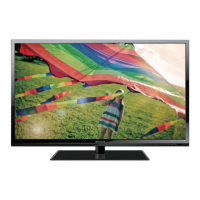
This document serves as a comprehensive user manual for the Polaroid 48" / 50" FHD LED TV, models 48GSR/50GSR3000 and 50GSR3000FA. It provides essential information for setting up, operating, and maintaining the television, ensuring users can fully enjoy their new product.
The manual begins with a "Getting Started" section, guiding users through the initial unboxing process. It advises carefully removing the LED TV and all other items from the box, suggesting that the packaging be stored for future use. A list of included items is provided, which typically comprises the LED TV, remote control with two AAA batteries, user guide, warranty sheet, quick start guide (QSG), installation sheet, and a package saver insert. This ensures users can verify they have all necessary components before proceeding.
Safety is a paramount concern, and the manual dedicates significant sections to "Warning and Precautions" and "Important Safety Instructions." These sections emphasize critical safety measures to prevent fire, electric shock, and other hazards. Users are cautioned against exposing the product to rain or moisture, impeding ventilation, or placing open flame sources near the apparatus. Specific warnings are given regarding the polarized plug, advising users to ensure it is fully inserted into the outlet and not to defeat its safety purpose. The mains plug is identified as the disconnect device, and it should remain readily operable and disconnected from the mains socket outlet completely when the apparatus is not in use.
Graphical symbols, such as the lightning flash with an arrowhead symbol within an equilateral triangle, are used to alert users to the presence of uninsulated "dangerous voltage" within the product's enclosure. Similarly, an exclamation point within an equilateral triangle indicates important operating and maintenance instructions. The manual also highlights the ENERGY STAR® Qualification, indicating that the product meets U.S. Federal energy efficiency guidelines. Users are informed that changes to certain features or settings might affect power consumption.
Further safety instructions cover various aspects, including reading and keeping instructions, heeding warnings, following all instructions, avoiding use near water, cleaning with a dry cloth, and ensuring proper ventilation. It explicitly warns against installing the TV near heat sources and advises against defeating the safety purpose of polarized or grounding-type plugs. Protection of the power cord from being walked on or pinched is emphasized, along with the use of only manufacturer-specified attachments and accessories. Caution is advised when moving the TV with a cart to prevent tipover injuries. Users are instructed to unplug the apparatus during lightning storms or when unused for long periods. All servicing should be referred to qualified personnel, especially if the apparatus has been damaged, exposed to liquids, or dropped. The manual also addresses object and liquid entry, damage requiring service, replacement parts, safety checks, and nonuse periods.
A detailed diagram illustrates an example of antenna grounding according to National Electrical Code instructions, providing specifications for grounding wire types, securing lead-in and grounding wires, mounting the antenna discharge unit, and using jumper wires. Additional warnings cover placement (avoiding extreme temperatures, dust, humidity, and ensuring a flat surface), condensation (allowing the unit to dry before use), and high voltage (warning against accessing live voltage parts). A note on excessive sound pressure from earphones and headphones causing hearing loss is also included.
The "Location of Controls" section provides a visual guide to the TV's front and rear panels, identifying speakers, stand base, power indicator, remote sensor, and various buttons (POWER, SOURCE, MENU, VOL+/-, CH+/-). The rear view details all input and output ports, including headphone jack, rear AV input/output, coaxial output, video jack, component input, PC input, USB (for service), HDMI inputs, VGA input, and the 75 ohm antenna socket.
"External Device Connections" explains how to connect various devices like DVD players, video game systems, or computers. It advises using commercially available audio/video cables and refers users to external device manuals for specific connection details. The manual highlights the priority of S-VIDEO input over standard VIDEO input for better picture quality and specifies that Component Input (YPbPr) only displays signals of 480i, 480p, or greater.
The "Remote Control" section provides a comprehensive description of each button's function, including POWER, SOURCE, S.MODE (Sound Mode), P.MODE (Picture Mode), SLEEP, ASPECT, MTS (Multi-channel Television Sound), CC (Closed Caption), ADD/ERASE (for favorite channels), FAV (Favorite channels), EPG (Electronic Program Guide), DISPLAY, Navigator buttons, ENTER, MENU, EXIT, MUTE, VOL+/-, CH+/-, and numeric buttons. It also explains how to directly access digital TV channels and swap to the previous channel.
Instructions for "Inserting Remote Control Batteries" are clear, detailing how to open the battery compartment, insert two AAA batteries according to polarity, and refit the cover. "Battery Disposal" emphasizes safe disposal practices, warning against fire or household waste and advising against recharging, short-circuiting, disassembling, heating, or mixing old/new or different types of batteries.
The "Using Remote Control" section further elaborates on changing channels (using CH+/- or numeric buttons), reviewing stored channels, selecting favorite channels, changing audio channels (MTS), reviewing station and program information (DISPLAY, EPG), and changing the screen aspect ratio (ASPECT). It also explains how to return to the previous channel (SWAP), turn on/off closed captioning (CC), change picture effects (P.MODE), set the sleep timer, mute sound, and select input mode. The "AUTO POWER OFF" feature is mentioned, which automatically turns off the TV if no signal is detected for more than 10 minutes.
"Operating Your TV" guides users through the initial setup process, including turning the TV on, the first-time installation wizard (Menu Language, Time Zone, Daylight Saving Time, Time Format, Retail/Home Mode selection, Signal type, and Auto Channel Search). It explains how to program channels, including auto scanning and manually labeling channels.
The "Picture" menu settings are detailed, allowing users to adjust Picture Mode (Standard, Dynamic, Soft, Power Saving, User), Brightness, Contrast, Color, Tint, Sharpness, Color Temperature, and Advanced Settings. "PC Settings" covers adjustments for H-Pos, V-Pos, Clock, Phase, and Auto, with a PC input signal chart listing supported resolutions and frequencies.
The "Sound" menu options include Sound Mode (Standard, Music, Movie, Sports, User), Bass, Treble, Balance, MTS, Audio Language, Digital Audio Output, Surround Sound, and AVL.
"Parental Control" explains how to set ratings to block inappropriate programming. It covers changing the password (default is 0000), System Lock, Input Block, US Rating, Canada Rating, RRT Setting, and Reset RRT. Detailed tables for USA TV Ratings (TV-Y, TV-Y7, TV-G, TV-PG, TV-14, TV-MA) and USA Movie Ratings (G, PG, PG-13, R, NC-17, X) are provided, along with Canada English and French parental control levels.
The "Setup" menu allows users to configure Menu Language, Transparent, OSD Timeout, Closed Caption, Over Scan, Input Label, Other Settings, Restore Default, and Setup Wizard. "Date & Time" settings include Sleep Timer, Time Zone, Daylight Saving Time, Time Format, Auto Clock, and Clock.
Further operating instructions cover changing channels, adding/deleting channels from the favorite list, and using the favorite channel list. "Use The Electronic Program Guide (EPG)" explains how to navigate the EPG to view program lists, start/end times, and detailed information, as well as how to view channel information using the DISPLAY button.
The "Trouble Shooting" section offers solutions for common issues such as no picture or sound, poor picture quality, poor reception, and a non-functional remote control. It also provides a universal password ("5963") for parental control if the original password is lost, advising users to create a new one afterward.
Finally, "Care & Maintenance" provides general advice for prolonging the life of the television, including keeping it dry, avoiding hot areas, not dropping it, avoiding dirty or dusty environments, and using mild cleaning solvents. It also reiterates the importance of using fresh, correct batteries and warns against the dangers of worn-out batteries leaking chemicals.
 General
| Screen Size | 48 inches |
|---|---|
| Display Technology | LED |
| HDMI Ports | 3 |
| Refresh Rate | 60 Hz |
| Resolution | 1920 x 1080 (Full HD) |




 To Next Page