EasyManua.ls Logo

Polaroid 43T7U - User Manual

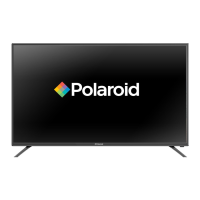
Polaroid 43T7U
32 pages
Print Icon
To Next Page IconTo Next Page
Loading...
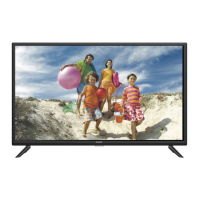
43" UHD LED SMART TV
49" UHD LED SMART TV
50" UHD LED SMART TV
55" UHD LED SMART TV

Questions and Answers

  • M
    Michelle HortonAug 15, 2025
    What to do if my Polaroid 43T7U LED TV has no sound?
    • B
      Brandy SavageAug 15, 2025
      If your Polaroid LED TV has no sound, first, ensure that the volume isn't set too low and adjust it to an audible level. Also, check if the TV is muted and, if so, press the MUTE button to restore the sound.
  • B
    Brandy WalkerAug 18, 2025
    Why is there static and sound noise on my Polaroid 43T7U?
    • T
      Tonya PollardAug 18, 2025
      Static and sound noise on your Polaroid LED TV can occur due to several reasons: * The antenna cable connector might be loose, or the cable itself might be damaged, so check the connection and condition of the cable. * The antenna cable type might be incorrect; ensure you are using the correct type (VHF/UHF). * The direction or position of the antenna could be off; try adjusting it. * The signal might be weak; consider using a signal amplifier.
  • M
    morgan22Aug 21, 2025
    What to do if my Polaroid 43T7U has no image and no sound?
    • C
      Carlos WilsonAug 22, 2025
      If your Polaroid LED TV shows no image and produces no sound, start by checking the power cord to ensure it's properly connected. Also, press the POWER button either on the TV panel or the remote control and check if the button is on.
  • D
    Dr. John BrooksAug 25, 2025
    Why is the remote control distance short or not working on my Polaroid LED TV?
    • S
      Sean RhodesAug 25, 2025
      If your Polaroid LED TV remote control has a short distance or isn't working, it could be due to a couple of reasons. First, make sure that the remote receiver on the TV isn't obstructed. Second, the batteries in the remote might be low, so try changing them.
  • M
    matthewewingAug 27, 2025
    What to do if my Polaroid LED TV image has stripes?
    • C
      Chad GarciaAug 27, 2025
      If your Polaroid LED TV image has stripes, it could be due to signal interference from sources like cars, neon lights, or electric blowers. Avoid using an electric blower around the TV. Also, adjust the antenna cable direction to reduce the interference.
  • M
    Michelle HoustonAug 30, 2025
    Why is the TV display faint on my Polaroid 43T7U LED TV?
    • T
      Tyler AndersonAug 30, 2025
      If the display on your Polaroid LED TV is faint, it could be due to incorrect adjustments or display mode. Try using the auto-adjustment function and ensure you're using the recommended display mode.
  • M
    Melissa RobertsonSep 2, 2025
    What to do if my Polaroid 43T7U image is better, but has noise?
    • M
      markmunozSep 2, 2025
      If your Polaroid LED TV image is generally good but has noise, check the antenna cable connector plug to ensure it is securely connected and that the cable isn't damaged.
  • M
    Mark HorneSep 5, 2025
    What to do if my Polaroid 43T7U image has shadows?
    • A
      Ashley HolmesSep 6, 2025
      If your Polaroid LED TV image has shadows, it might be because the TV signal is being reflected by a valley or building, or the antenna direction is incorrect. Try using a high-directional antenna and adjust its direction.
  • C
    Charles FloresSep 8, 2025
    What to do if my Polaroid LED TV image does not fill the screen?
    • W
      William CollinsSep 8, 2025
      If the image on your Polaroid LED TV doesn't fill the screen, it may be because of incorrect adjustments or display mode. Try using the auto-adjustment function and selecting the recommended display mode.
  • M
    Michele EdwardsSep 12, 2025
    How to fix 'No signal' on Polaroid 43T7U LED TV?
    • J
      julie83Sep 12, 2025
      If your Polaroid LED TV displays a 'No signal' message, it's possible that the signal cable is loose or disconnected. Make sure the signal cable is securely attached. Reattach it and try again.

Summary

Important Safety Instructions

Safety Information

General safety guidelines for the safe operation of the television.

Electrical Safety Precautions

Guidelines for safe electrical connections and usage to prevent hazards.

Physical Safety Precautions

Precautions for physically handling and placing the TV to avoid damage or injury.

TV Setup and Placement

Included Items and Accessories

Lists the items included with the TV and the remote control.

TV Stand Installation and Removal

Instructions for attaching and detaching the TV stand.

Wall Mounting Guidelines

Guidelines for mounting the TV on a wall using a VESA bracket.

TV Controls and Connections

Front and Back Panel View

Diagram showing the front and back panels of the TV.

Physical Button Functions

Detailed explanation of the TV's physical control buttons.

Connecting External Devices

Device Connection Guide

Illustrates and describes how to connect various external devices to the TV.

Remote Control Operations

Remote Control Button Functions

Details the functions of each button on the remote control.

Battery Installation

Instructions for inserting batteries into the remote control.

Initial TV Setup

Power Connection

Steps to connect the TV to a power source.

Powering On the TV

Procedure to power on the TV using the remote control.

Basic Menu Navigation

Menu Operation Guide

Guidance on navigating the TV's menu system.

Setup Wizard Walkthrough

Walkthrough for initial TV configuration and settings.

Data Collection Notice

Information regarding data collection and firmware update notifications.

Menu Settings and Configuration

Clock and Time Zone Setup

Instructions for setting the TV's clock and time zone.

Home or Retail Mode Selection

Choosing between Home and Retail display modes.

Network and Channel Setup

Daylight Saving Time (DST)

Configuring Daylight Saving Time settings.

Network Configuration

Setting up the TV's network connection (Wi-Fi or LAN).

Auto Channel Search

Procedure for automatically scanning for available TV channels.

Input and Channel Information

Input Source Selection

Guide to selecting and configuring input sources for the TV.

Current Channel Details

Displaying information about the currently tuned TV channel.

Picture Settings Adjustment

Picture Mode Selection

Selecting preset picture modes (Dynamic, Standard, Movie, etc.).

Custom Picture Settings

Customizing picture quality using Contrast, Brightness, Color, Sharpness, Tint.

Backlight and Color Temperature

Adjusting screen brightness and color tone.

Sound Settings Configuration

Sound Mode Selection

Selecting preferred sound effects (Standard, Music, Movie, Sports, User).

Audio Balance and AVL

Adjusting speaker balance and automatic volume leveling.

Surround Sound

Enabling or disabling the surround sound effect.

Audio, Function, and HDMI Settings

Digital Audio Output and Languages

Configuring audio output and selecting audio languages.

DAP and HDMI ARC

Adjusting Digital Audio Processing and HDMI ARC.

Function Settings Overview

Accessing Noise Reduction, MPEG Noise Reduction, and Aspect Ratio.

Advanced Time and Connectivity Settings

CEC Link and HDMI EDID

Configuring CEC link and adjusting HDMI timing.

Netflix and Time Settings

Managing Netflix features and setting automatic power off times.

Time and Options Management

Automatic On;Off Timers

Setting timers for automatic TV power on or off.

Auto Sleep and Sync

Enabling auto sleep and managing clock sync.

OSD Language and Time

Configuring On-Screen Display language and duration.

System Maintenance and Security

Closed Caption and Reset

Configuring closed captions and restoring factory settings.

Software Updates

Updating TV software via USB or Internet.

Parental Controls Setup

Setting up parental controls and content restrictions.

Parental Control Details

Password Management

Setting and confirming a new 4-digit password for parental controls.

Region-Specific Ratings

Configuring TV ratings for USA and Canada (TV, MPAA, French).

Unrated Content Filtering

Setting options to block unrated TV content.

Channel Tuning and Management

Antenna Mode and Auto Search

Selecting signal source and scanning for channels.

Program Editing Functions

Editing channel list by skipping or deleting programs.

Advanced Channel Features

Favorite Program Management

Storing and quickly accessing favorite TV channels.

Manual Channel Tuning

Manually tuning DTV and ATV channels by frequency.

DTV Signal Information

Viewing detailed signal information for DTV channels.

Network Configuration Steps

Network Setup Options

Configuring wired (LAN) or wireless (Wi-Fi) network connections.

IP Address Settings

Choosing between DHCP and static IP address settings for network.

USB Media Playback

Accessing USB Devices

How to set input source to USB and access USB device.

USB Picture Viewing

Accessing and managing picture files from USB.

Supported USB Formats

Information on supported image formats and resolutions (JPEG).

Troubleshooting Common Issues

Problem Diagnosis and Solutions

Table listing common TV problems, their causes, and solutions.

Product Specifications (Part 1)

43 T7 U Model Specifications

Technical details for the 43-inch model.

49 T7 U Model Specifications

Technical details for the 49-inch model.

Product Specifications (Part 2)

50 T7 U Model Specifications

Technical details for the 50-inch model.

55 T7 U Model Specifications

Technical details for the 55-inch model.

Remote Control Specs

Details on remote control signal type, distance, angle, and power.

Polaroid 43T7U Specifications

General IconGeneral
Screen Size43 inches
Display TechnologyLED
Smart TVYes
Operating SystemAndroid TV
HDMI Ports3
USB Ports2
Refresh Rate60 Hz
Wi-FiYes
BluetoothYes
Audio Output2 x 8W
Resolution4K Ultra HD (3840 x 2160)
HDR SupportYes

Related product manuals