EasyManua.ls Logo

Polaroid 50T7U - User Manual

Polaroid 50T7U
32 pages
Print Icon
To Next Page IconTo Next Page
Loading...
43" UHD LED SMART TV
49" UHD LED SMART TV
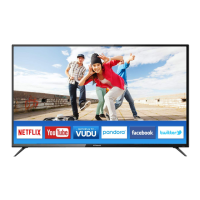
50" UHD LED SMART TV
55" UHD LED SMART TV

Questions and Answers

  • M
    mark94Aug 15, 2025
    What to do if my Polaroid LED TV has no sound?
    • C
      Cassandra CamposAug 16, 2025
      If your Polaroid LED TV has no sound, first, ensure that the volume isn't set too low and adjust it to an audible level. Also, check if the TV is muted and, if so, press the MUTE button to restore the sound.
  • A
    Ashley HallAug 19, 2025
    Why is there static and sound noise on my Polaroid LED TV?
    • E
      Emily SanchezAug 19, 2025
      Static and sound noise on your Polaroid LED TV can occur due to several reasons: * The antenna cable connector might be loose, or the cable itself might be damaged, so check the connection and condition of the cable. * The antenna cable type might be incorrect; ensure you are using the correct type (VHF/UHF). * The direction or position of the antenna could be off; try adjusting it. * The signal might be weak; consider using a signal amplifier.
  • C
    Corey ParkerAug 21, 2025
    What to do if my Polaroid 50T7U LED TV has no image and no sound?
    • L
      Lisa JohnsonAug 22, 2025
      If your Polaroid LED TV shows no image and produces no sound, start by checking the power cord to ensure it's properly connected. Also, press the POWER button either on the TV panel or the remote control and check if the button is on.
  • M
    Mr. Keith CrossAug 25, 2025
    Why is the remote control distance short or not working on my Polaroid 50T7U?
    • Z
      Zachary McgeeAug 26, 2025
      If your Polaroid LED TV remote control has a short distance or isn't working, it could be due to a couple of reasons. First, make sure that the remote receiver on the TV isn't obstructed. Second, the batteries in the remote might be low, so try changing them.
  • A
    Andrew MeltonAug 27, 2025
    What to do if my Polaroid LED TV image has stripes?
    • W
      Wendy BlackAug 28, 2025
      If your Polaroid LED TV image has stripes, it could be due to signal interference from sources like cars, neon lights, or electric blowers. Avoid using an electric blower around the TV. Also, adjust the antenna cable direction to reduce the interference.
  • D
    Daryl PaulAug 31, 2025
    Why is the TV display faint on my Polaroid 50T7U?
    • T
      Tyler RichardsAug 31, 2025
      If the display on your Polaroid LED TV is faint, it could be due to incorrect adjustments or display mode. Try using the auto-adjustment function and ensure you're using the recommended display mode.
  • M
    Mr. Justin Smith PhDSep 3, 2025
    What to do if my Polaroid 50T7U LED TV image is better, but has noise?
    • M
      Michael HarmonSep 3, 2025
      If your Polaroid LED TV image is generally good but has noise, check the antenna cable connector plug to ensure it is securely connected and that the cable isn't damaged.
  • D
    Deborah SmithSep 6, 2025
    What to do if my Polaroid 50T7U image has shadows?
    • B
      bjordanSep 6, 2025
      If your Polaroid LED TV image has shadows, it might be because the TV signal is being reflected by a valley or building, or the antenna direction is incorrect. Try using a high-directional antenna and adjust its direction.
  • K
    Krista PowellSep 8, 2025
    What to do if my Polaroid LED TV image does not fill the screen?
    • M
      Michael HernandezSep 8, 2025
      If the image on your Polaroid LED TV doesn't fill the screen, it may be because of incorrect adjustments or display mode. Try using the auto-adjustment function and selecting the recommended display mode.
  • J
    Jessica MorseSep 12, 2025
    How to fix 'No signal' on Polaroid 50T7U?
    • J
      Jessica BarkerSep 12, 2025
      If your Polaroid LED TV displays a 'No signal' message, it's possible that the signal cable is loose or disconnected. Make sure the signal cable is securely attached. Reattach it and try again.

Summary

Important Safety Instructions

Safety Information

Electrical Safety

Guidelines for safe electrical operation of the TV.

Physical Safety

Guidelines for safe physical handling and placement of the TV.

What is Included and TV Placement Setup

Unit and Accessories

Lists the components included with the TV and accessories.

TV Stand Installation;Removal

Instructions for attaching and detaching the TV stand.

Wall Mounting

Guidance for securely mounting the TV on a wall.

Connecting to External Devices

Front;Back View and Button Functions

Button Functions

Explains the purpose and operation of the TV's physical buttons.

Remote Control Functions

Remote Control Battery Installation

Basic Operations

Menu Operation

Overview of navigating the TV's menu system.

Setup Wizard

Guides the user through initial TV setup procedures.

Network and Search Settings

Select Network Configuration

Guides through setting up the TV's network connection.

Select Auto Search

Initiates an automatic scan for TV channels.

Input and Channel Information

Input Setup

Selects the video input source for the TV.

Picture Settings

Picture Mode

Explains the different picture preset modes available.

User Picture Settings

Details how to adjust contrast, brightness, color, sharpness, and tint.

Backlight Adjustment

How to adjust the screen brightness level.

Color Temperature

Options for adjusting the color tone of the picture.

Sound Settings

Sound Mode

Selects different sound profiles for various content types.

System Reset and Updates

Reset Settings

Restores the TV to its factory default settings.

Channel Management

Polaroid 50T7U Specifications

General IconGeneral
Screen Size50 inches
Display TechnologyLED
Refresh Rate60 Hz
HDMI Ports3
USB Ports2
Smart TVYes
Operating SystemAndroid TV
Wi-FiYes
BluetoothYes
Resolution4K UHD (3840 x 2160)

Related product manuals