EasyManua.ls Logo

Polaroid 55T7U - User Manual

Polaroid 55T7U
32 pages
Print Icon
To Next Page IconTo Next Page
Loading...
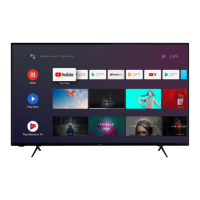
43" UHD LED SMART TV
49" UHD LED SMART TV
50" UHD LED SMART TV
55" UHD LED SMART TV

Questions and Answers

  • R
    Ralph SerranoAug 15, 2025
    What to do if my Polaroid 55T7U LED TV has no sound?
    • N
      Nicholas Murillo Jr.Aug 15, 2025
      If your Polaroid LED TV has no sound, first, ensure that the volume isn't set too low and adjust it to an audible level. Also, check if the TV is muted and, if so, press the MUTE button to restore the sound.
  • K
    katie43Aug 18, 2025
    Why is there static and sound noise on my Polaroid 55T7U LED TV?
    • E
      Elizabeth PatrickAug 18, 2025
      Static and sound noise on your Polaroid LED TV can occur due to several reasons: * The antenna cable connector might be loose, or the cable itself might be damaged, so check the connection and condition of the cable. * The antenna cable type might be incorrect; ensure you are using the correct type (VHF/UHF). * The direction or position of the antenna could be off; try adjusting it. * The signal might be weak; consider using a signal amplifier.
  • C
    Christine HudsonAug 21, 2025
    What to do if my Polaroid 55T7U has no image and no sound?
    • B
      Brandi CarpenterAug 21, 2025
      If your Polaroid LED TV shows no image and produces no sound, start by checking the power cord to ensure it's properly connected. Also, press the POWER button either on the TV panel or the remote control and check if the button is on.
  • W
    Wesley ChurchAug 25, 2025
    Why is the remote control distance short or not working on my Polaroid LED TV?
    • T
      Trevor HuynhAug 25, 2025
      If your Polaroid LED TV remote control has a short distance or isn't working, it could be due to a couple of reasons. First, make sure that the remote receiver on the TV isn't obstructed. Second, the batteries in the remote might be low, so try changing them.
  • A
    Allison CooperAug 27, 2025
    What to do if my Polaroid 55T7U image has stripes?
    • R
      ronald35Aug 28, 2025
      If your Polaroid LED TV image has stripes, it could be due to signal interference from sources like cars, neon lights, or electric blowers. Avoid using an electric blower around the TV. Also, adjust the antenna cable direction to reduce the interference.
  • M
    Michael SmithAug 30, 2025
    Why is the TV display faint on my Polaroid 55T7U LED TV?
    • W
      wkingAug 30, 2025
      If the display on your Polaroid LED TV is faint, it could be due to incorrect adjustments or display mode. Try using the auto-adjustment function and ensure you're using the recommended display mode.
  • T
    travis59Sep 2, 2025
    What to do if my Polaroid 55T7U LED TV image is better, but has noise?
    • V
      Vincent ClarkSep 2, 2025
      If your Polaroid LED TV image is generally good but has noise, check the antenna cable connector plug to ensure it is securely connected and that the cable isn't damaged.
  • N
    nicholashawkinsSep 5, 2025
    What to do if my Polaroid 55T7U LED TV image has shadows?
    • S
      sanchezterrySep 5, 2025
      If your Polaroid LED TV image has shadows, it might be because the TV signal is being reflected by a valley or building, or the antenna direction is incorrect. Try using a high-directional antenna and adjust its direction.
  • A
    Anna MaySep 8, 2025
    What to do if my Polaroid LED TV image does not fill the screen?
    • J
      Jimmy FieldsSep 8, 2025
      If the image on your Polaroid LED TV doesn't fill the screen, it may be because of incorrect adjustments or display mode. Try using the auto-adjustment function and selecting the recommended display mode.
  • C
    conniecamposSep 12, 2025
    How to fix 'No signal' on Polaroid 55T7U?
    • E
      Emily BanksSep 12, 2025
      If your Polaroid LED TV displays a 'No signal' message, it's possible that the signal cable is loose or disconnected. Make sure the signal cable is securely attached. Reattach it and try again.

Summary

Important Safety Instructions

Safety Information

Electrical Safety

Guidelines for safe electrical connections and usage to prevent hazards.

Physical Safety

Precautions for the physical handling and placement of the TV to avoid damage.

What is Included and TV Placement

TV Stand Installation;Removal

Instructions for attaching and detaching the TV's stand.

Wall Mounting

Guidance on VESA compliant wall mounting procedures and screw specifications.

Button Functions

TV Button Operations

Details the functions and operations of the physical buttons on the TV set.

Connecting External Devices

Remote Control Guide

Initial Setup

Basic Operations

Picture Settings

Picture Mode

Selecting preset picture modes like Dynamic, Standard, Movie, etc.

User Settings for Picture

Adjusting Contrast, Brightness, Color, Sharpness, and Tint for custom picture quality.

Backlight

Controlling the overall brightness of the TV screen.

Color Temperature

Adjusting the color tone of the picture (Cool, Neutral, Warm).

Sound Settings

Sound Mode

Selecting different sound modes like Standard, Music, Movie, Sports, or User.

Function Settings

Noise Reduction

Selecting modes to reduce picture noise for clearer images.

MPEG Noise Reduction

Adjusting MPEG noise reduction levels for improved picture quality.

Aspect Ratio

Changing the picture's aspect ratio to fit the screen properly.

Time Settings

Parent Control

Channel Settings

Auto Search

Automatically scanning for and tuning available TV channels.

Manual Channel Tuning

Network Settings

USB Operation

Troubleshooting Guide

Polaroid 55T7U Specifications

General IconGeneral
BrandPolaroid
Model55T7U
CategoryLED TV
LanguageEnglish

Related product manuals