
 Need help?
Do you have a question about the Polaroid DE236 and is the answer not in the manual?
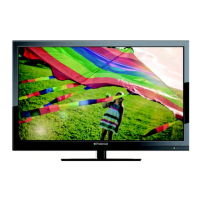
This document serves as the user manual for the Polaroid 24" FHD LED TV, model numbers 24GSR3000 and DE236. It provides comprehensive instructions for setting up, operating, and maintaining the television, ensuring users can fully enjoy their new product.
The Polaroid 24" FHD LED TV is designed to provide high-definition visual and audio entertainment. Its primary function is to display television broadcasts and content from various external devices, including DVD players, video game systems, and computers. The television supports both analog (NTSC) and digital (ATSC) broadcast signals, allowing for a wide range of channel reception. It features a Full HD (FHD) display, offering clear and detailed images.
The TV can be operated via its front panel buttons or a remote control, providing flexibility in user interaction. It includes features for channel programming, picture and sound adjustments, and parental controls to manage content access. The Electronic Program Guide (EPG) is available for digital TV channels, offering program lists, start and end times, and detailed information about broadcasts.
Upon first power-on, the TV guides the user through an initial setup wizard. This process includes selecting the menu language (English, French, Spanish), setting the time zone, daylight saving time, and time format. Users can choose between "Retail Mode" for dynamic in-store display or "Home Mode" for energy-efficient home use. The setup also involves selecting the signal type (Air or Cable) and performing an "Auto Channel Search" to memorize available channels. This auto-scanning process can take up to 30 minutes, depending on the number of TV stations in the area.
Channels can be changed using the "CH +/-" buttons on the remote or TV, or by directly entering numeric channel numbers. For digital TV, users can input main and sub-channel numbers (e.g., "5-1" by pressing "5", then "-", then "1"). The TV allows users to create a "Favorite Channel" list, making it easy to access preferred channels. Channels can be added or deleted from this list, and the list itself can be reviewed. The "Channel Label" feature allows users to customize the names of channels for easier identification.
The TV offers various picture modes (Standard, Dynamic, Soft, Power Saving, User) to suit different viewing preferences and environments. Users can adjust brightness, contrast, color, tint, and sharpness. Color temperature can also be fine-tuned. For sound, there are several sound modes (Standard, Music, Movie, Sports, User), and users can adjust bass, treble, and balance. The "MTS" (Multi-channel Television Sound) feature allows selection of audio modes like Mono, Stereo, or SAP for NTSC broadcasts, and displays audio selection options for ATSC digital broadcasts. The "ASPECT" button on the remote control allows users to change the screen aspect ratio.
The TV provides multiple input options for connecting external devices. These include HDMI, Component (YPbPr), VGA (for PC), Rear AV, and PC Audio. For optimal picture quality, S-VIDEO connection is recommended if available on the external device. The TV can display pictures from external devices when a 480i, 480p, or greater signal is received via Component Input.
The remote control is central to operating the TV, offering buttons for power, source selection, menu navigation, volume, channel change, mute, sleep timer, aspect ratio, closed captioning (CC), and Electronic Program Guide (EPG). Numeric buttons allow direct channel access. The "SWAP" button returns to the previous channel.
The parental control menu enables users to block programming based on ratings (USA TV Ratings, USA Movie Ratings by MPAA, Canada English, and Canada French parental control levels). Access to these settings requires a 4-digit password, with a default of "0000". Users can change the password, lock the system, block specific inputs, and reset RRT settings.
The TV includes a "Sleep Timer" that can be set to automatically turn off the TV after a predetermined time (15 to 240 minutes). An "AUTO POWER OFF" feature will turn off the TV automatically if no signal is detected from the antenna or broadcasting for more than 10 minutes. The "DISPLAY" button shows current channel information and settings.
The manual emphasizes treating the television with care to ensure its longevity. It advises keeping the unit dry and wiping off any water immediately, as minerals in water can corrode electronic circuits.
Users are cautioned against storing the TV in hot areas, as high temperatures can shorten the life of electronic devices, damage batteries, and distort plastics. The TV should also not be stored or used in areas with high levels of dirt or dust, which can contaminate electronic parts and cause premature wear.
Dropping the product is discouraged, as it is likely to result in operational failure.
Harsh chemicals or strong cleaning solvents should not be used to clean the unit. Instead, a slightly moist cloth is recommended.
Instructions are provided for inserting and replacing the two AAA batteries in the remote control, ensuring correct polarity. For battery disposal, users are advised to follow local regulations and not dispose of batteries in fire or with household waste. Important cautions include not attempting to recharge, short-circuit, disassemble, heat, or throw batteries into fire. Mixing old and new batteries, or different types of batteries (alkaline, carbon-zinc, nickel-cadmium), is also advised against, as it can lead to damage or malfunction. Periodically inspecting batteries for damage and ensuring they are fresh and of the correct type is crucial, as worn-out batteries can leak chemicals and damage circuits.
A dedicated troubleshooting section addresses common issues such as no picture/sound, poor reception on certain channels, picture quality problems (rolls, slants, lines, grainy, poor color, ghosts), and remote control malfunction. Solutions often involve checking connections, antenna adjustments, power status, mute settings, and battery replacement. For lost parental control passwords, a universal password ("5963") is provided, after which a new password must be created.
 General
| Screen Size | 23.6 inches |
|---|---|
| Display Technology | LED |
| Refresh Rate | 60 Hz |
| Aspect Ratio | 16:9 |
| HDMI Ports | 2 |
| USB Ports | 1 |
| Built-in Speakers | Yes |
| Resolution | 1366 x 768 pixels |



 To Next Page