23
Polaroid i533 Digital Camera User Guide
www.polaroid.com
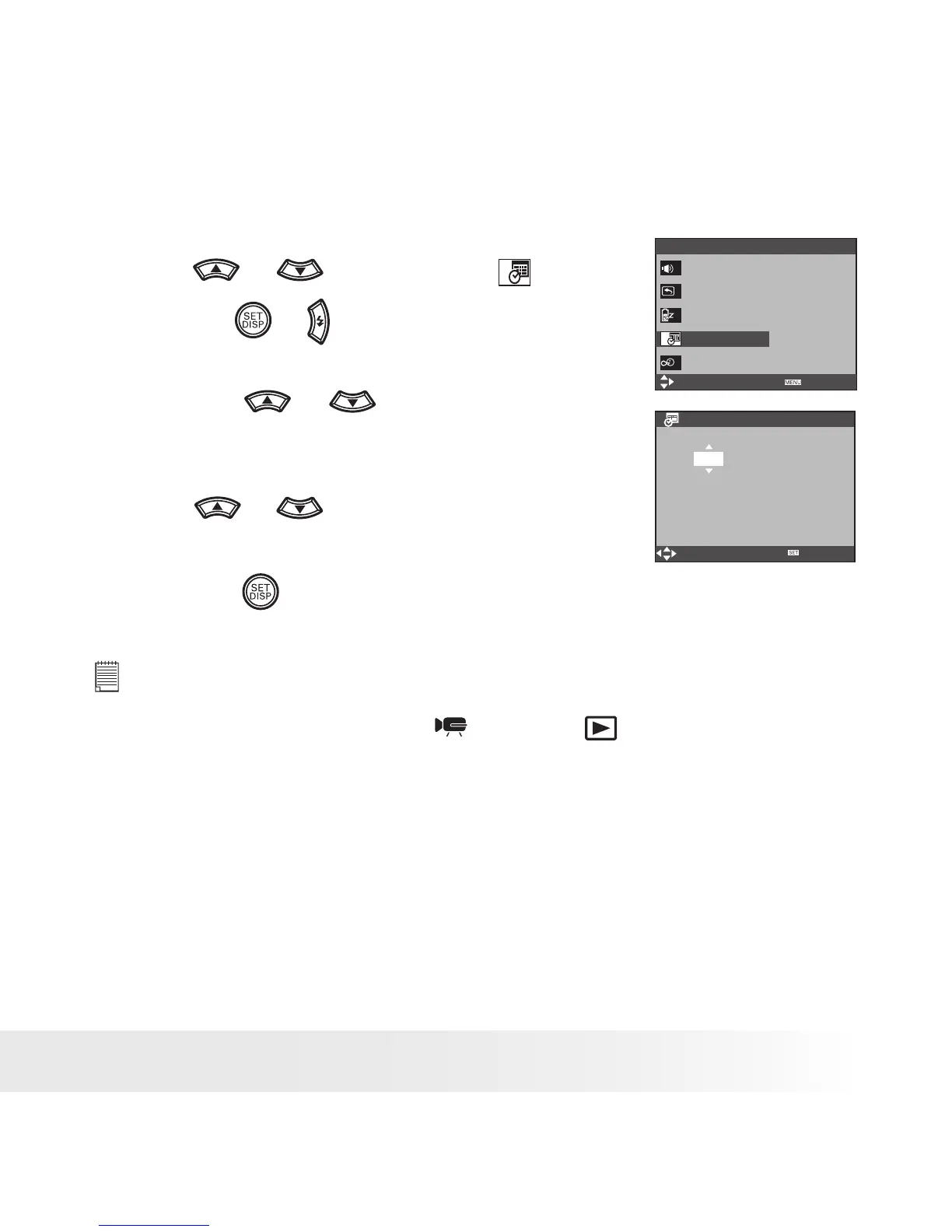
• Setting the Date and Time
1. Access the setup menu.
Date & Time
Select
YY/MM/DD
2006 / 07 / 01 18:59
Setup Menu 1/3
Select
Exit
Sounds
Auto Review 3 sec
Power Save 1 min
Date & Time
Language English
Ok
2. Press
or
button to select
(DATE &
TIME).
3. Press the
or
button.
4. Press the
or
button to select a field,
such year, month, day, hour, minute, and date
format.
5. Press
or
button to adjust the value in
the field and select the date format.
6. Press the
button.
NOTE:
• If the batteries are removed for about two days, the TIME setting will be lost.
• This setting is also available in
(Video) and
(Playback) modes.



 To Next Page
 Loading...