17
Polaroid PDC 5055 Digital Camera User Guide
www.polaroid-digital.com
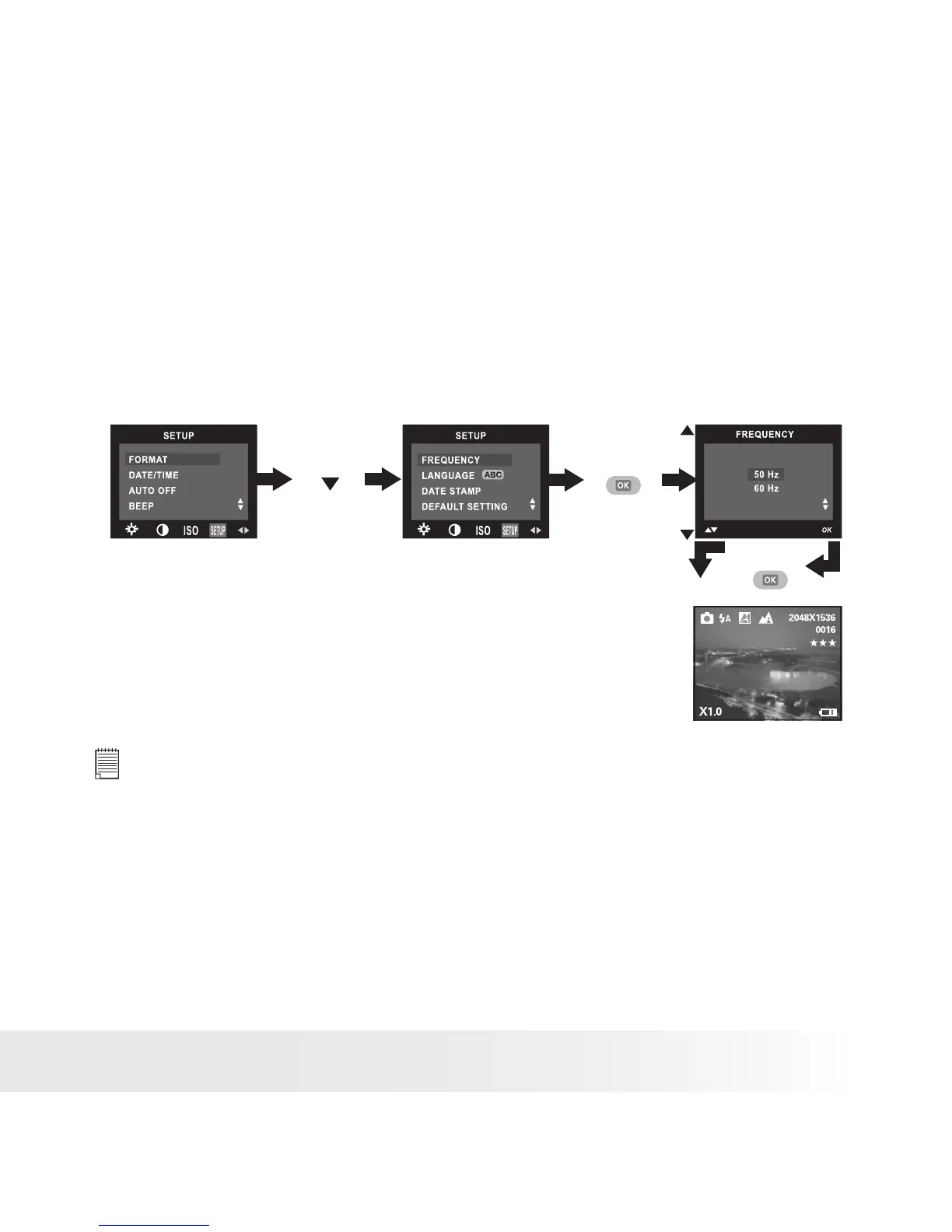
• Setting Frequency
In order to take a better indoor picture, the camera needs to be set to
suit the correct lighting frequency. Set the frequency to 60Hz for US
and 50Hz for Europe.
1. Turn on the camera.
2. Set the camera to Still Image mode.
3. Follow the guidelines in “Setup Menu” on page 12 to access the
Setup menu.
Press
Press
Press
until
NOTE:
This setting is also available in Video mode.



 To Next Page
 Loading...







