15
Polaroid PDC 5055 Digital Camera User Guide
www.polaroid-digital.com
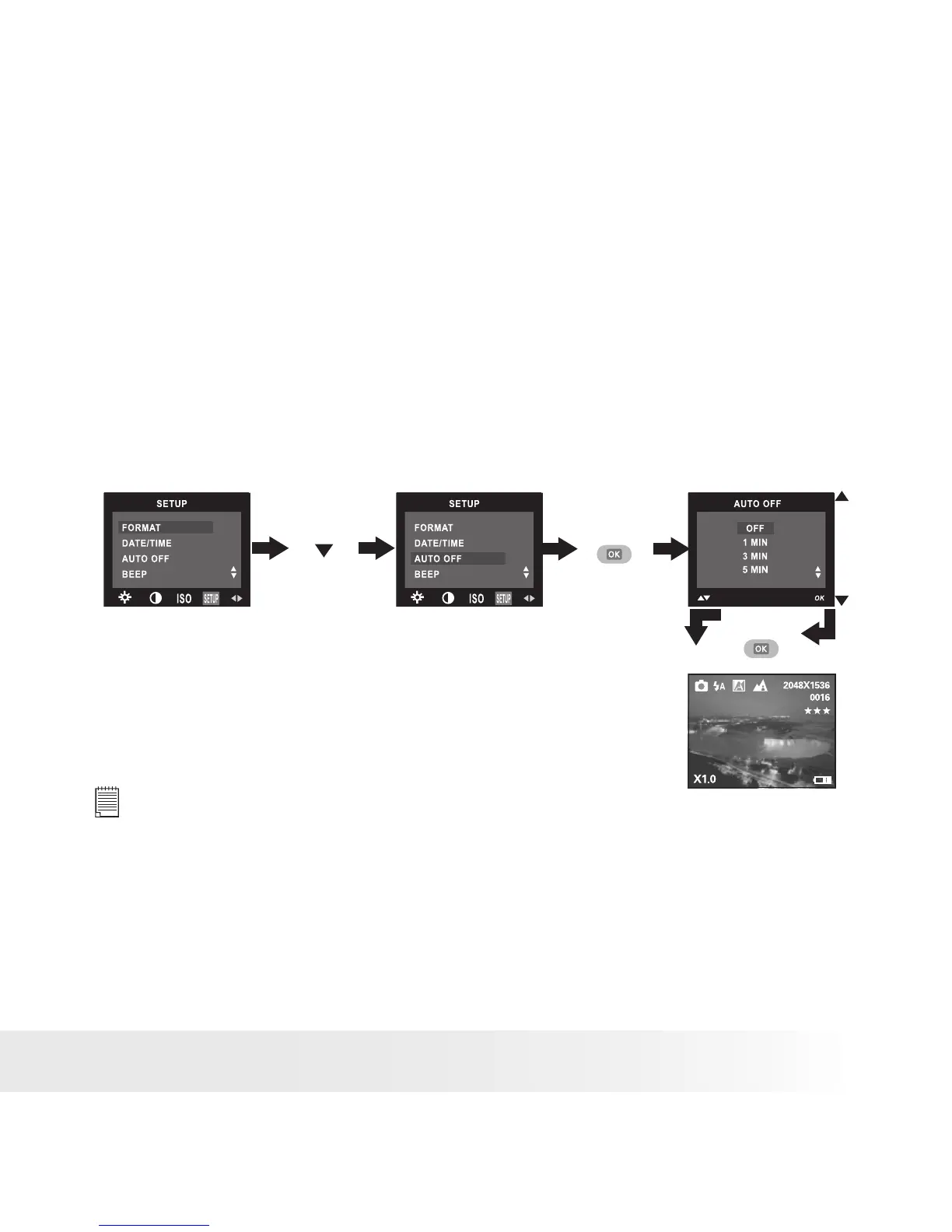
• Auto Power Save Settings
The camera performs the following power save operations to conserve
battery power.
1/3/5 minute(s): The camera is designed to switch off automatically to
save battery life after the specied period of inactivity.
Off: The power save feature is not activated.
You can change the power save setting according to the following steps:
1. Turn on the camera.
2. Set the camera to Still Image mode.
3. Follow the guidelines in “Setup Menu” on page 12 to access the
Setup menu.
Press
Press
Press
until
NOTE:
• Auto power off is automatically disabled under any one of the following
conditions.
- While an auto play is undergoing.
- While the camera’s USB port is connected to a computer or other external
devices, or while the camera is being controlled by an external device.
• This setting is also available in Video mode.



 To Next Page
 Loading...







