EasyManua.ls Logo

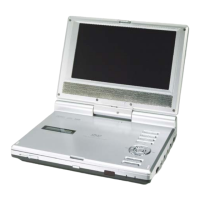
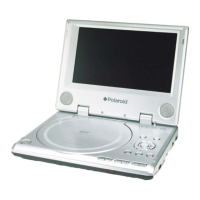
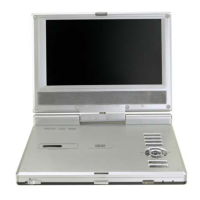
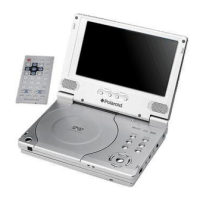
Polaroid PDM-0723 - User Manual

Polaroid PDM-0723
43 pages
Print Icon
To Next Page IconTo Next Page
Loading...
1
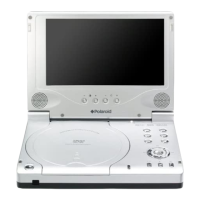
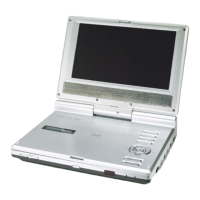
7” Portable DVD Player
PDM-0723
Operation Manual
20050304

Questions and Answers

  • F
    fmartinJul 30, 2025
    Why won't my Polaroid Portable DVD Player play DVDs?
    • A
      Anthony CobbJul 30, 2025
      If your Polaroid Portable DVD Player can't play discs, ensure the disc cover is fully closed. Also, verify that a disc is actually in the DVD drive, inserted with the label side facing up. The disc itself might be dirty or warped, so try cleaning or replacing it. Another reason could be the region code of the DVD disc not matching the player's region code; confirm they are the same. In case there's moisture on the lens, remove the disc and let the player dry for at least two hours. Lastly, check if the battery is dead; if so, charge it or use the AC or car adapter.
  • D
    dwilsonAug 4, 2025
    How to fix no sound on Polaroid Portable DVD Player?
    • L
      Larry PowersAug 5, 2025
      If you're not getting any sound from your Polaroid Portable DVD Player, first, double-check that the system is connected correctly. Then, make sure the speaker volume isn't turned down—adjust it using the volume control. Also, verify the sound settings of the DVD disc itself are correctly configured. Finally, a dirty or warped disc can also cause sound issues, so try cleaning or changing the disc.
  • J
    Jordan RiceAug 11, 2025
    What to do if there is no picture on my Polaroid Portable DVD Player?
    • L
      Luke MasseyAug 11, 2025
      If you're not seeing a picture on your Polaroid Portable DVD Player, start by checking if the LCD is turned on and set to the correct video mode. Ensure that the system is properly connected. Also, verify that the unit is in DVD mode by switching the DVD/AV IN switch to DVD.
  • M
    Meredith StoneAug 17, 2025
    How to reset Polaroid Portable DVD Player?
    • J
      jwilsonAug 17, 2025
      If you are experiencing static or abnormal function with your Polaroid Portable DVD Player, unplug the power supply cord and then plug it into the outlet again to reset the player.
  • V
    vreedAug 22, 2025
    Why is the AV quality poor on my Polaroid Portable DVD Player?
    • J
      Joseph YoderAug 22, 2025
      If you're experiencing poor AV performance with your Polaroid Portable DVD Player, the disc may be dirty or warped. Try cleaning or changing the disc.

Summary

Safety Instructions

Operational Safety Guidelines

Covers warnings and cautions for safe operation, including power, ventilation, and handling.

Preservation and Cleaning

Features

High-Quality Audio and Video

Details on Dolby Digital sound and AV input/output capabilities.

Advanced Playing Functions

Covers disc compatibility, multi-speed playback, and search functions.

Accessories

Remote Control

Rechargeable Battery

Player Battery Information

Information on the lithium-ion battery, charging, usage, and safety precautions.

System Connections

Power Supply Preparation

Using AC and Car Adapters

Steps for powering the unit and charging the battery using AC and car adapters.

Disc Handling and Playback

Playback Operation

Pre-operation and Basic Controls

Steps before playback and how to adjust brightness, contrast, color, and aspect ratio.

DVD Playback Functions

Detailed explanation of DVD playback controls like Play, Pause, Stop, Zoom, and navigation.

CD Playback Functions

Explanation of CD playback controls, including track selection, pause, stop, and repeat.

System Setup

Troubleshooting

Playback and Sound Issues

Solutions for common problems like player not playing discs or no sound output.

Picture and Performance Issues

Resolving no picture, poor AV performance, and other operational problems.

Polaroid PDM-0723 Specifications

General IconGeneral
Screen Size7 inches
Resolution480 x 234 pixels
Battery LifeUp to 2.5 hours
Aspect Ratio16:9
Power SourceAC adapter, rechargeable battery
Screen Resolution480 x 234
Supported FormatsDVD, CD, JPEG
Playable Media FormatDVD, CD
Supported Disc FormatsDVD, CD
ConnectorsAV output, headphone jack
Audio OutputStereo speakers, Headphone jack
Region CodeRegion 1
Battery TypeRechargeable lithium-ion
Video OutputComposite video

Related product manuals