13
Color Calibration
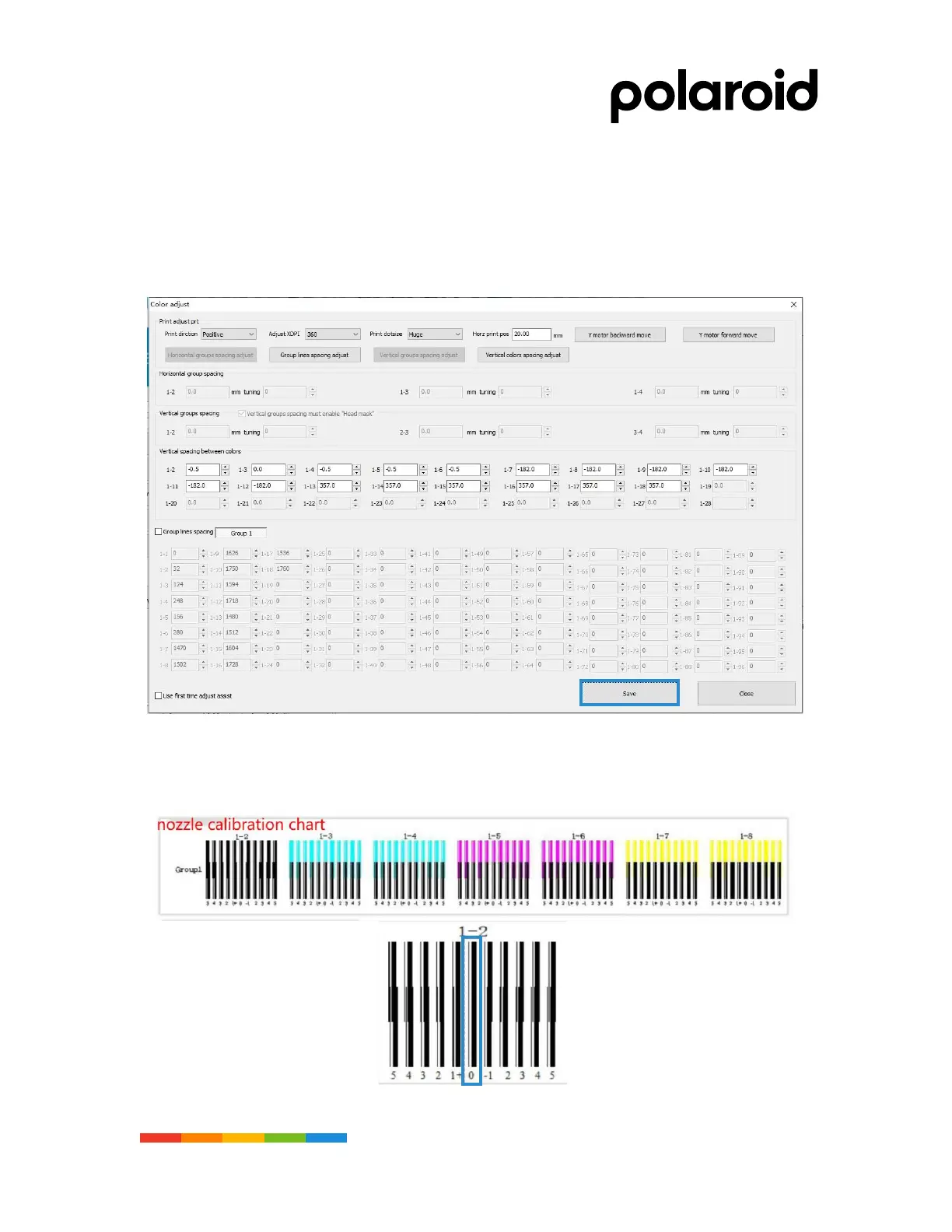
• Direction: Positive and negative direction calibration is required during calibration
• Resolution: According to the required resolution of printing select the calibration resolution.
• (default option 360DPI)
• Drop type: Select large, small and medium drop type for calibration, and default color calibration
for large drop.
• Horizontal position: Set the location where you want to print
Physical color calibration standard: 0bit
• Make sure that the position of KCMY "0" when printing is in the same vertical position and most
coincident, as shown in the picture left, by printing the calibration figure, observe the bottom value
with the most vertical/coincidence, and fill in the color calibration dialog box.



 To Next Page