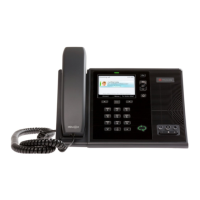
Call Using the Handset or Speakerphone
Place a call using the handset:
Perform the following steps in any order:
• Pick up the handset.
• Dial the desired number using the dial pad.
• The number appears in the phone number field.
• The number automatically dials once a complete number is entered.
• You must press the Call button if you dial the number first and do not activate
the speakerphone or handset.
Use the Up or
Down arrows to
cycle through
Contact List and
press Right
Select to call.
Place a call using the speakerphone:
Perform one of the following steps:
• With the handset on-hook, press the Speakerphone key.
• When you hear a dial tone, enter the desired number.
• Dial the desired number using the dial pad.
• Press the Speakerphone button.
Speakerphone
button (leftmost).




 To Next Page