HOW TO HANDLE AN ASSIST BICYCLE
QUICK GUIDE
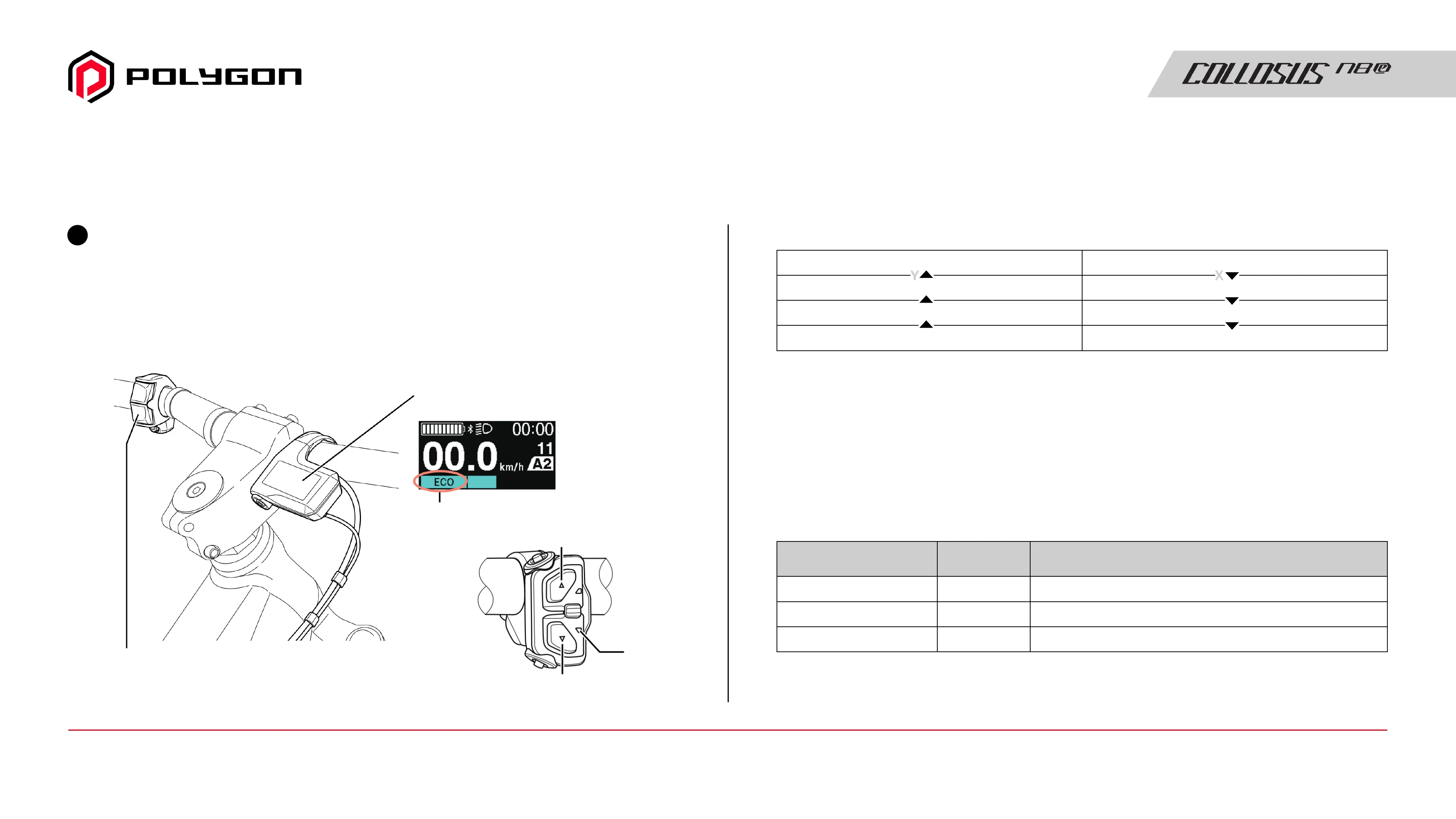
Select assist mode
• When the power is turned OFF, the assist mode resets to [OFF].
• The below shows the display for the [BASIC] assist profile.
For the [Fine tune] assist profile display, refer to the user's manuals
for your cycle computer and switch unit.
Select the level of assistance from three modes according to riding
conditions. One of the following two combinations is set by default:
• [BOOST] / [TRAIL] / [ECO]
A combination of assist modes for sport riding.
• [HIGH] / [NORMAL] / [ECO]
A combination of assist modes for comfortable riding in urban settings.
3
* 1
Depending on the cycle computer, [NORM] is displayed.
Switch Unit
Cycle computer example
Assist mode
display
5-switch type
LED2
X
Y
LED2 Assist mode display
[ECO]
[TRAIL] / [NORMAL]
[BOOST] / [HIGH]
[OFF]
Light blue
Green
Yellow
OFF
Assist mode
Level of
assistance
Main application
Long distance riding on level ground, level parks with signalsDecrease[ECO]
Gentle ascending slopes and level groundIntermediate[TRAIL] / [NORMAL]
* 1
Precipitous mountain roads and steep slopesIncrease[BOOST] / [HIGH]
Manual Guide15 / Quick Guide - How To Handle an Assist Bicycle



 To Next Page