HOW TO HANDLE AN ASSIST BICYCLE
QUICK GUIDE
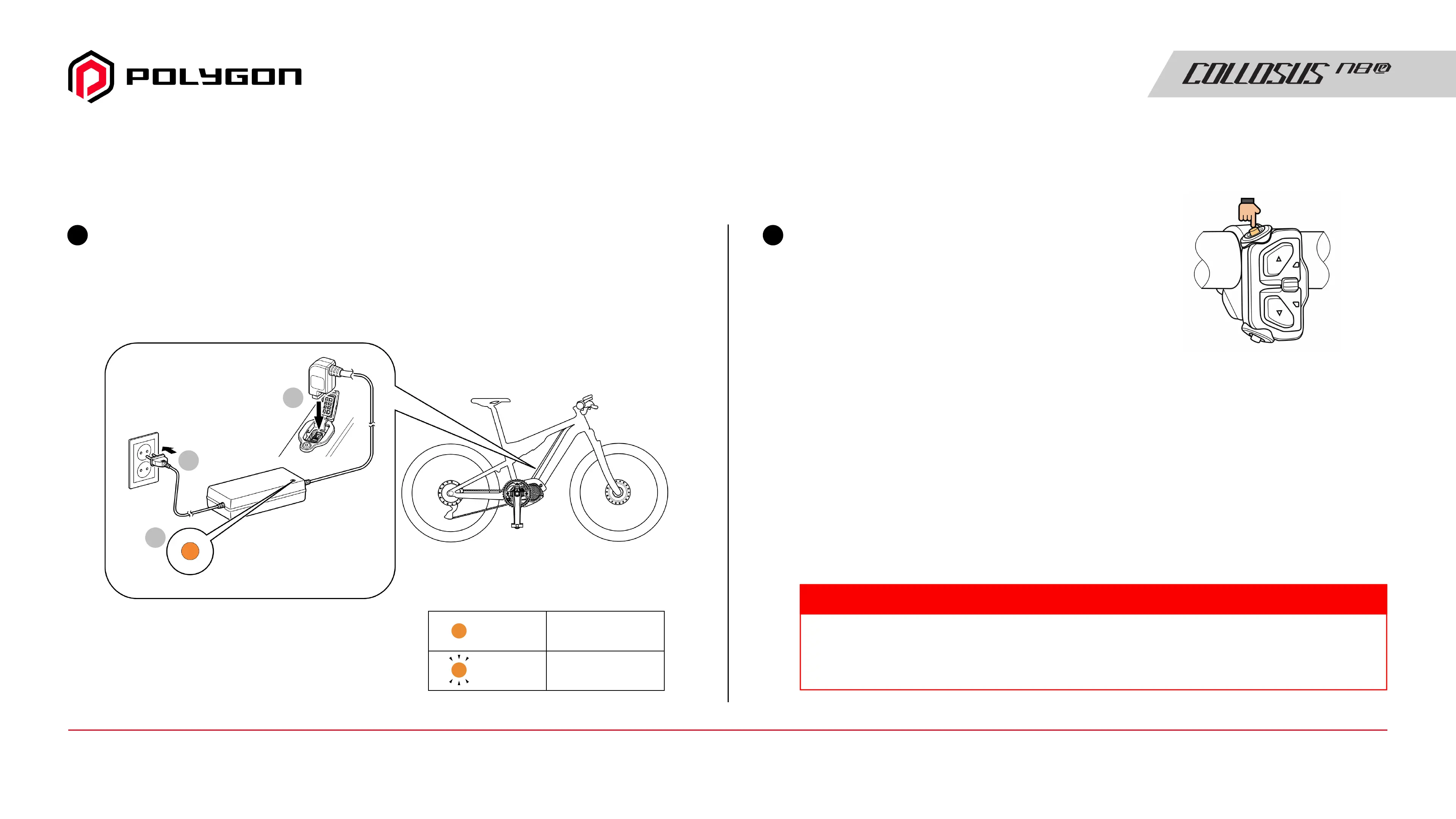
Charge the battery
Example of built-in type battery
*According to the assist bicycle, the location of the charging port
may be different from the one shown in the figure.
1
Turn the power ON
To turn OFF the power,
repeat this procedure.
Wait a while before pressing the
power button when turning the
power ON again after the power
has been turned OFF.
2
1
3
2
Lit up
Charging
Charge error
Lit up
Flashing
Example of 5-switch type switch unit
(left side of the handlebar)
Depending on the assist bicycle used, the installed battery, cycle computer,
and switch unit may differ from what is listed here. Also refer to the user's manual
of the components you are using listed in “Booklet Structure”
TECH TIPS
Manual Guide14 / Quick Guide - How To Handle an Assist Bicycle



 To Next Page