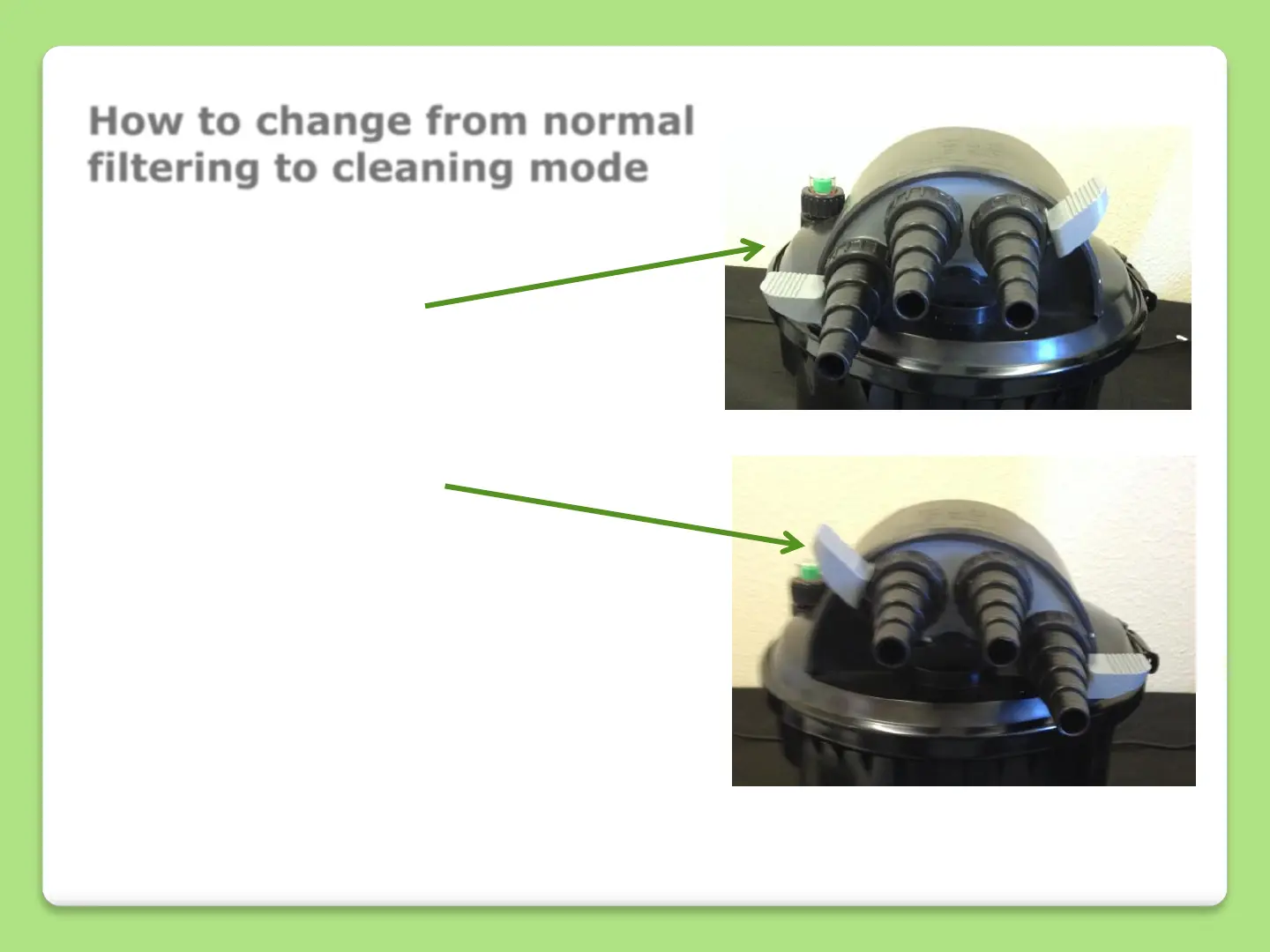
How to change from normal
filtering to cleaning mode
The filter will arrive set in
this position. This is the filter
position; handle down to the
left.
The grey handles need to be
moved to the alternative
position; handle down to the
right to use the cleaning
function.
The grey handles may be a
little stiff at first; do not be
alarmed as this is due to the
unit being new. A little bit f
pressure and rocking should
allow you to rotate this to
change to clean mode.


 To Next Page