TIMER
Setting the Time
Remove the clear cover from the timer
To adjust the timer to correct time of day, turn the timer in a Clockwise direction,
the Hour & Minute hands will start to move.
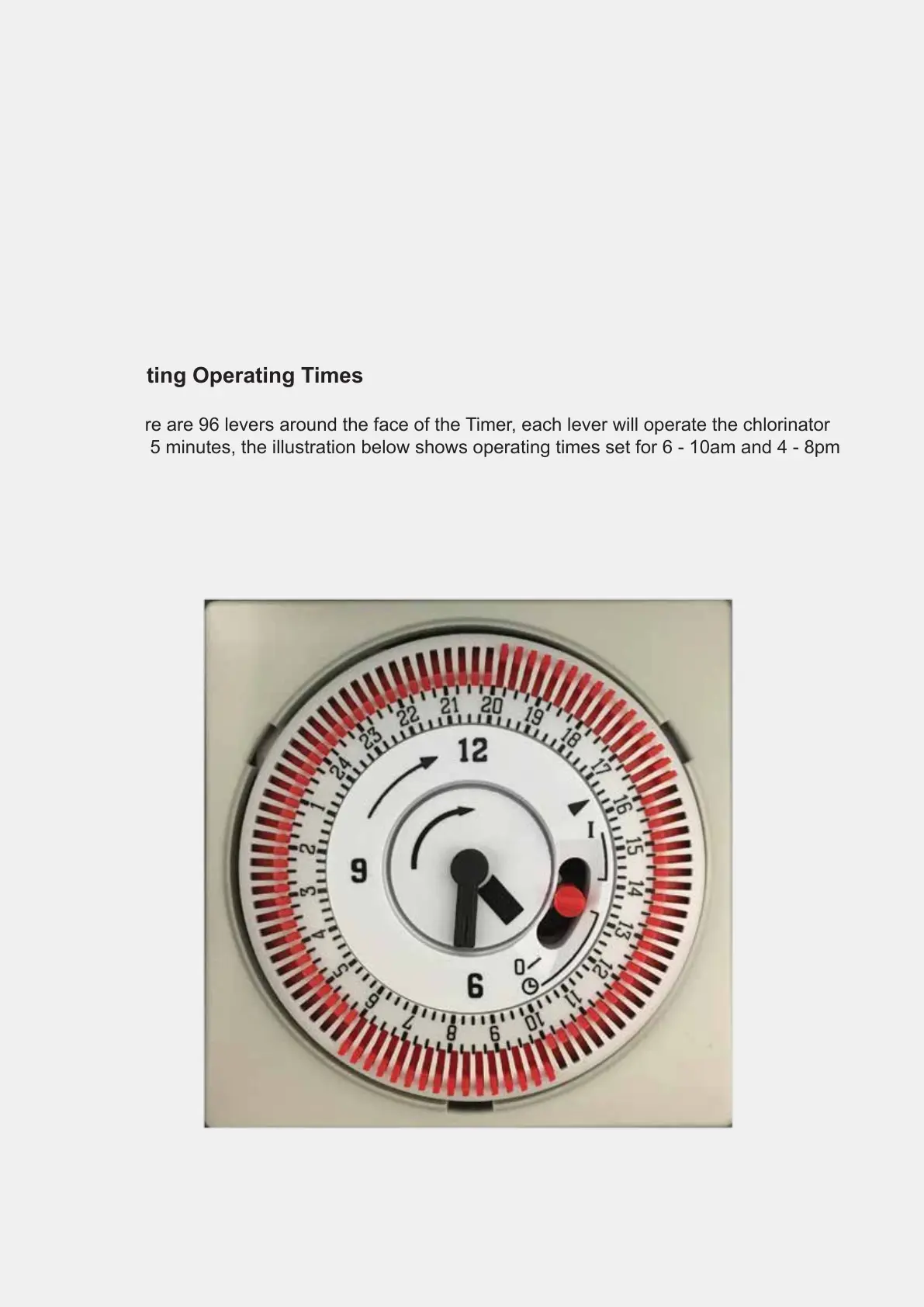
The illustration below shows the Time of day set to 4.30pm indicated by the arrow
( 6 = 6am, 12 = Midday, 18 = 6pm, 24 = Midnight etc )
Setting Operating Times
There are 96 levers around the face of the Timer, each lever will operate the chlorinator
for 15 minutes, the illustration below shows operating times set for 6 - 10am and 4 - 8pm
6.



 To Next Page