&
$'
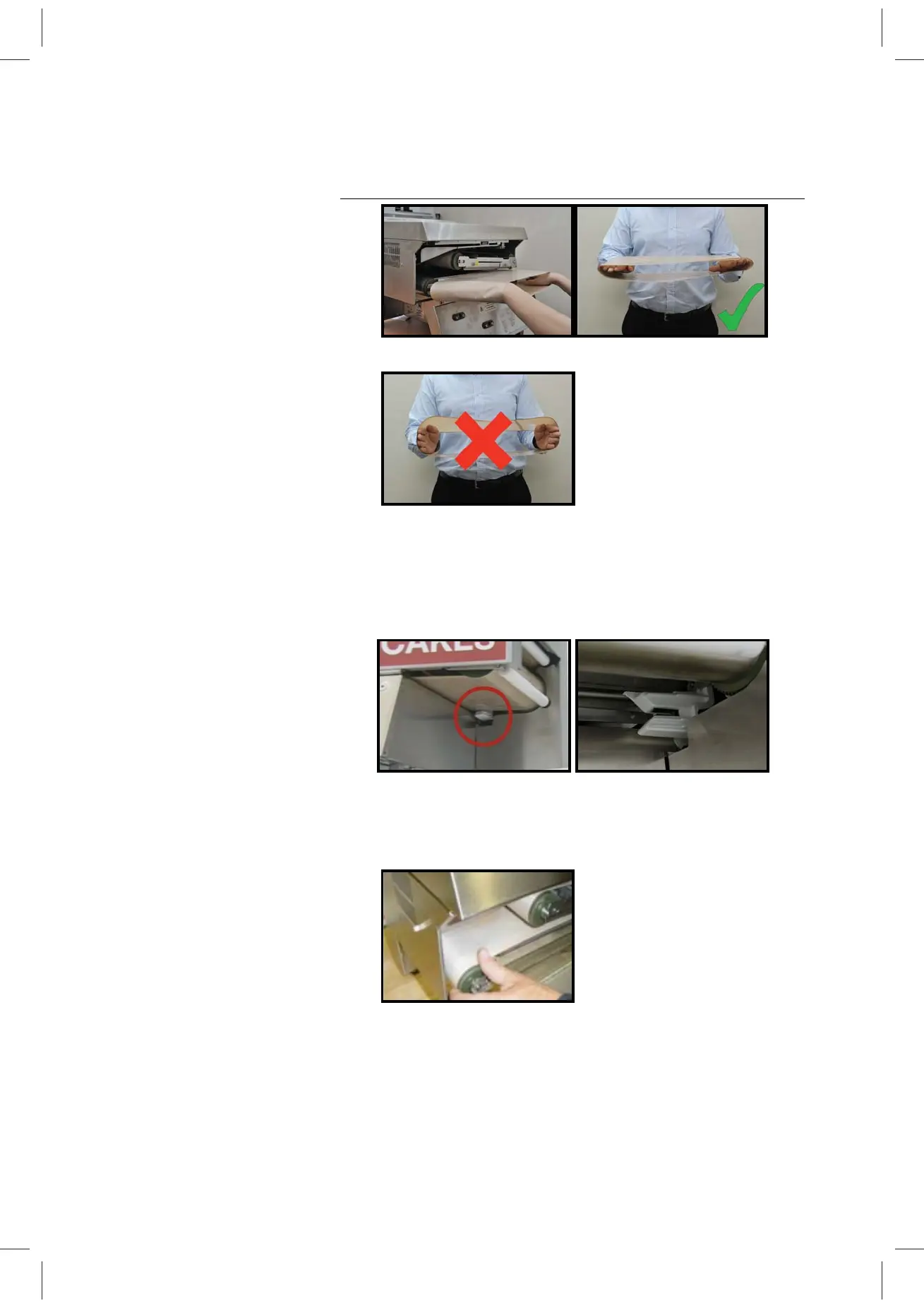
Figure 7 Figure 8
Figure 8a
4 Slide the bottom belt evenly towards the rear of the machine.
Ensure that the bottom of the belt is located between the
fingers of the belt sensor (bottom belt only as shown circled
in Fig.9). A close-up of the belt sensor can be seen in Fig. 9a
without the belt inserted.
Figure 9 Figure 9a
5 Align the belt rollers ensuring the belt is not caught on the
roller flanges (Fig.10). (The flanges are the green plastic
discs at the end of each stainless steel roller drum.)
Figure 10
6 Clip both of the two anti-rollers back into their operational
position (reverse of Fig 3 above)
7 Tension the belt by moving the tensioning lever from its
maintenance position (left) to its operating position (right)
(Fig. 11).


 To Next Page