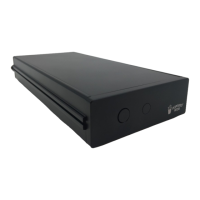
Popcorn Hour Transformer Media Computer
Table of Contents
1. Introduction.................................................................................................................................. 2
2. Package Content......................................................................................................................... 2
3. Safety Notes................................................................................................................................ 3
4. Hardware Specifications..............................................................................................................4
5. Getting Started............................................................................................................................ 4
5.1 Popcorn Hour Transformer Media Computer Overview.............................................................4
5.2 Connecting to TV via HDMI.......................................................................................................4
6. Remote Control........................................................................................................................... 6
7. Android Home............................................................................................................................. 6
8. Android Settings.......................................................................................................................... 8
8.1 Wi-Fi Settings............................................................................................................................ 8
8.2 Display Settings......................................................................................................................... 9
8.3 Audio Settings........................................................................................................................... 9
8.4 More Settings.......................................................................................................................... 10
9. FileExplorer............................................................................................................................... 11
10. RKMC...................................................................................................................................... 11
10.1 RKMC Framerate Sync Settings............................................................................................11
10.2 RKMC Audio Channels Settings............................................................................................12
10.3 RKMC Audio Passthrough.....................................................................................................13
10.4 RKMC Video.......................................................................................................................... 13
10.5 RKMC Music......................................................................................................................... 15
11. Media Center........................................................................................................................... 17
11.1 Media Center NFS................................................................................................................. 18
© 2001 - 2018 Cloud Media. All Rights Reserved 1


 To Next Page