Popcorn Hour Transformer Media Computer
8. Android Settings
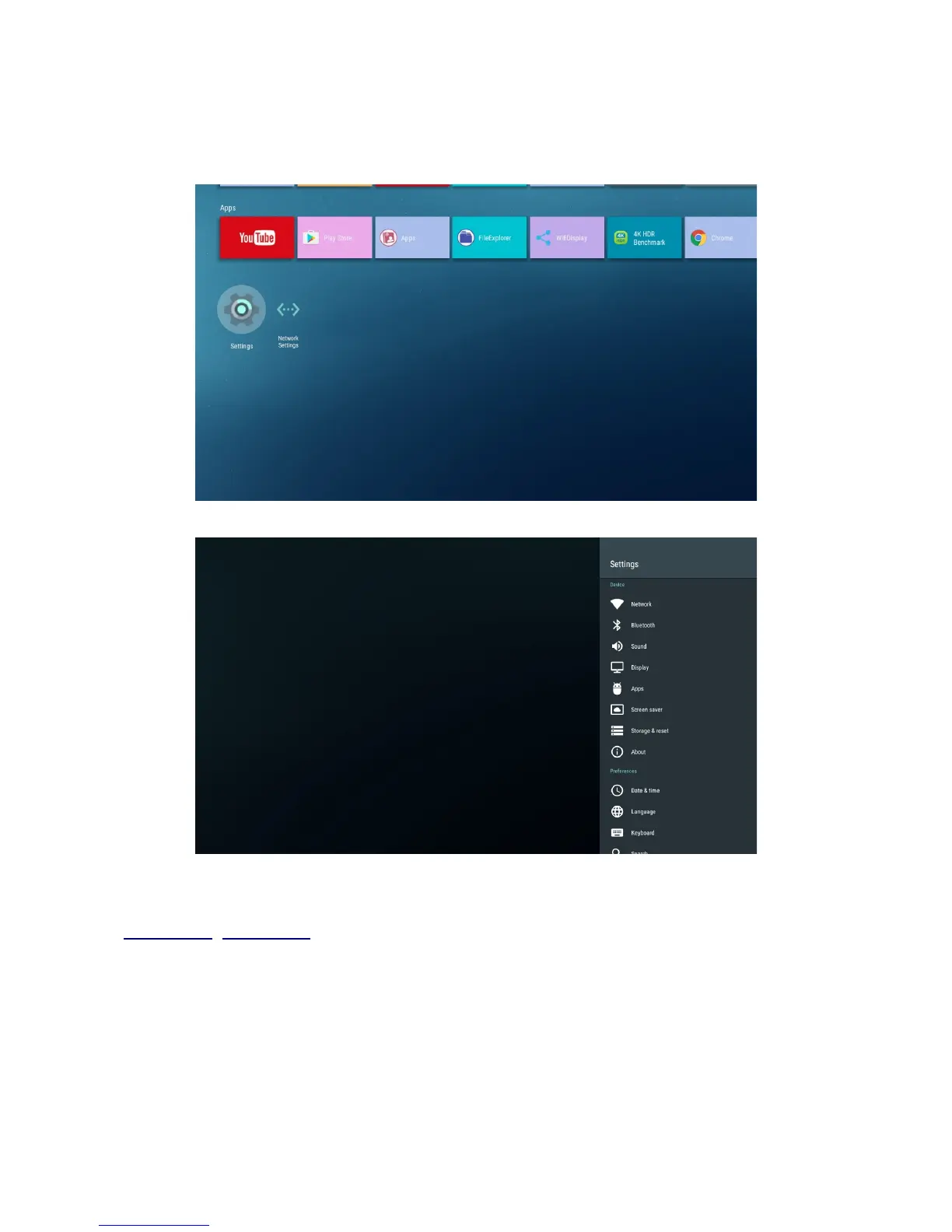
Press on the Settings icon below the Apps listing to access to the Settings.
Settings pop up panel will be shown on the right of the screen.
8.1 Wi-Fi Settings
If you would like to setup your Wi-Fi wireless connection, first, plug in your USB Wi-Fi dongle (e.g.
RTL8812AU, RTL8188EU) before boot up your Popcorn Hour Transformer Media Computer, then
go to:
[Android] Settings => Network => Press on "Wi-Fi" to enable => Select your "Wi-Fi SSID
Name" under Available networks listing => After that, follow the screen instructions.
© 2001 - 2018 Cloud Media. All Rights Reserved 8


 To Next Page