EasyManua.ls Logo

Port A Cool PAC2K36HPVS - User Manual

Default Icon
40 pages
Print Icon
To Next Page IconTo Next Page
Loading...
Owners Manual
READ AND SAVE
THESE INSTRUCTIONS
Port-A-Cool, LLC
P.O. Box 2167 • 709 Southview Circle • Center, TX 75935
Phone 936-598-5651 • 800-695-2942
www.port-a-coolllc.com
Port-A-Cool® Products and Accessories
and
KÜÜL® Pads Cooling Media
are manufactured by
PAC-ACC-03 04132011
®
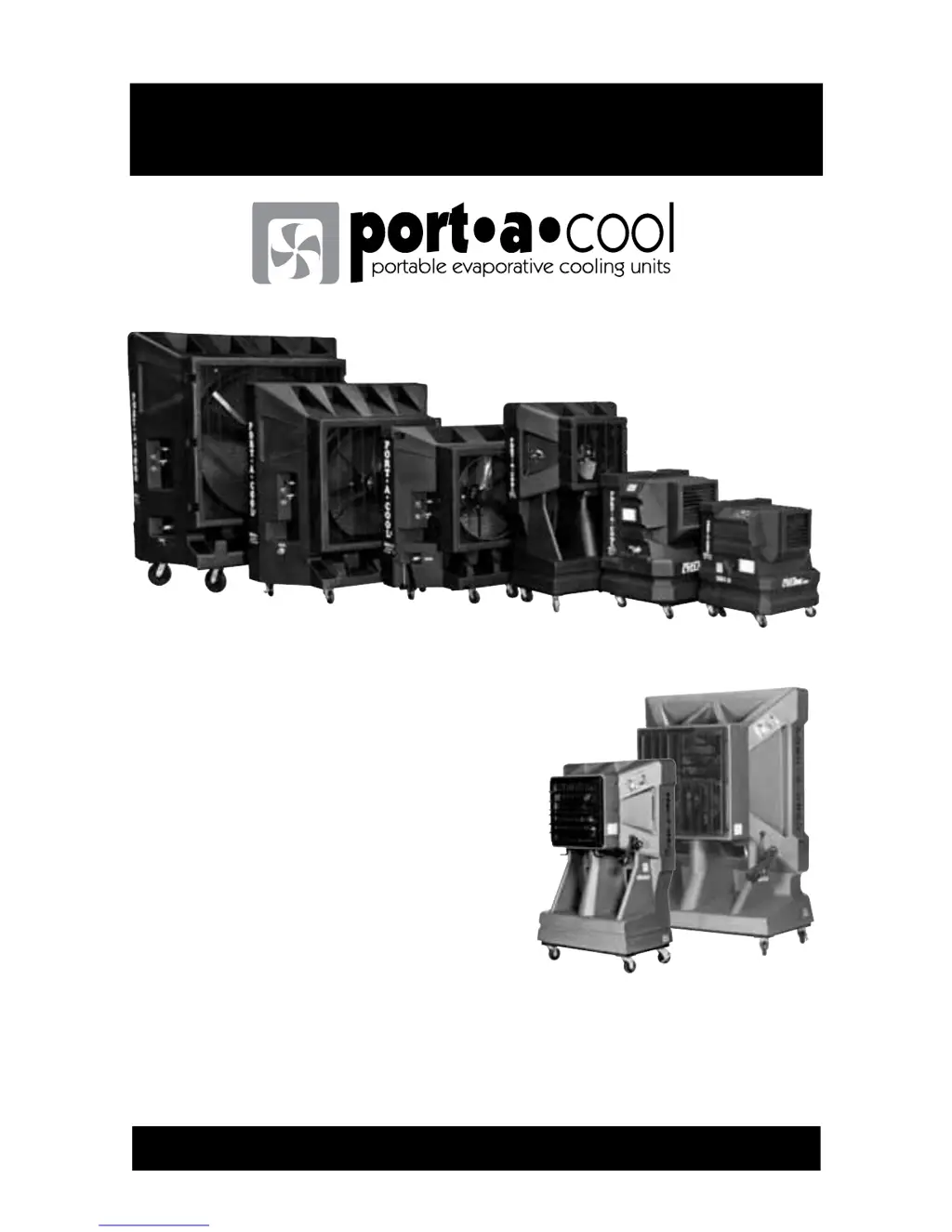
Includes
Port-A-Cool Cyclone
Port-A-Cool JetStream

Questions and Answers

  • S
    Sara PerezSep 23, 2025
    Why isn't my Port A Cool Freezer pump working when it has power?
    • A
      Alvin AlexanderSep 23, 2025
      If the pump of your Port A Cool Freezer will not run, and power is available and the pump is functional, the switch might not be making closure contact. Check the continuity and replace the switch.
  • T
    tguerreroAug 25, 2025
    How to fix a Port A Cool Freezer fan motor that won't run and makes no sound?
    • L
      Luis McdonaldAug 25, 2025
      If the fan motor of your Port A Cool Freezer doesn't run and makes no sound, the issue might be with the power cord, extension cord, switches, or circuit breaker. Try reconnecting the power or extension cord and resetting the breaker.
  • D
    Debra SparksAug 25, 2025
    Why does my Port A Cool Freezer motor overheat and shut off?
    • W
      wallacenancyAug 26, 2025
      If your Port A Cool Freezer's motor is overheating, shutting off, and then restarting, it could be due to several reasons. One possibility is that the extension cord gauge is too small; replace it with a 12-gauge cord. Another reason might be obstructed inlet air or the unit being too close to a wall; ensure a minimum of 36 inches of inlet clearance. Finally, the motor itself could be faulty, requiring a replacement.
  • M
    Melissa PaulAug 27, 2025
    Why is my Port A Cool Freezer pump cycling on and off?
    • I
      Ian LewisAug 27, 2025
      If the pump in your Port A Cool Freezer is cycling on and off periodically, it could be due to a few reasons. The extension cord gauge might be too small, so replace it with a minimum 12-gauge cord. Alternatively, the sump tank might be empty, so fill it with water. Lastly, the spray bar valve might be closed; open the valve.
  • J
    Jeffrey TorresAug 27, 2025
    How to troubleshoot a Port A Cool Freezer pump that won't turn on?
    • A
      Alison DukeAug 27, 2025
      If the pump of your Port A Cool Freezer will not run when the switch is turned on, the issue might be with the power cord, extension cord, switches, circuit breaker, switch box, or connections. Try reconnecting the power or extension cord, resetting the breaker, or reconnecting in the switch box.
  • V
    vincent27Sep 15, 2025
    Why is my Port A Cool Freezer drain valve leaking?
    • J
      Jeffrey WebbSep 15, 2025
      If water is leaking from the drain valve of your Port A Cool Freezer, it could be due to a worn washer; replace the washer. Alternatively, the stem might be worn; replace the drain valve.
  • L
    louiswintersSep 12, 2025
    Why is my Port A Cool Freezer pump motor running but the pump isn't turning?
    • J
      jvasquezSep 13, 2025
      If the pump motor of your Port A Cool Freezer is running but the pump is not turning, the issue might be with the set screws on the coupling. Try tightening the set-screw or replacing the coupling.
  • A
    annoconnellSep 14, 2025
    Why is my Port A Cool Freezer fan blade not turning and making a squealing sound?
    • C
      Crystal SharpSep 14, 2025
      If the fan blade of your Port A Cool Freezer doesn't turn and the unit makes a squealing sound, it could be due to a loose or broken fan belt; tighten or replace the fan belt. Alternatively, the fan pulley might be spinning on the shaft; tighten the pulley set screw.
  • A
    Austin AdkinsSep 5, 2025
    Why does my Port A Cool Freezer pump hum but not pump water?
    • N
      Natasha FarmerSep 5, 2025
      If the pump of your Port A Cool Freezer hums when the switch is turned on but does not pump water, it could be due to a clogged inlet filter; try cleaning the filter. Another possibility is a locked pump motor, in which case you should replace the pump. There could also be other items on the circuit; remove them.
  • D
    David MontoyaSep 2, 2025
    Why is my Port A Cool Freezer overflowing or spitting water?
    • D
      Daniel DoyleSep 3, 2025
      If your Port-A-Cool Freezer unit overflows from the sump tank or is spitting water through the fan, the float valve hose might be loose at the bulkhead fitting or at the float valve; tighten the connections and/or replace the hose washers. Alternatively, the water pressure might be too high, preventing the float valve from shutting off (50 psi max.); reduce the water pressure by checking the in-line reducer. It's also possible that the float valve isn't seating properly; check for particles in the valve and replace the float valve if needed. Finally, adjust the spray bar valve to reduce excess water flow.

Summary

QUICK SET UP GUIDE

I. SAFE OPERATION

II. SETUP

A. Unpacking the PORT-A-COOL unit

Details on how to unpack PORT-A-COOL units shipped assembled or in boxes.

B. Connecting the water and electricity

Instructions for connecting water supply and electrical power to the unit.

III. OPERATING PROCEDURES

A. Specifications

Information on specific model specifications found on serial number plate or website.

B. Placement of the PORT-A-COOL unit

Guidelines for optimal unit placement, considering air supply and pattern.

C. Starting the pump and adjusting the water flow

Steps to start the pump, manage water flow, and break-in new pads.

D. Starting the fan

Instructions for safely starting the fan, including speed selection for multi-speed models.

IV. MAINTENANCE & STORAGE

A. Daily Maintenance

Routine tasks to perform daily for unit upkeep and pad longevity.

B. Weekly Maintenance

Procedures for draining, cleaning the sump, and inspecting pads weekly.

C. Storage

Steps for preparing and storing the unit to prevent damage and dust build-up.

D. Technical Support

Contact information and procedures for obtaining technical assistance and parts.

V. WARRANTY AND REPLACEMENT PARTS

A. RMA Procedures

Process for obtaining a Return Merchandise Authorization for warranty claims.

B. PORT-A-COOL unit Limited Warranty

Details of the warranty coverage for the unit and its components.

C. Fan and Pump Replacement

Step-by-step guide for replacing the fan motor and pump assembly.

D. Exploded Views and Parts lists by model

Diagrams and part numbers for various PORT-A-COOL models.

VI. WIRING DIAGRAMS

UNIT OPERATION WARNINGS

PORT-A-COOL CYCLONE 3000 UNIT OVERVIEW

PORT-A-COOL CYCLONE 2000 UNIT OVERVIEW

PORT-A-COOL JETSTREAM UNIT OVERVIEW

PORT-A-COOL UNIT OVERVIEW

VIII. TROUBLESHOOTING; REPAIR

A. Troubleshooting

Guidance on identifying and diagnosing operational problems with the unit.

B. Repair and Replacement Procedures

General procedures for repairing and replacing unit components.

REPLACING THE COOLING MEDIA (PADS) (All Models)

Step-by-step instructions for removing and replacing the cooling pads.

SPRAY BAR ASSEMBLY (ALL MODELS)

SUBMERSIBLE PUMPS PROBLEM CHECK SOLUTION

WATER SYSTEM

WATER INLET SYSTEM

Troubleshooting common issues related to the water inlet and flow.

PLUMBING ASSEMBLY

Troubleshooting common issues with the unit's plumbing components.

BRONZE PUMP (PAC2 K36 HZ or PAC2 K48 HZ)

SHAFT TYPE PUMP (16” models)

IX. FREQUENTLY ASKED QUESTIONS

Port A Cool PAC2K36HPVS Specifications

General IconGeneral
BrandPort A Cool
ModelPAC2K36HPVS
CategoryAir Conditioner
LanguageEnglish

Related product manuals